Miishare for Tomodachi Life: Living the Dream — Find, Make & Share Miis
No official online “Miishare” service exists for Tomodachi Life: Living the Dream (LTD) — but these three browser tools cover what most “miishare” searchers actually want. Pick one to get started, or scroll down for the full Mii share guide.
What did you really want?→ Find Miis to add→ Share my Mii→ Recreate a Mii→ Share with the community
Browse 200+ Mii QR Codes →
The closest thing to a “Miishare” library. Ready-made Mii QR codes you can scan straight into a 3DS or paste into our in-browser decoder — each Mii also comes with a step-by-step recreation guide for Switch.
Why isn't there an online “Miishare” for Tomodachi Life: Living the Dream?
Nintendo hasn't released an official service called “Miishare”, and LTD itself only ships with local wireless sharing — no online share codes, no QR-code sharing. If you typed “miishare” into Google hoping for an app that lets you swap Miis with strangers online for Tomodachi Life: Living the Dream, that doesn't exist for this game. The three tools above cover what people actually want when they search “Miishare” — finding Miis, recreating them, or making your own — all in your browser, no homebrew or login needed.
Tomodachi Life Mii Share: Local Wireless
According to Nintendo's official support page: “Using local wireless communication, you can share Miis and creations from your island with a nearby player.” The original Mii or creation remains on your island after sharing — the recipient gets a copy.
Open Local Play
From your island, access the Local Play option in the game menu. Both players need to have Tomodachi Life: Living the Dream running on their Nintendo Switch consoles.
Choose What to Share
Select the Miis or creations you want to share with the other player. You can share individual Mii characters as well as other island creations.
Connect Nearby
Both players need to be physically near each other for local wireless communication to work. No internet connection is required — the Switch consoles connect directly.
Transfer Complete
Once the transfer is finished, the receiving player will have a copy of the shared Mii on their island. The original Mii stays on the sender's island — sharing creates a copy, not a move.
What Can You Share in Tomodachi Life?
Confirmed Shareable
- •Mii Characters — Share your custom Mii designs with nearby players via local wireless
- •Island Creations — Share creations you've made during gameplay
Not Available
- •Online Share Codes — No official online Mii share-code system has been documented
- •QR Code Sharing — Unlike the 3DS version, no QR-code sharing has been listed in Nintendo's documentation
- •Cloud/Online Transfer — No global online Mii search or download system described
How to Share Mii Designs With Long-Distance Friends
Since Tomodachi Life: Living the Dream's Mii share feature requires local wireless proximity, here are practical workarounds for sharing your Mii with friends who aren't nearby:
Share Screenshots
Take a screenshot of your Mii's appearance in the Mii editor. Use the Switch's built-in screenshot feature (capture button) and send it to your friend through social media or messaging. They can use the screenshot as a visual reference to recreate the Mii on their own Switch.
Share Slider Values
Share your Mii's personality slider values (Movement, Speech, Energy, Thinking, Overall) so your friend can assign the exact same personality type. Use our Personality Calculator to find and share precise values.
Share Mii Ideas
Browse our Mii ideas gallery for creative designs you and your friends can both recreate independently. Each entry includes personality type recommendations and slider values.
Mii Sharing Across Nintendo Games
Different Nintendo games handle Mii sharing differently. Here's how Tomodachi Life: Living the Dream's local wireless approach compares to other Nintendo titles:
Mii Share FAQ — Tomodachi Life: Living the Dream
Can I share Miis online in Tomodachi Life: Living the Dream?
Do I lose my Mii when I share it?
Can I share Miis using QR codes like in previous games?
What else can I share besides Miis?
How close do the two Switch consoles need to be?
Is there a way to share Miis with friends who live far away?
Why can't I share Miis online like in Miitopia?
What is Miishare? Is there a Miishare app for Tomodachi Life: Living the Dream?
The information on this page is based on Nintendo's official support documentation. Mii sharing features may be updated in future game patches.
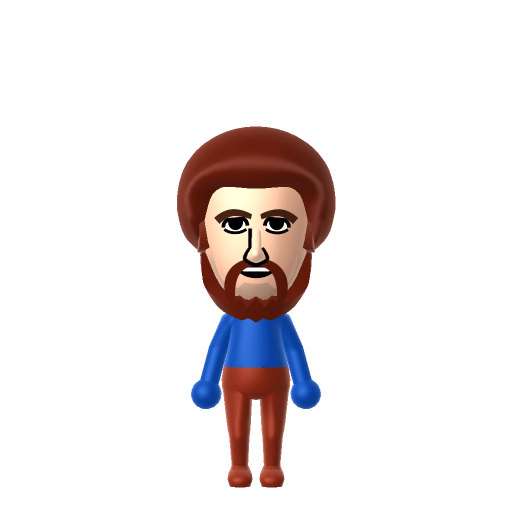
Bob Ross

Hello Kitty
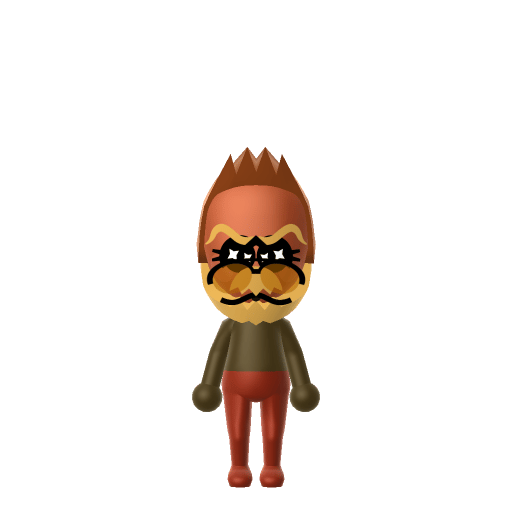
Donkey Kong
★ From the gallery
Sharing with friends? Share with everyone.
Once your Mii's ready, pin it to the Tomodachi Life Share wall and meet other islanders' creations.
Post to the community →