Mii QR Codes
Looking for Mii QR codes? Tap any character below — Mario, Pikachu, Goku, Spider-Man and 112+ more — to see the Mii and download its QR code instantly. Each one is a clean, watermark-free 3DS-format Mii QR code you can scan straight into Mii Maker. Already have a Mii QR code or a Studio code someone sent you? Decode it here. Want a QR code for a Mii of your own? Make one in the online Mii creator.
Playing on Switch?Tomodachi Life: Living the Dream (LTD) has no in-game Mii QR code scanner, but every Mii on this site comes with a step-by-step picker guide for your console's system Mii Maker (System Settings → Mii) — rebuild the Mii there, then import it into LTD as a new island resident. On a 3DS, Mii Maker reads Mii QR codes with the camera, so just open a code on any screen and scan. The online Mii creator also exports a 3DS-format Mii QR code and a Mii Studio code you can share anywhere.
Ready-made Mii QR codes
116 character Miis — games, anime, movies, TV and celebrities — each with a 3DS-format Mii QR code you can scan straight into Mii Maker, plus a step-by-step guide to rebuilding it by hand on any platform. Tap a Mii to download its QR or copy its Studio code:
★Popular— most-recognised characters
Make your own Mii QR code
Open the online Mii creator →
Build a Mii from scratch — face shape, hair, eyes, nose, mouth, glasses and more, with a live preview — then hit Export QR to download a 3DS-format Mii QR code, or copy its Mii Studio code.
Decode a Mii QR code or Studio code
Got a Mii QR code or a Mii Studio code? Drop it in — every Mii QR code decodes entirely in your browser (nothing is uploaded), renders the Mii, and gives you a step-by-step picker guide to rebuilding it in the 3DS Mii Maker or your Switch's system Mii Maker (the path for getting a Mii into Tomodachi Life: Living the Dream).
A Mii Studio code is the long hex string Mii rendering tools and editors export. It holds a Mii's full appearance (not personality — that lives in your Tomodachi Life save).
How Mii QR codes work (3DS vs Switch)
A Mii QR code is a compact binary record of a Mii's face and build packed into a scannable image — not a link. The 3DS Mii Maker writes and reads these, so players can swap Miis with the camera; that's also how a Mii QR code gets into the original Tomodachi Life. The Wii U and Miitomo could read them too.
The Switch and Switch 2 don't have a camera, and Tomodachi Life: Living the Dream has no in-game QR scanner either. The practical path on Switch: rebuild the face in your console's system Mii Maker(System Settings → Mii) using the step-by-step picker guide on each Mii's page, then import that Mii into LTD as a new island resident. The online Mii creator also builds one from scratch and exports both a 3DS-format Mii QR code and a Studio code.
A note on LTD's own Mii Maker.Inside LTD there's a separate creator with restructured pickers (front/back hairstyles, new parts, ear sizing, voice, face paint). When you decode a Mii QR code on this site, the resulting picker coordinates are calibrated for the systemMii Maker, not LTD's in-game one — so do the rebuild in the system Mii Maker first, then layer on any LTD-only customisation after import. The Mii QR code itself stays a valid 3DS-format file the whole way through.
Looks are only half a Mii — its personalityisn't stored in the Mii QR code at all. In Tomodachi Life it comes from sliders in your save: Speech, Movement, Energy and Thinking decide which of the 16 personality types your Mii is (Living the Dream adds a fifth Overall slider for how quirky their dreams are). Use the Tomodachi Life personality chart or the personality quiz to pick one.
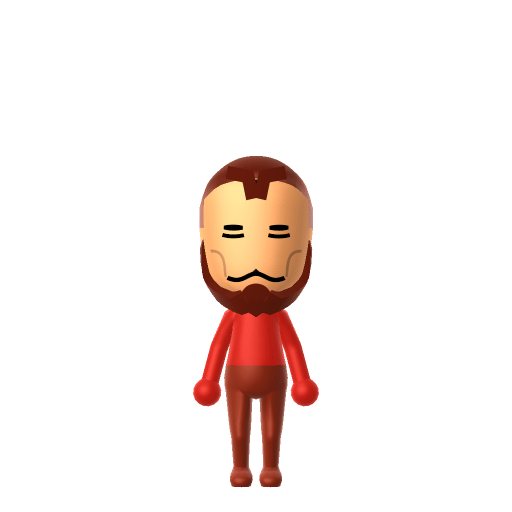
Iron Man
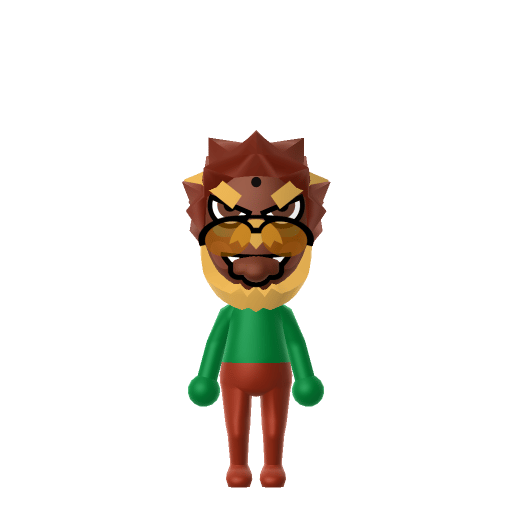
Bowser
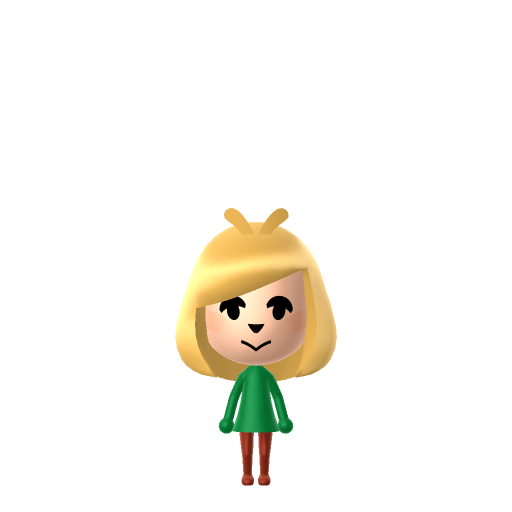
Isabelle
★ From the gallery
Got a QR worth sharing?
Post your Mii's QR card on the Tomodachi Life Share wall so anyone can scan it onto their island.
Share your QR →Make a Mii
The online Mii creator — build a Mii in your browser and export its Mii QR code or Studio code.
Mii ideas gallery
116 character Miis from games, anime, movies and more — each with a recreation guide and a Mii QR code.
Pick a personality
A Mii QR code holds looks, not personality — the Tomodachi Life Personality Calculator gives you the slider values.
Hear your Mii speak
Try the Tomodachi Life voice generator — type any text and preview how it sounds in the iconic Mii voice before setting it on your island.
Share your Mii QR codes
Post your own Mii QR cards on the community wall and browse codes other Tomodachi Life players have shared.
Mii QR codes — FAQ
What is a Mii QR code?
A Mii QR code is a square barcode that stores a Mii's appearance data — face shape, skin, hair, eyes, and so on. The Nintendo 3DS Mii Maker (and games like the original Tomodachi Life) can scan one with the camera to add that Mii instantly. It isn't a link or a URL; it's the Mii itself, packed into an image.
Where do I get Mii QR codes?
Right here — the gallery above has a ready-made Mii QR code for every character Mii on the site, freshly generated and watermark-free. Tap one to see the Mii, download its QR code straight away, or copy its Studio code. You can also make a Mii QR code for any Mii of your own (see below).
Can the Switch or Switch 2 scan Mii QR codes?
No. The Switch / Switch 2 has no camera, and Tomodachi Life: Living the Dream (LTD) has no in-game QR scanner either. The honest workflow on Switch: rebuild the Mii in your console's system Mii Maker (System Settings → Mii) using the step-by-step picker guide on each Mii's page, then import that Mii into LTD as a new island resident. The picker coordinates we publish are calibrated for the system Mii Maker; rebuild there first, then customise inside LTD if you want.
How do I get a 3DS Mii into Tomodachi Life: Living the Dream?
Two paths, both work. (1) Recipe route (community-standard): paste the Mii's Studio code or upload its 3DS Mii QR code into the decoder below, get a step-by-step picker guide, recreate the Mii in your Switch's system Mii Maker, then import it into LTD as a new resident. Anyone with a Mii QR code can do this — no extra hardware. (2) Amiibo route: on your 3DS, write the Mii to a compatible Amiibo from Mii Maker, then on Switch use Copy from Amiibo in the system Mii Maker, then import into LTD. The Amiibo route transfers appearance and name only — relationships, level and inventory don't carry over.
Why does the rebuild guide use the Switch's system Mii Maker instead of LTD's own?
Because LTD's in-game Mii Maker is a separate creator from the Switch system Mii Maker — it adds parts that didn't exist before (front/back hairstyle split, new curly and coily styles, hair highlights, ear sizing, voice pitch/speed/tone, face paint), which means the picker grids are restructured. The Mii QR code itself doesn't care which Mii Maker rebuilds the face; what matters is which picker layout the coordinates match. Our coordinates ('3 from the left, 2 from the top') are exact for the system Mii Maker and the 3DS Mii Maker. Build there for accuracy, then import into LTD and layer on any LTD-exclusive touches. Hats imported from the system Mii Maker are auto-removed by LTD and added to that Mii's clothing inventory.
How do I make my own Mii QR code?
Build a Mii in the online Mii creator, then hit its Export QR button — it generates a 3DS-format Mii QR code PNG you can download. If you already have a Mii Studio code, paste it into the decoder below first; that page lets you see and rebuild the Mii.
How do I scan a Mii QR code into the 3DS?
On a Nintendo 3DS, open Mii Maker, choose QR Code / Image Options → Scan QR Code, and point the camera at the code (on your phone or screen). The Mii is added to Mii Maker; from there you can bring it into the original Tomodachi Life and other games.
Someone sent me a Mii QR code (or a Studio code) — how do I read it?
Drop it into the decoder on this page. Upload the QR image or paste the Studio code and it decodes entirely in your browser — you get a render of the Mii plus a step-by-step guide to recreating it in any Mii Maker.
What's a Mii Studio code, and how is it different from a Mii QR code?
Both hold the same appearance data. A Mii Studio code is a hex string (Nintendo's Mii Studio format, used by Mii rendering tools and community editors); a Mii QR code is that data packed into a scannable image. The decoder accepts either.