Tomodachi Life Voice Generator
Type anything and hear your Miis speak in the classic synthetic Mii style from Tomodachi Life: Living the Dream (LTD). Tune it, download it, or make your Miis sing — 100% in your browser, on any device, nothing to install.
Fine-tune the voice
Load a famous Mii's voice from the Mii ideas gallery, then make them talk on your island.
Your generated Mii voice plays here.
How it works
Type your text
Drop in what you want your Mii to say, or tap a quick phrase to start.
Shape the voice
Slide pitch, speed, tone and accent, pick an intonation, or load a character preset.
Generate & share
Hear it instantly, then download the clip or copy a share link that rebuilds the exact voice.
The Mii voice, explained
The voice in Tomodachi Life isn't pre-recorded — every line your residents say is synthesised on the fly. The game uses a compact proprietary TTS engine (Nuance's automotive TTS, internally libNTTS) that isn't publicly available. This generator takes a different approach: it runs eSpeak NG — an open-source speech synthesiser — through a custom “Mii-ify” DSP effects chain that adjusts pitch, speed, tone, accent and intonation to approximate that classic Mii sound. It's not the exact game engine, but it captures the same style: robotic, expressive, and unmistakably Mii. Dial in anything from a squeaky islander to a slow, low drawl, then make your Miis say — or sing — whatever you like.
Voice synthesis powered by eSpeak NG (GPL-3.0), compiled to WebAssembly and running entirely in your browser.
Ways to use the Tomodachi Life voice generator
The Tomodachi Life voice generator is built for the things players actually do with the Mii voice — making clips to share, hearing a name read out loud, or just reliving that goofy island chatter. A few ideas to get you started:
Make a meme clip
Type a punchline, shape the voice, and download the audio to drop into a video or send to friends.
Hear a resident's catchphrase
Paste a line one of your Miis says on your island and hear it back in that unmistakable synthesised Mii voice.
Give a gallery character a voice
Load a character preset like Mario or Donkey Kong, nudge the pitch, and make them talk.
Make your Miis sing
Switch to the Sing tab, tap out a melody on the grid, and turn the Mii voice into a tiny choir — right from your phone.
Speak and Sing — on any device
Most Tomodachi Life voice tools were built for desktop, and their singing mode simply doesn't load on a phone. Because most players reach for a Mii voice generator on mobile, both the Speak and Sing tabs here are designed mobile-first: the controls stay tappable, the note grid scrolls, and nothing breaks on a small screen. Whether you're on a laptop or your phone, you get the same Mii voice and the same download and share-link tools — so the voice generator goes wherever your island does.
Tomodachi Life voice generator FAQ
What is a Tomodachi Life voice generator?
It's a tool that turns text into the synthetic Mii voice from Tomodachi Life. You type a sentence, adjust the voice parameters, and the generator speaks it back so you can download or share the clip.
How does the Mii voice actually work?
Tomodachi Life generates Mii speech in real time with a proprietary TTS engine (Nuance's automotive TTS, internally called libNTTS) — not publicly available. This generator approximates that sound using eSpeak NG, an open-source speech synthesiser compiled to WebAssembly, run through a custom DSP effects chain. The exposed controls — pitch, speed, tone, accent and intonation — mirror the parameters the game uses so you can tune for that classic Mii feel, all without leaving your browser.
Can I make a Mii sing?
Yes — the Sing tab lets you place “La” notes on a touch-friendly grid, set the tempo, and have the Mii voice sing your melody. It's in Beta, and unlike most desktop-only tools it's built to work on a phone.
Can I download the audio?
Yes. After generating, use Download to save the clip, or Copy share link to send a URL that reloads the exact text and voice settings for someone else to regenerate.
Is it free and does it need an account?
It's completely free and runs in your browser with no account or install.
Does it work on mobile?
Yes — both the Speak and Sing tabs are designed mobile-first, so they work on a phone as well as a desktop browser.
Is this the real Tomodachi Life voice?
It's a close approximation, not the game's exact engine. The game uses a proprietary Nuance TTS engine (libNTTS) that isn't publicly available. This generator uses eSpeak NG — open-source, runs entirely in your browser — tuned with a custom DSP chain to capture that distinctive synthetic Mii sound. The result is great for memes, clips, and hearing your Miis talk, even if it's not bit-for-bit identical to what plays on your island.
What languages can the Mii voice speak?
You can pick from several language voices — US and UK English, Japanese, French, German, Spanish and Italian — matching the regional voices Tomodachi Life shipped with. Switching the voice changes how the same text is pronounced.
Can I use the clips I make with the voice generator?
The clips you generate are yours to download and share for personal, fan and non-commercial fun. Miis and Tomodachi Life are Nintendo's, so keep your voice generator creations on the fan side of the line.
Is there a Tomodachi Life: Living the Dream voice generator?
Yes — this page doubles as a Tomodachi Life: Living the Dream (LTD) voice generator. LTD uses the same style of synthesised Mii voice as the original game, so the eSpeak NG approximation here works for both. Type what you want your residents to say and adjust the sliders to match the vibe of your island.


Miku

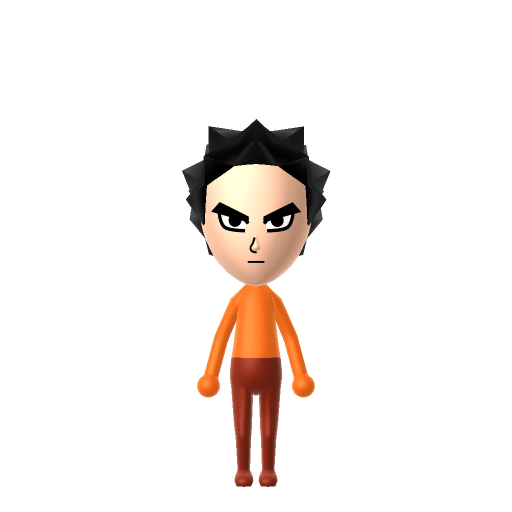
Goku


Bender
★ From the gallery
Made a voice you love?
Pin your talking Mii to the Tomodachi Life Share wall so other islanders can hear it speak.
Share your Mii →