Tomodachi Island Layout Planner
Design your tomodachi island layout before building it in Tomodachi Life: Living the Dream (LTD). Paint Sea, Sand, Grass, and Path terrain on the grid, place every real LTD building by name, and export a PNG you can follow in-game — the only tomodachi life island layout planner built around the actual LTD building catalog.
Paint terrain
Buildings
Decorations
Pick a building or colour above, then tap the map.
Your island starts as open sea
Tap Paint, pick sand or grass, then drag across the water to raise your first stretch of land.
How to Use the Tomodachi Island Layout Planner
Three tools live in the toolbar — switch between them and tap the grid. Only buildings you've unlocked in LTD appear in the palette, so your tomodachi island layoutalways reflects what's buildable right now.
Build
Tap Build, pick any LTD building or decoration from the palette, then tap the tomodachi island layout grid to drop it — Mii Houses, shops, the MiiWheel and more.
Paint Terrain
Tap Paint, choose Sea, Sand, Grass, or Path, then drag across the grid. Pick a 1×1 to 3×3 brush size to fill large areas of your tomodachi island layout fast.
Arrange
Tap Select to grab any placed piece — drag to reposition, or hit the trash button to remove it. Pan around your full tomodachi island layout in pan mode.
Match Your Progress
Set your island stage in the palette panel. Buildings you haven't unlocked yet stay hidden — every piece shown is one you can place right now on your island.
Zoom with Ctrl + scroll or the zoom input; tap Fullscreen for a bigger canvas. Hit Download PNG to save your finished tomodachi island layout as an image.
Tomodachi Island Layout Grid — Terrain & Footprints
The tomodachi life island layout grid is a sea of square cells — each cell is one in-game tile. Paint four terrain types to carve out your island, then fill it with buildings sized by their grid footprint. Understanding the tomodachi island layout grid is what separates a plan that works from one that runs out of space.
The default starting tile. Erase land to return to open water — great for ocean borders and inlet channels in any tomodachi island layout.
Coastal tiles for shorelines and boardwalks. Wrap the edge of your tomodachi island layout in sand for a tropical feel.
The primary buildable surface. Most buildings sit on grass — bulk-fill your interior with this before placing structures on your tomodachi island layout grid.
Walkways between buildings. Draw roads, plazas, and town squares. Palette House lets you paint custom textures over these tiles.
Building Footprint Sizes on the Grid
1 × 1
Mii House, decorations
2 × 2
Most shops & amenities
3 × 3
MiiWheel, Wishing Fountain
The planner renders each building at its real footprint — pink cells show the occupied space, grey cells are free. Use this as your tomodachi island layout grid reference when planning spacing between structures on your island.
Tomodachi Life Island Layout Tutorial — 5 Stages
Your tomodachi life living the dream island layout evolves as your Mii population grows. Each milestone unlocks new buildings — plan ahead in the grid editor so you always know where the next piece will land on your island.
Move-In Day
1 MiiStart shaping your tomodachi island layout now — the terrain you paint in the planner is exactly what you'll recreate in-game.
Open for Business
3 – 5 MiisQuik Build unlocks your first outdoor décor: trees, benches, fences, streetlights. Reserve grid space in your tomodachi island layout planner now.
Creative Island
6 MiisPalette House lets you paint custom textures over Path and Grass tiles — your tomodachi life island layout grid becomes a true canvas.
Love on the Island
First confessionPlan the MiiWheel's 3×3 footprint before it arrives — it's the centrepiece of any tomodachi island layout and hard to rearrange later. Romance guide →
Designer's Paradise
20 + MiisLand reclamation opens new buildable area. Draft the expanded tomodachi life living the dream island layout in the planner before placing a tile in-game.
Tomodachi Island Layout Tips
Four strategies that make the difference between a cramped tomodachi island layout and one that grows with your island over time.
Terrain First
Sketch your full tomodachi island layout with terrain before placing any buildings. It's much harder to repaint under structures once they're down.
Group Mii Houses
Cluster all Mii Houses in one neighbourhood zone of your tomodachi island layout grid. Shops and landmarks fill the gaps — this mirrors how the game generates scenes.
Leave Expansion Room
Land reclamation at 20+ Miis adds new buildable sea cells. In your tomodachi island layout planner, keep a stretch of open sea on one side to absorb the growth naturally.
Export & Compare
Hit Download PNG to save your tomodachi island layout as an image, then open it side-by-side with your game screen while building — the easiest way to follow your plan.
Tomodachi Island Layout — Common Questions
What is the Tomodachi island layout planner?
It's a free, browser-based tomodachi island layout tool for planning your island before you build it in Tomodachi Life: Living the Dream. Paint Sea, Sand, Grass, and Path terrain, drop real LTD buildings by name onto a grid, and export a PNG reference image. Think of it as your tomodachi life planner template — design the tomodachi island layout on-screen, then recreate it in-game.
Do I need an account or a template file to start?
No account, no download, no tomodachi life island planner template file needed. Open the planner above, tap 'Paint' to shape land, tap 'Build' to place buildings. If you want to trace over an existing tomodachi island layout, hit the Import button and load any image — a screenshot or Pinterest pin — as a semi-transparent reference layer.
How does the tomodachi island layout grid work?
The tomodachi life island layout grid is made of square cells, each representing one in-game tile. Buildings have footprints: Mii Houses are 1×1, most shops are 2×2, and large landmarks like the MiiWheel are 3×3. The planner renders every piece at its true footprint on the tomodachi island layout grid so you know exactly how much land each building needs before committing in-game.
What's the best tomodachi island layout strategy for Living the Dream?
Most players master their tomodachi life living the dream island layout in three passes: (1) paint terrain to claim land — grass first, paths second; (2) cluster all Mii Houses in one neighbourhood zone; (3) fill remaining space with shops and landmarks. Use Fullscreen mode for a bigger canvas when planning the full tomodachi island layout, then export and follow the PNG while building.
Can I plan my tomodachi island layout before unlocking all buildings?
Yes — set the Island Progress dropdown in the palette panel to match your current stage. The tomodachi island layout planner hides any building you haven't unlocked yet, so every piece shown is one you can actually place right now. It's the most accurate tomodachi mii planner experience available outside the game.
How do I use the planner as a tomodachi life island layout template?
Design your ideal tomodachi island layout in the planner, then hit Download PNG to save it. You now have a tomodachi life island planner template you can follow in-game cell by cell. You can also import that saved PNG back into the planner as a tracing layer to resume editing your tomodachi island layout later.
Can I save or share my tomodachi island layout?
Tap the Download PNG button in the toolbar to save a high-resolution image of your tomodachi island layout. Share it on Discord, Reddit, or Pinterest — or import it back as a reference layer next time. The planner runs entirely in your browser with no server saves needed.
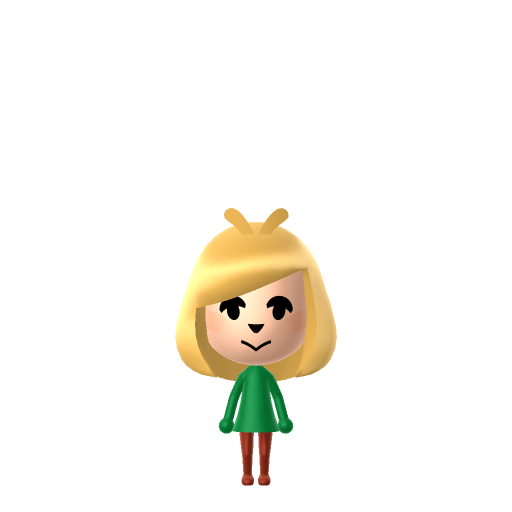
Isabelle


Bob Ross
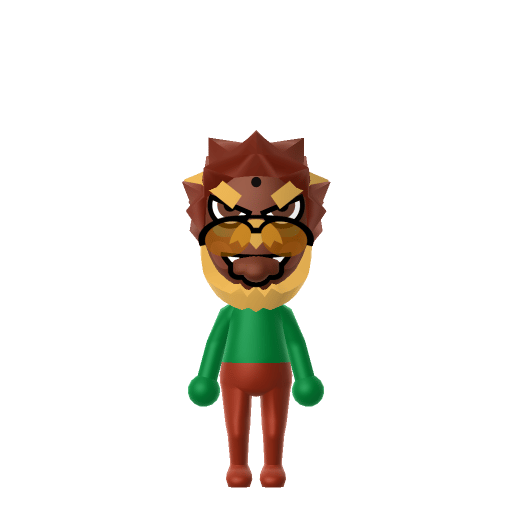
Bowser
★ From the gallery
Designed an island worth touring?
Pin your island layout to the Tomodachi Life Share wall and wander what everyone else is building.
Share your island →More tools for your island
Design the Miis that will live on your island, or turn any image into a Palette House pixel grid — both work hand-in-hand with the tomodachi island layout planner.