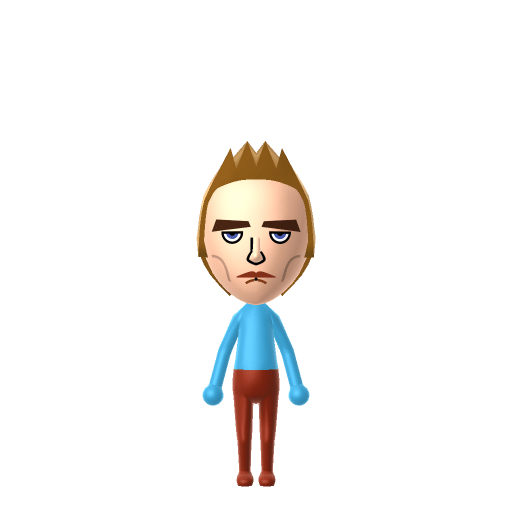
All Mii ideas
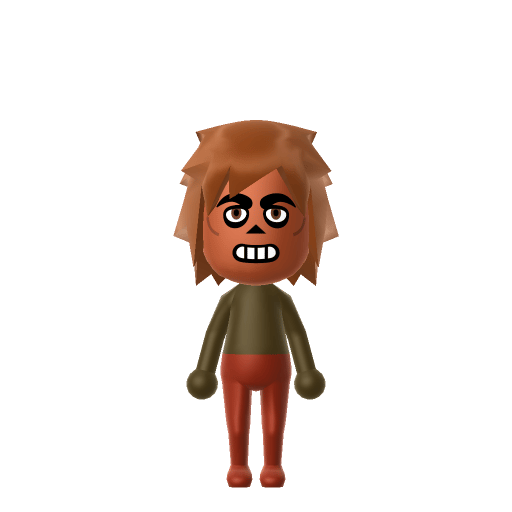
Freddy Fazbear Mii for Tomodachi Life
Video Game Mii Idea

Freddy Fazbear Mii for Tomodachi Life

The animatronic bear mascot of Five Nights at Freddy's — friendly by day, hostile after midnight.

#game#fnaf#horror#mascot

About the Freddy Fazbear Mii

Character File

Freddy Fazbear is the animatronic mascot of the fictional Freddy Fazbear's Pizza in Five Nights at Freddy's, the horror game series created by Scott Cawthon and launched on August 8, 2014. A brown bear who entertains by day, Freddy and his fellow animatronics turn hostile after midnight, stalking the player's night-shift security guard until 6 a.m. He is the franchise's iconic figure.

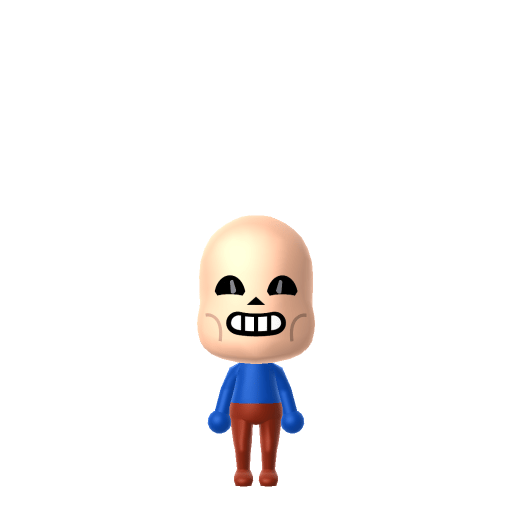
01 — Personality

Recommended personality for your Freddy Fazbear Mii: Observer

Keeps emotions tucked away inside but has a rich inner life. Introspective, independent, and deeply thoughtful.In Tomodachi Life, set this Mii's sliders so Speech + Movement totals 0–3 and Thinking + Energy totals 0–3. See the full Observer guide →

Why this fitsIn Five Nights at Freddy's, Freddy is the patient one — he hangs back in the shadows, barely moving, and only strikes the moment you stop watching the cameras. That still, watchful, wait-in-the-dark behaviour is pure Observer (low Speech + Movement, low Thinking + Energy).

02 — How to Make This Mii

How to Make a Freddy Fazbear Mii in Tomodachi Life

To make a Freddy Fazbear Mii in Tomodachi Life: Living the Dream, pick brown skin, a shaggy brown hair-as-fur look, big round eyes, and a toothy mouth with a brown colour theme, then add his signature top hat and bow tie as in-game accessories. Mii Maker only builds humanoid Miis, so this is an inspired-by, human-form Freddy. The picker-by-picker walkthrough below works for both Nintendo Switch (LTD) and 3DS (original Tomodachi Life).

Use the system Mii Maker, then bring the Mii into Tomodachi Life: Living the Dream.

Body & Build

  1. 1
    Set gender to "Male".
  2. 2
    Set favorite color to brown.
  3. 3
    Set height to 90%.
  4. 4
    Set weight to 86%.

Face Shape & Skin

  1. 5
    Set face/skin color.
  2. 6
    Set face type.
  3. 7
    Set facial features/wrinkles.

Hair

  1. 8
    Set hair style.
    ⋯
    ⋯
    Row 6 · Column 5
  2. 9
    Set hair color in the expanded colors menu.

Eyes

  1. 10
    Set eyes.
    ⋯
    ⋯
    Row 7 · Column 2
  2. 11
    Set eye color in the expanded colors menu.
  3. 12
    Make eyes 1 smaller.
  4. 13
    Unsquash the eyes 2 to the right.
  5. 14
    Rotate outer edge of the eyes all the way down, then rotate it 3 ticks back up.
  6. 15
    Move eyes 2 ticks down.

Eyebrows

  1. 16
    Set eyebrows.
    ⋯
    ⋯
    Row 3 · Column 1
  2. 17
    Set eyebrows color in the expanded colors menu.
  3. 18
    Unsquash the eyebrows 1 to the right.
  4. 19
    Move eyebrows 1 closer.
  5. 20
    Move eyebrows 2 ticks down.

Nose

  1. 21
    Set nose.
    ⋯
    Row 1 · Column 6
  2. 22
    Make nose 3 larger.

Mouth

  1. 23
    Set mouth.
    ⋯
    ⋯
    Row 6 · Column 4
  2. 24
    Make mouth 1 larger.
  3. 25
    Move mouth 1 ticks down.

Diagrams show where the option sits in the Mii Maker picker (4 columns, scroll to reach later rows). Editor menus differ slightly between regions and console revisions — if an exact option is missing, pick the closest one.

Mii Studio data code

Freddy Fazbear's full appearance as a Mii Studio data string. Drop it into Mii rendering tools or community Mii editors that accept Studio codes (it's not a console import — for the game itself use the steps above).

08006d050a03032c020e040806040b010c0400070309000804000a0300497204000214031305220e04000a070009
03 — QR Code
Freddy Fazbear Mii QR code for the Nintendo 3DS

Scan this Freddy Fazbear Mii QR code

This is a 3DS-format Mii QR code generated from Freddy Fazbear's Mii data. On a Nintendo 3DS, open Mii Maker → QR Code / Image Options → Scan QR Code and point the camera at it, then bring the Mii into the original Tomodachi Life. The Switch / Switch 2 has no camera, so it can't scan Mii QR codes — for Tomodachi Life: Living the Dream use the step-by-step instructions above (or the online Mii creator).

Download QR code

Get the Freddy Fazbear Mii look

Build cheat-sheet

Feature → the move to make in Mii Maker

  1. Colour / fur

    Freddy is a brown bear, so set a brown skin tone and brown favourite colour, and use shaggy brown hair to stand in for fur.

  2. Face

    Give him big round eyes and a wide, toothy grin — the friendly-by-day mascot face that turns unsettling after dark.

  3. Build

    He's a bulky animatronic, so keep the build broad and heavy.

  4. Hat & bow tie

    His black top hat and bow tie are signature — add them as in-game accessories/headwear after importing the Mii.

What Mii Maker can't do for your Freddy Fazbear Mii

  • Mii Maker can’t

    Animatronic bear body

    Closest you can get

    Mii Maker only builds humanoid Miis, so an actual animatronic bear is impossible — this is an inspired-by, human-form Freddy where brown colouring, fur-like hair and a toothy grin carry the likeness.

  • Mii Maker can’t

    Top hat and bow tie

    Closest you can get

    Mii Maker has no top-hat or bow-tie part in the face editor, so add them as in-game headwear and clothing after the Mii is made.

  • Mii Maker can’t

    Glowing endoskeleton eyes

    Closest you can get

    Miis can't have glowing or mechanical eyes, so use large round eyes and let the brown palette and grin sell the character.

Freddy Fazbear Mii on your island

Picture it

An Observer-type Freddy is the island's quiet night-owl — Observers hang back, move little and watch more than they talk, which fits his lurk-in-the-shadows reputation perfectly. He makes a deadpan, low-drama resident who looms around the Apartments after dark while your louder Miis run the show. Don't expect his still nature to pick his partner, though: romance in LTD runs on dating preferences, random crushes and zodiac compatibility from birth dates, not personality — so give your Freddy Fazbear Mii a birthday and let Love Pondering surprise you with who the animatronic bear ends up liking.

Life on your island

Did you know? — Freddy Fazbear Mii

  1. Five Nights at Freddy's was created by Scott Cawthon and launched on August 8, 2014, growing from a single game into a sprawling horror franchise.

  2. The series was born from criticism: reviewers said the characters in Cawthon's earlier, gentler game looked like creepy animatronics — so he leaned into it and built a horror hit around that idea.

  3. Freddy's signature tactic is patience — he hangs back in the shadows and strikes the instant the player stops watching the security cameras.

Pair your Freddy Fazbear Mii with

Bonnie, Chica & Foxy

Freddy's fellow animatronic performers at Freddy Fazbear's Pizza — the rest of the band that stalks the night shift alongside him.

In Tomodachi Life

Recreate Bonnie, Chica and Foxy as their own inspired-by Miis to gather the whole animatronic crew on one island — but Tomodachi Life: Living the Dream writes its own story. Friendships there grow from proximity and shared time, and romance runs on dating preferences, random crushes and birthday/zodiac compatibility, so house the band together and steer their relationships yourself.

Freddy Fazbear Mii — FAQ

How do you make a Freddy Fazbear Mii in Tomodachi Life?

Build a Freddy Fazbear Mii in Mii Maker with brown skin, a shaggy brown hair-as-fur look, big round eyes, and a toothy mouth on a brown colour theme, then add his top hat and bow tie as in-game accessories. Follow the picker-by-picker steps above for the exact options on Switch (LTD) or 3DS.

Why is the Freddy Fazbear Mii human-shaped instead of an animatronic?

Mii Maker only builds humanoid Miis, so it can't make an actual animatronic bear. This Freddy Fazbear Mii is an inspired-by, human-form take — brown colouring, fur-like hair, round eyes and a toothy grin — that still reads as Freddy at a glance on your island.

Can I scan a Freddy Fazbear Mii QR code on a Nintendo Switch?

No — the Switch and Switch 2 have no camera, so Tomodachi Life: Living the Dream can't scan Mii QR codes. Build him by hand with the steps above. On the original 3DS Tomodachi Life you can scan the Freddy Fazbear Mii QR code on this page.

What personality should a Freddy Fazbear Mii have?

Observer fits best — set Speech + Movement low and Thinking + Energy low in the personality panel above. It matches Freddy's still, watchful, wait-in-the-dark behaviour, so the Freddy Fazbear Mii hangs back quietly on your island.

Sources: WikipediaCharacter facts are grounded in the source(s) above; Mii-Maker mapping is our own craft guidance.

More Miis like Freddy Fazbear

Have your own Mii?

Paste a Mii Studio code or upload a Mii QR image into the QR code Mii decoder to get this same step-by-step recreation guide for it.

Want to design your own?

Build a Mii from scratch in the online Mii creator, then bring its code here for rebuild steps.