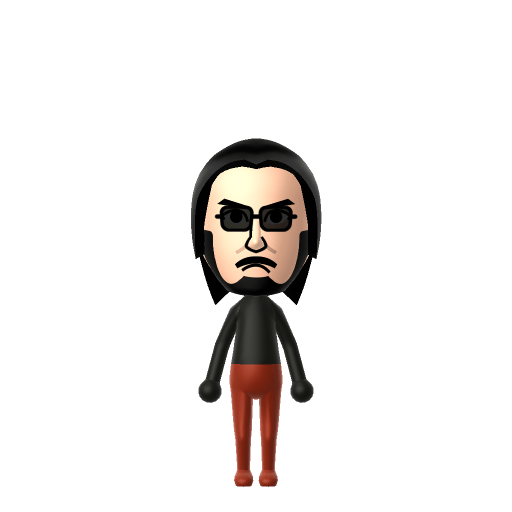
All Mii ideas
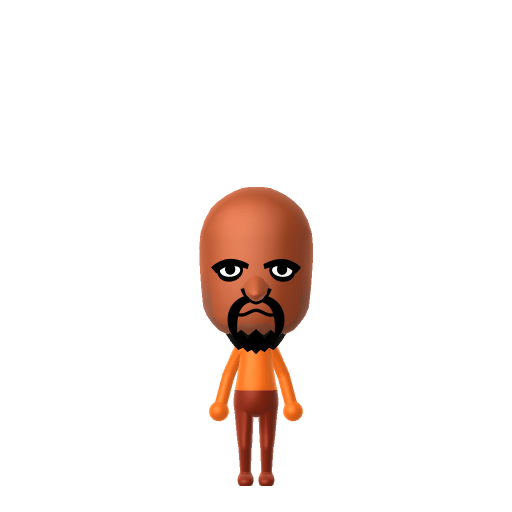
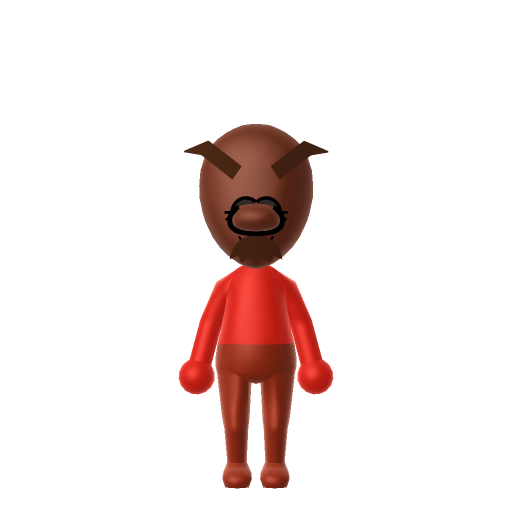
Knuckles the Echidna Mii for Tomodachi Life
Video Game Mii Idea

Knuckles the Echidna Mii for Tomodachi Life

The proud guardian of the Master Emerald and Sonic's eternal rival from Sega's Sonic the Hedgehog series.

#sega#sonic#guardian

Knuckles the Echidna Mii Quick Facts

Knuckles the Echidna Mii — cast at a glance

Voiced by
Dave B. Mitchell (games, since 2019); Idris Elba (films)
In Tomodachi Life

Knuckles is gruff, blunt and rarely jokes — after importing him into Tomodachi Life: Living the Dream, drop the pitch and keep the tone serious on LTD's voice sliders to match his no-nonsense delivery; those sliders are an LTD-exclusive Mii Maker option the Switch system Mii Maker doesn't have.

About the Knuckles the Echidna Mii

Character File

Knuckles the Echidna is a character from Sega's Sonic the Hedgehog franchise, created by Takashi Yuda and introduced in Sonic the Hedgehog 3 (1994). The last surviving member of the echidna clan, he is the guardian of the Master Emerald — a relic with the power to control the Chaos Emeralds — and his fierce duty to it shapes nearly every storyline he appears in.

01 — Personality

Recommended personality for your Knuckles the Echidna Mii: Achiever

Diligent and productive, turning every plan into action. Results-focused and efficient in everything they do.In Tomodachi Life, set this Mii's sliders so Speech + Movement totals 811 and Thinking + Energy totals 47. See the full Achiever guide →

Why this fitsKnuckles is portrayed as serious, dedicated, and short-tempered when his duty is challenged — he doesn't joke like Sonic, he checks the box and moves on. That status-and-duty profile fits Achiever (high Speech + Movement, low Thinking + Energy).

02 — How to Make This Mii

How to Make a Knuckles the Echidna Mii in Tomodachi Life

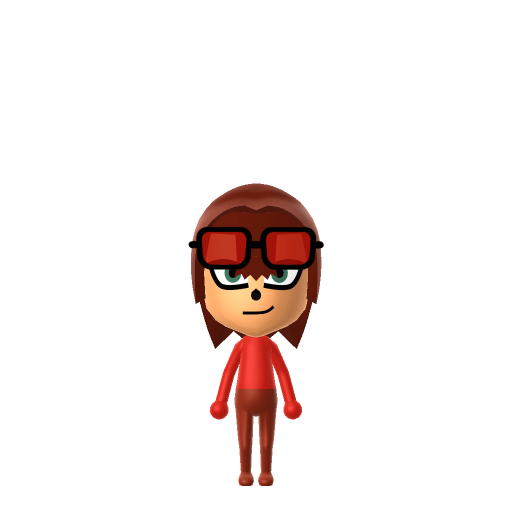
To make a Knuckles the Echidna Mii in Tomodachi Life: Living the Dream, open Mii Maker and pick a stocky muscular frame, a bright red skin tone, serious eyes, and a stern frown — Mii Maker can't draw his dreadlock-style head spines, so colour and frame do the heavy lifting. The picker-by-picker walkthrough below works for both Nintendo Switch (LTD) and 3DS (original Tomodachi Life).

Use the system Mii Maker, then bring the Mii into Tomodachi Life: Living the Dream.

Body & Build

  1. 1
    Set gender to "Male".
  2. 2
    Set birth month to 4.
  3. 3
    Set birthday to 25.
  4. 4
    Set height to 52%.
  5. 5
    Set weight to 42%.

Face Shape & Skin

  1. 6
    Set face/skin color.
  2. 7
    Set face type.

Hair

  1. 8
    Set hair style.
    Row 6 · Column 4
  2. 9
    Set hair color in the expanded colors menu.

Eyes

  1. 10
    Set eyes.
    Row 5 · Column 6
  2. 11
    Set eye color in the expanded colors menu.
  3. 12
    Make eyes 2 larger.
  4. 13
    Unsquash the eyes 1 to the right.
  5. 14
    Rotate outer edge of the eyes all the way down, then rotate it 4 ticks back up.
  6. 15
    Move eyes 1 closer.
  7. 16
    Move eyes 2 ticks down.

Eyebrows

  1. 17
    Set eyebrows.
    Row 2 · Column 5
  2. 18
    Set eyebrows color in the expanded colors menu.
  3. 19
    Make eyebrows 4 larger.
  4. 20
    Unsquash the eyebrows 3 to the right.
  5. 21
    Rotate outer edge of the eyebrows 5 ticks up.
  6. 22
    Move eyebrows 1 closer.
  7. 23
    Move eyebrows 3 ticks down.

Nose

  1. 24
    Set nose.
    Row 1 · Column 6
  2. 25
    Make nose 2 smaller
  3. 26
    Move nose 1 ticks down.

Mouth

  1. 27
    Set mouth.
    Row 4 · Column 1
  2. 28
    Make mouth 1 smaller
  3. 29
    Move mouth 1 ticks down.

Facial Hair

  1. 30
    Set mustache type.
    Row 1 · Column 2
  2. 31
    Make mustache 2 larger.
  3. 32
    Move mustache 10 ticks up.
  4. 33
    Set beard color in the expanded colors menu.

Glasses

  1. 34
    Set glasses type.
    Row 3 · Column 4
  2. 35
    Set glasses color in the expanded colors menu.
  3. 36
    Make glasses 1 larger.
  4. 37
    Move glasses 6 ticks up.

Beauty Mark

  1. 38
    Turn mole on.
  2. 39
    Make mole 4 larger.
  3. 40
    Move mole 6 ticks to the right.

Diagrams show where the option sits in the Mii Maker picker (4 columns, scroll to reach later rows). Editor menus differ slightly between regions and console revisions — if an exact option is missing, pick the closest one.

Mii Studio data code

Knuckles the Echidna's full appearance as a Mii Studio data string. Drop it into Mii rendering tools or community Mii editors that accept Studio codes (it's not a console import — for the game itself use the steps above).

020035040d040606010e06020b0805010d0100040000000f05070402007542080108140313030f0e06010002000a
03 — QR Code
Knuckles the Echidna Mii QR code for the Nintendo 3DS

Scan this Knuckles the Echidna Mii QR code

This is a 3DS-format Mii QR code generated from Knuckles the Echidna's Mii data. On a Nintendo 3DS, open Mii Maker → QR Code / Image Options → Scan QR Code and point the camera at it, then bring the Mii into the original Tomodachi Life. The Switch / Switch 2 has no camera, so it can't scan Mii QR codes — for Tomodachi Life: Living the Dream use the step-by-step instructions above (or the online Mii creator).

Download QR code

Pair your Knuckles the Echidna Mii with

In Tomodachi Life

Recreate Sonic and Shadow to gather the cast on one island — but Tomodachi Life: Living the Dream decides relationships its own way. Friendships grow from proximity and shared time, and romance runs on dating preferences, random crushes and zodiac/birthday compatibility, so the game won't recreate the rivalries for you; house them close and steer their conversations.

Get the Knuckles the Echidna Mii look

Build cheat-sheet

Feature → the move to make in Mii Maker

  1. Colour

    Bright red head to toe — pick the warmest red skin tone the editor offers (or rely on a red colour scheme).

  2. Build

    Stocky and muscular — push the body slider toward broad and heavy; he's the powerhouse of the cast.

  3. Expression

    Serious eyes over a stern frown — choose hard, focused eyes and a downturned mouth.

  4. Chest accent

    His white crescent-moon chest marking can be hinted at with in-game clothing after import.

What Mii Maker can't do for your Knuckles the Echidna Mii

  • Mii Maker can’t

    His dreadlock-style head spines

    Closest you can get

    Mii Maker has no spined or dreadlocked hairstyle that matches, so the head spines can't be reproduced — the red colour and stocky frame carry the likeness instead.

  • Mii Maker can’t

    The two knuckle spikes on each fist

    Closest you can get

    Miis have no fist or glove parts, so his namesake spikes can't be shown. This is an inspired-by, human-form Knuckles built on colour and build.

Did you know? — Knuckles the Echidna Mii

  1. Knuckles is the last surviving member of his echidna tribe and the lone guardian of the Master Emerald.

  2. He can glide long distances and climb sheer walls using the spikes on his gloves.

  3. Unlike Sonic, Knuckles can swim.

  4. He debuted as an antagonist — Robotnik tricked him into fighting Sonic and Tails before he realised the deception and switched sides.

Knuckles the Echidna Mii — FAQ

Can Mii Maker make a real Knuckles?

No — Mii Maker can't build an anthropomorphic echidna with dreadlock spines and knuckle spikes. This is an inspired-by, human-form Knuckles where the bright red colour and stocky muscular build carry the likeness.

How do I get his red look?

Pick the warmest red skin tone (or lean on a red colour scheme) and push the body slider toward broad and muscular. A stern frown and hard eyes finish the duty-bound guardian look; hint at his white chest crescent with in-game clothing.

What personality should I give a Knuckles Mii?

Achiever fits him best — set high Speech + Movement with low Thinking + Energy in the panel above. It matches his serious, dedicated, duty-first character that doesn't joke around like Sonic.

Should I recreate Sonic too?

Yes — build Sonic and house him near Knuckles to rebuild their rival-turned-ally dynamic. LTD bonds form from time spent together rather than canon, so keep them close and see whether they clash or click on your island.

Sources: WikipediaCharacter facts are grounded in the source(s) above; Mii-Maker mapping is our own craft guidance.

More Miis like Knuckles the Echidna

Have your own Mii?

Paste a Mii Studio code or upload a Mii QR image into the QR code Mii decoder to get this same step-by-step recreation guide for it.

Want to design your own?

Build a Mii from scratch in the online Mii creator, then bring its code here for rebuild steps.