All Mii ideas
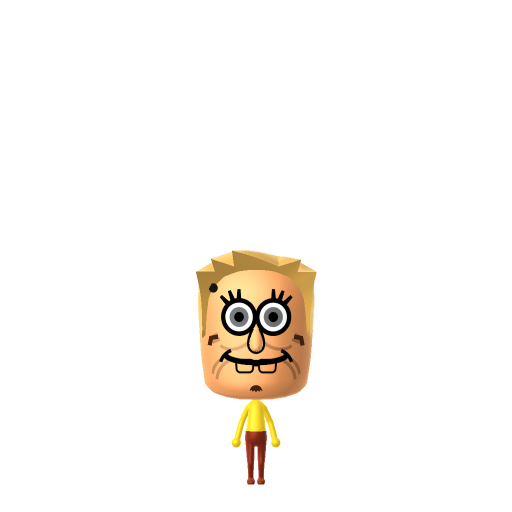
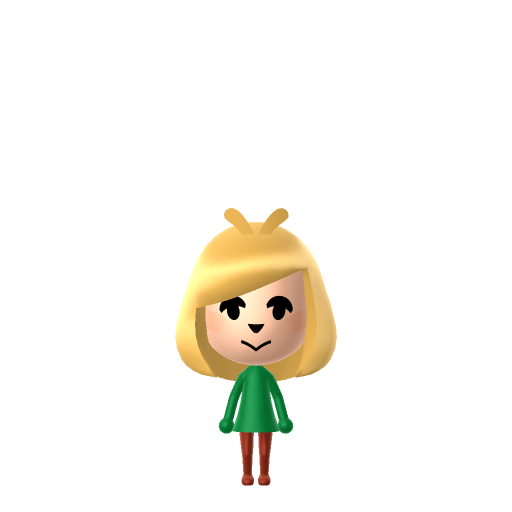
Isabelle Mii for Tomodachi Life
Video Game Mii Idea

Isabelle Mii for Tomodachi Life

The cheerful Shih Tzu secretary who runs the mayor's office in Nintendo's Animal Crossing series.

#nintendo#animal-crossing#assistant#female

About the Isabelle Mii

Character File

Isabelle, known as Shizue in Japan, is a recurring character in Nintendo's Animal Crossing series, introduced as the mayor's assistant in Animal Crossing: New Leaf (2012). A Shih Tzu dog with a yellow bow, she also appears in Animal Crossing: New Horizons and as a playable fighter in Super Smash Bros. Ultimate.


Isabelle Mii Quick Facts

Isabelle Mii — birthday at a glance

Birthday
December 20
In Tomodachi Life

Isabelle's canonical birthday is December 20 (she shares it with her twin brother Digby) — set it on your Isabelle Mii in Mii Maker so Tomodachi Life: Living the Dream factors her zodiac into compatibility at Love Pondering.

01 — Personality

Recommended personality for your Isabelle Mii: Cheerleader

Enthusiastic residents who spread positivity everywhere. They maintain upbeat energy throughout all island interactions.In Tomodachi Life, set this Mii's sliders so Speech + Movement totals 47 and Thinking + Energy totals 1215. See the full Cheerleader guide →

Why this fitsIsabelle's whole role is upbeat support — greeting villagers, organising the town, and gently nudging the mayor through every task. That warm, encouraging energy fits Cheerleader (low-to-mid Speech + Movement, high Thinking + Energy).

02 — How to Make This Mii

How to Make a Isabelle Mii in Tomodachi Life

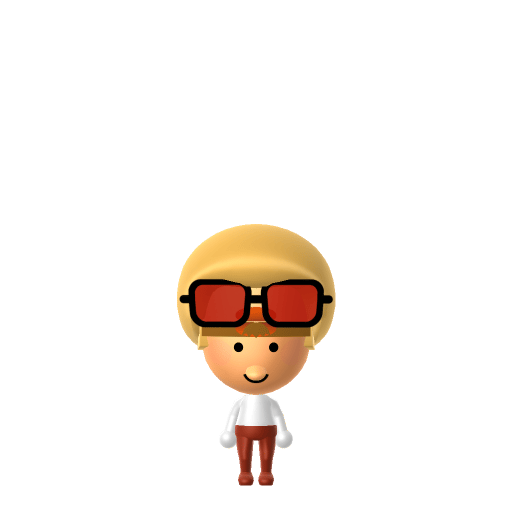
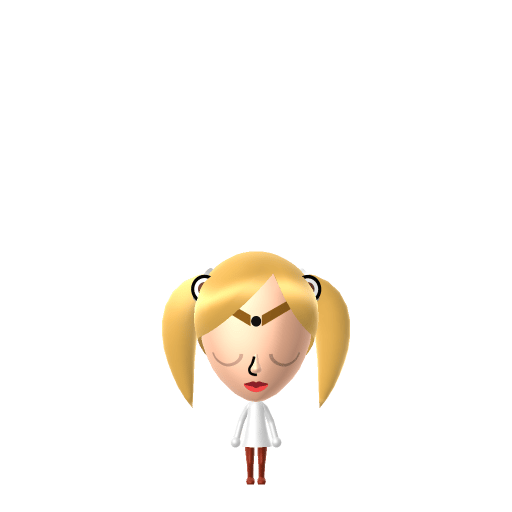
To make an Isabelle Mii in Tomodachi Life: Living the Dream, open Mii Maker and pick a small round face with light yellow-blonde hair pulled up into a short topknot, large round eyes, and a soft smile, then add her signature yellow bow as a hair accent. The picker-by-picker walkthrough below works for both Nintendo Switch (LTD) and 3DS (original Tomodachi Life).

Use the system Mii Maker, then bring the Mii into Tomodachi Life: Living the Dream.

Body & Build

  1. 1
    Set gender to "Female".
  2. 2
    Set favorite color to green.
  3. 3
    Set height to 26%.
  4. 4
    Set weight to 37%.

Face Shape & Skin

  1. 5
    Set face type.
  2. 6
    Set makeup.

Hair

  1. 7
    Set hair style.
    Row 13 · Column 1
  2. 8
    Set hair color in the expanded colors menu.

Eyes

  1. 9
    Set eyes.
    Row 3 · Column 5
  2. 10
    Make eyes 1 smaller.
  3. 11
    Unsquash the eyes 3 to the right.
  4. 12
    Rotate outer edge of the eyes all the way down, then rotate it 3 ticks back up.
  5. 13
    Move eyes 1 further apart.

Eyebrows

  1. 14
    Set eyebrows.
    Row 2 · Column 3
  2. 15
    Set eyebrows color in the expanded colors menu.
  3. 16
    Make eyebrows 4 larger.
  4. 17
    Unsquash the eyebrows 3 to the right.
  5. 18
    Rotate outer edge of the eyebrows 5 ticks up.
  6. 19
    Move eyebrows 2 closer.
  7. 20
    Move eyebrows 7 ticks up.

Nose

  1. 21
    Set nose.
    Row 1 · Column 3
  2. 22
    Make nose 4 smaller
  3. 23
    Move nose 1 ticks down.

Mouth

  1. 24
    Set mouth.
    Row 3 · Column 2
  2. 25
    Make mouth 2 smaller
  3. 26
    Unsquash the mouth 3 to the right.

Facial Hair

  1. 27
    Set mustache type.
    Row 2 · Column 3
  2. 28
    Move mustache 8 ticks up.

Glasses

  1. 29
    Make glasses 1 smaller
  2. 30
    Move glasses 2 ticks down.

Beauty Mark

  1. 31
    Turn mole on.
  2. 32
    Make mole 2 larger.
  3. 33
    Move mole 6 ticks to the right.
  4. 34
    Move mole 1 ticks up.

Diagrams show where the option sits in the Mii Maker picker (4 columns, scroll to reach later rows). Editor menus differ slightly between regions and console revisions — if an exact option is missing, pick the closest one.

Mii Studio data code

Isabelle's full appearance as a Mii Studio data string. Drop it into Mii rendering tools or community Mii editors that accept Studio codes (it's not a console import — for the game itself use the steps above).

08002f0608030309030c06070b080800030005090004010803000c07007b2106010813061302090d04050200020a
03 — QR Code
Isabelle Mii QR code for the Nintendo 3DS

Scan this Isabelle Mii QR code

This is a 3DS-format Mii QR code generated from Isabelle's Mii data. On a Nintendo 3DS, open Mii Maker → QR Code / Image Options → Scan QR Code and point the camera at it, then bring the Mii into the original Tomodachi Life. The Switch / Switch 2 has no camera, so it can't scan Mii QR codes — for Tomodachi Life: Living the Dream use the step-by-step instructions above (or the online Mii creator).

Download QR code

Get the Isabelle Mii look

Build cheat-sheet

Feature → the move to make in Mii Maker

  1. Hair

    Light yellow-blonde hair pulled up into a small rounded topknot — pick a pale blonde updo or bun to mimic her tuft.

  2. Bow

    Her bow sits on top of her head; add a bow/ribbon hair accessory, or layer it via in-game headwear after import.

  3. Face

    A small round face with large, friendly round eyes and a soft closed smile captures her gentle secretary look.

  4. Colour

    Yellow is her dominant tone — set yellow as the favourite colour to echo her bright Shih Tzu fur.

Did you know? — Isabelle Mii

  1. Isabelle is known as Shizue in Japan and is a Shih Tzu dog — the breed Nintendo chose for the cheerful mayor's assistant.

  2. She debuted as the mayor's assistant in Animal Crossing: New Leaf (2012) and quickly became one of the series' most popular and recognisable characters.

  3. Isabelle has a twin brother, Digby, who works at the Happy Home Showcase; she is the elder of the two and they share a December 20 birthday.

  4. She joined the playable roster as a fighter in Super Smash Bros. Ultimate (2018), cementing her status as a Nintendo mascot.

Pair your Isabelle Mii with

Digby

Isabelle's twin brother, who greets visitors at the Happy Home Showcase — the two share a birthday and a near-identical look in different colours.

In Tomodachi Life

Recreate Digby alongside your Isabelle Mii to put the twins on one island — but Tomodachi Life: Living the Dream won't enforce their sibling bond. Friendships there grow from proximity and shared time, and romance runs on dating preferences, random crushes and birthday/zodiac compatibility, so house them close and steer their relationship yourself.

Isabelle Mii on your island

Picture it

A Cheerleader-type Isabelle slots straight into island life as the resident who keeps everyone organised and upbeat — the same role she plays running the mayor's office. Cheerleaders make friends easily and brighten the Apartments, and LTD leans into that by building friendships from proximity and repeated conversations rather than personality stats. Don't expect her tidy nature to pick her partner, though: crushes in LTD run on dating preferences, chance and zodiac compatibility from birth dates, so give your Isabelle Mii her December 20 birthday and let Love Pondering do the rest.

Life on your island

What Mii Maker can't do for your Isabelle Mii

  • Mii Maker can’t

    Shih Tzu muzzle and floppy ears

    Closest you can get

    Mii Maker has no dog snout or animal ears, so Isabelle's muzzle and ears can't be built — the blonde topknot, bow and yellow palette carry the likeness instead.

  • Mii Maker can’t

    Bright yellow fur

    Closest you can get

    Mii skin tones don't include cartoon yellow, so use the lightest warm skin tone and let the yellow hair, bow and favourite colour signal her colouring.

Isabelle Mii — FAQ

How do you make an Isabelle Mii in Tomodachi Life?

Use pale yellow-blonde hair in a small topknot, add her bow as a hair or headwear accessory, give her a round face with big friendly eyes and a soft smile, and set yellow as the favourite colour. Follow the picker-by-picker steps above for Switch (LTD) or 3DS.

Can Mii Maker make Isabelle look like a dog?

No — Miis are humanoid, with no muzzle or animal ears, so her Shih Tzu features can't be built. The blonde topknot, signature bow and yellow palette are what make the Isabelle Mii recognisable.

What is Isabelle's birthday in Animal Crossing?

December 20 — she shares it with her twin brother Digby. Set it on your Isabelle Mii and Tomodachi Life: Living the Dream will use the zodiac for compatibility.

What personality should an Isabelle Mii have?

Cheerleader fits best — set low-to-mid Speech + Movement with high Thinking + Energy in the panel above. It matches her upbeat, supportive, keep-everyone-on-track energy.

Sources: WikipediaCharacter facts are grounded in the source(s) above; Mii-Maker mapping is our own craft guidance.

More Miis like Isabelle

Have your own Mii?

Paste a Mii Studio code or upload a Mii QR image into the QR code Mii decoder to get this same step-by-step recreation guide for it.

Want to design your own?

Build a Mii from scratch in the online Mii creator, then bring its code here for rebuild steps.