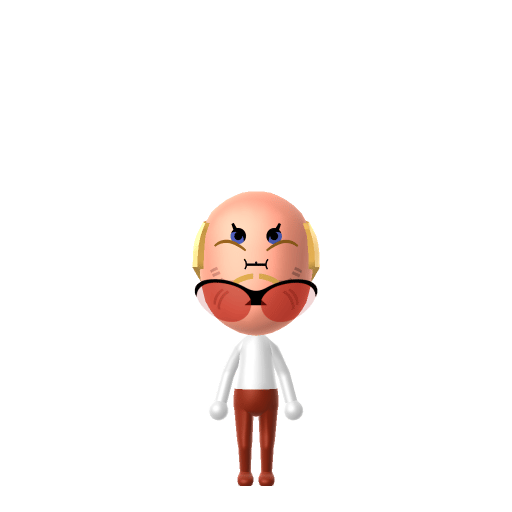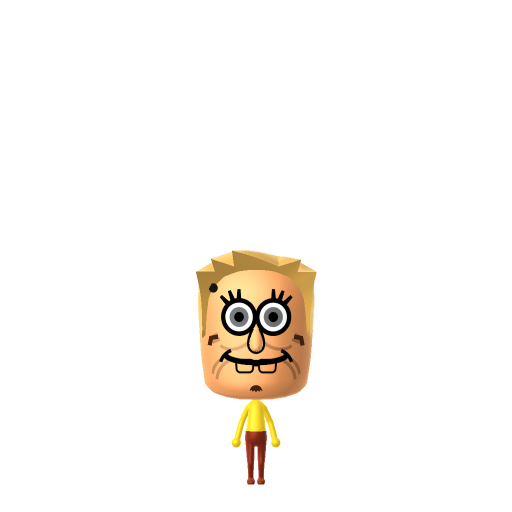
SpongeBob SquarePants is the protagonist of the Nickelodeon animated television series of the same name. He is characterised by his optimistic and childlike attitude, and lives in the fictional underwater city of Bikini Bottom where he regularly gets into absurd situations.

SpongeBob Mii for Tomodachi Life
I'm ready! The eternal optimist from Bikini Bottom.
SpongeBob Mii Quick Facts
SpongeBob Mii — birthday & cast at a glance
- Birthday
- July 14, 1986 (per episodes from 2000–2001)
- Voiced by
- Tom Kenny
Set SpongeBob's Mii birthday to July 14 in Mii Maker — Tomodachi Life: Living the Dream treats birthdays as a first-class input, feeding the compatibility meter and zodiac interactions on your island.
About the SpongeBob Mii
Recommended personality for your SpongeBob Mii: Cheerleader
Enthusiastic residents who spread positivity everywhere. They maintain upbeat energy throughout all island interactions.In Tomodachi Life, set this Mii's sliders so Speech + Movement totals 4–7 and Thinking + Energy totals 12–15. See the full Cheerleader guide →
Why this fitsWikipedia calls him "optimistic and childlike" — every episode he tries to lift up Squidward or cheer on Patrick. That irrepressibly upbeat profile fits Cheerleader (mid-to-high Speech + Movement, high Thinking + Energy).
How to Make a SpongeBob Mii in Tomodachi Life
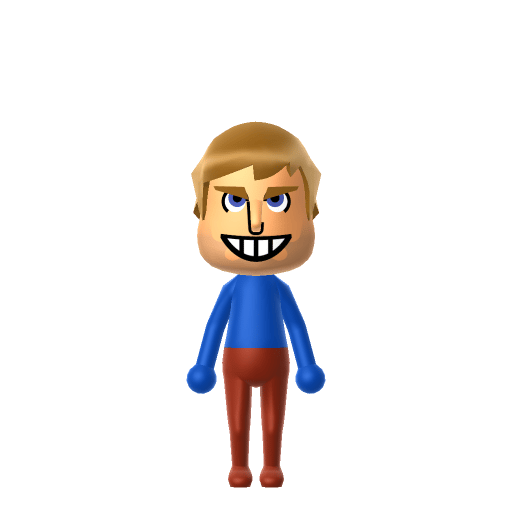
To make a SpongeBob Mii in Tomodachi Life: Living the Dream, open Mii Maker and pick bright yellow skin, large round blue eyes, a wide buck-toothed grin, and a slim build, then dress him in a brown-and-white-collar-style top to mimic his fry-cook outfit. The picker-by-picker walkthrough below works for both Nintendo Switch (LTD) and 3DS (original Tomodachi Life).
Use the system Mii Maker, then bring the Mii into Tomodachi Life: Living the Dream.
Body & Build
- 1Set gender to "Male".
- 2Set favorite color to yellow.
- 3Set height to 0%.
- 4Set weight to 0%.
Face Shape & Skin
- 5Set face/skin color.
- 6Set face type.
- 7Set facial features/wrinkles.
Hair
- 8Set hair style.⋯⋯Row 3 · Column 5
- 9Set hair color in the expanded colors menu.
Eyes
- 10Set eyes.⋯⋯Row 6 · Column 6
- 11Set eye color in the expanded colors menu.
- 12Make eyes 2 larger.
- 13Rotate outer edge of the eyes all the way down, then rotate it 7 ticks back up.
- 14Move eyes 1 closer.
- 15Move eyes 1 ticks up.
Eyebrows
- 16Set eyebrows.⋯Row 2 · Column 5
- 17Make eyebrows 4 smaller.
- 18Rotate outer edge of the eyebrows 3 ticks down.
- 19Move eyebrows 10 further apart.
- 20Move eyebrows 4 ticks down.
Nose
- 21Set nose.⋯Row 2 · Column 3
- 22Make nose 1 smaller
- 23Move nose 4 ticks up.
Mouth
- 24Set mouth.⋯Row 1 · Column 4
- 25Make mouth 4 larger.
- 26Move mouth 4 ticks up.
Facial Hair
- 27Set mustache type.⋯Row 1 · Column 2
- 28Make mustache 4 smaller
- 29Move mustache 4 ticks down.
- 30Set beard color in the expanded colors menu.
Glasses
- 31Set glasses type.⋯Row 2 · Column 4
- 32Make glasses 4 smaller
- 33Move glasses 9 ticks down.
Beauty Mark
- 34Turn mole on.
- 35Make mole 3 larger.
- 36Move mole 1 ticks to the left.
- 37Move mole 20 ticks up.
Diagrams show where the option sits in the Mii Maker picker (4 columns, scroll to reach later rows). Editor menus differ slightly between regions and console revisions — if an exact option is missing, pick the closest one.
Mii Studio data code
SpongeBob's full appearance as a Mii Studio data string. Drop it into Mii rendering tools or community Mii editors that accept Studio codes (it's not a console import — for the game itself use the steps above).
010000030907062e010b03010300050c0e0100050b02000800011307002b0007010100031308150900010e030805
Scan this SpongeBob Mii QR code
This is a 3DS-format Mii QR code generated from SpongeBob's Mii data. On a Nintendo 3DS, open Mii Maker → QR Code / Image Options → Scan QR Code and point the camera at it, then bring the Mii into the original Tomodachi Life. The Switch / Switch 2 has no camera, so it can't scan Mii QR codes — for Tomodachi Life: Living the Dream use the step-by-step instructions above (or the online Mii creator).
Download QR codeGet the SpongeBob Mii look
Build cheat-sheet
Feature → the move to make in Mii Maker
- Colour
His body is a bright yellow porous square — pick the warmest skin tone (or yellow if your version's palette supports it) and lean on the colour scheme after import.
- Eyes
Big, round, friendly blue eyes — choose the largest round eyes in a clear blue.
- Expression
A wide, buck-toothed open grin is his default — use the biggest happy smile the editor offers.
- Outfit
His white shirt, red tie and brown square trousers go on as in-game clothing once he's imported into LTD.
What Mii Maker can't do for your SpongeBob Mii
- Mii Maker can’t
His square, porous sponge body
Closest you can getMii Maker only builds human-shaped Miis, so the square sponge with holes can't be reproduced. This is an inspired-by, human-form build — the yellow colour and buck-toothed grin carry the likeness.
- Mii Maker can’t
Bright Bikini Bottom yellow skin
Closest you can getMii Maker's skin palette has no cartoon yellow, so pick the warmest tone available (or yellow if your version's palette includes it) and let the outfit and grin do the rest.
Pair your SpongeBob Mii with
Patrick Star
His dim-witted, ever-loyal best friend, who lives under a rock right next door.
Squidward
His grumpy octopus neighbour and Krusty Krab coworker — the long-suffering foil to SpongeBob's relentless cheer.
Recreate Patrick and Squidward as neighbours and you've rebuilt the Bikini Bottom trio — but Tomodachi Life: Living the Dream writes its own story. Friendships grow from proximity and time spent together, and its romance system runs on dating preferences, random crushes and zodiac/birthday compatibility, so the game never imports those bonds; you set the stage by housing them close and steering their conversations.
Did you know? — SpongeBob Mii
SpongeBob was created by Stephen Hillenburg, an artist and marine-science educator, and premiered on May 1, 1999.
Hillenburg modelled him on a square kitchen sponge to match the character's square personality.
He was originally going to be named "SpongeBoy," but that name was already in use for another product.
Despite his childlike energy, he's obsessively devoted to his job as a fry cook at the Krusty Krab.
SpongeBob Mii on your island
A Cheerleader SpongeBob is the easiest resident to love — warm, encouraging and quick to befriend everyone. LTD grows friendships through proximity and repeated conversations rather than personality scores, so place him centrally on an island of up to 70 residents and he becomes a natural social hub. House Patrick and Squidward nearby for the Bikini Bottom feel, but remember the game builds its own bonds — your SpongeBob might end up closest to someone from a completely different show.
SpongeBob Mii — FAQ
Can I make SpongeBob's square sponge body in Mii Maker?
No — Mii Maker only builds human-shaped Miis, so the square, porous sponge can't be reproduced. This guide makes an inspired-by, human-form version where the bright yellow colour and buck-toothed grin carry the likeness.
How do I get his yellow skin?
Mii Maker's skin palette may not include a cartoon yellow, so pick the warmest tone available (or yellow if your version supports it). His white-shirt-and-red-tie fry-cook outfit, added in-game, does a lot of the identifying work.
What personality should I give a SpongeBob Mii?
Cheerleader fits him best — set mid-to-high Speech + Movement with high Thinking + Energy in the panel above. It matches his irrepressibly optimistic, everyone's-friend energy.
Should I recreate Patrick and Squidward too?
Yes — build Patrick and Squidward and house them near SpongeBob to rebuild the Bikini Bottom trio. LTD bonds form from time spent together rather than canon, so whether they become Best Friends (or clash, like Squidward usually does) is up to how you play.
Sources: WikipediaCharacter facts are grounded in the source(s) above; Mii-Maker mapping is our own craft guidance.
Have your own Mii?
Paste a Mii Studio code or upload a Mii QR image into the QR code Mii decoder to get this same step-by-step recreation guide for it.
Want to design your own?
Build a Mii from scratch in the online Mii creator, then bring its code here for rebuild steps.