All Mii ideas
Strawberry Shortcake Mii for Tomodachi Life
Movie & TV Mii Idea

Strawberry Shortcake Mii for Tomodachi Life

The red-haired, strawberry-scented sweetheart of American Greetings' classic franchise.

#cartoon#classic#cute#female

About the Strawberry Shortcake Mii

Character File

Strawberry Shortcake is a character created for American Greetings, appearing on greeting cards from 1977 and as a Kenner doll from 1979. Recognisable by her mop of red curls, her freckles, and a pink strawberry-print bonnet worn over a red dress and white apron, she leads a cast of sweet-scented friends across decades of dolls, animated specials, and TV series. The franchise is now owned by WildBrain.

01 — Personality

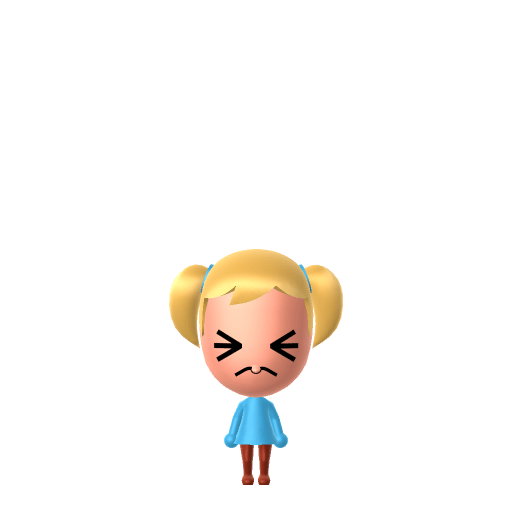
Recommended personality for your Strawberry Shortcake Mii: Cheerleader

Enthusiastic residents who spread positivity everywhere. They maintain upbeat energy throughout all island interactions.In Tomodachi Life, set this Mii's sliders so Speech + Movement totals 4–7 and Thinking + Energy totals 12–15. See the full Cheerleader guide →

Why this fitsStrawberry Shortcake is the upbeat heart of Strawberryland, forever rallying her berry friends with optimism and sweetness rather than taking charge or chasing goals. That bring-everyone-together cheer maps to Cheerleader (low-to-mid Speech + Movement, high Thinking + Energy).

02 — How to Make This Mii

How to Make a Strawberry Shortcake Mii in Tomodachi Life

Mii Maker can't do her strawberry bonnet or apron, so this is an inspired-by, human-form build: in Tomodachi Life: Living the Dream, pick a mop of red curls, fair freckled skin, big friendly eyes, and a red-and-pink colour theme, then add her strawberry-print outfit as an in-game costume. The picker-by-picker walkthrough below works for both Nintendo Switch (LTD) and 3DS (original Tomodachi Life).

Use the system Mii Maker, then bring the Mii into Tomodachi Life: Living the Dream.

Body & Build

  1. 1
    Set gender to "Female".
  2. 2
    Set height to 0%.
  3. 3
    Set weight to 64%.

Face Shape & Skin

  1. 4
    Set face/skin color.
  2. 5
    Set face type.
  3. 6
    Set facial features/wrinkles.

Hair

  1. 7
    Set hair style.
    ⋯
    Row 2 · Column 2
  2. 8
    Set hair color in the expanded colors menu.

Eyes

  1. 9
    Set eyes.
    ⋯
    ⋯
    Row 3 · Column 1
  2. 10
    Set eye color in the expanded colors menu.
  3. 11
    Make eyes 3 larger.
  4. 12
    Rotate outer edge of the eyes all the way down, then rotate it 0 ticks back up.
  5. 13
    Move eyes 4 further apart.
  6. 14
    Move eyes 3 ticks up.

Eyebrows

  1. 15
    Set eyebrows.
    ⋯
    Row 2 · Column 5
  2. 16
    Set eyebrows color in the expanded colors menu.
  3. 17
    Make eyebrows 4 larger.
  4. 18
    Rotate outer edge of the eyebrows 5 ticks up.
  5. 19
    Move eyebrows 7 ticks up.

Nose

  1. 20
    Set nose.
    ⋯
    Row 1 · Column 6
  2. 21
    Make nose 4 smaller
  3. 22
    Move nose 6 ticks down.

Mouth

  1. 23
    Set mouth.
    ⋯
    ⋯
    Row 3 · Column 2
  2. 24
    Make mouth 1 smaller
  3. 25
    Move mouth 2 ticks up.

Glasses

  1. 26
    Set glasses color in the expanded colors menu.
  2. 27
    Make glasses 2 smaller
  3. 28
    Move glasses 10 ticks up.

Diagrams show where the option sits in the Mii Maker picker (4 columns, scroll to reach later rows). Editor menus differ slightly between regions and console revisions — if an exact option is missing, pick the closest one.

Mii Studio data code

Strawberry Shortcake's full appearance as a Mii Studio data string. Drop it into Mii rendering tools or community Mii editors that accept Studio codes (it's not a console import — for the game itself use the steps above).

0800510304000721060903020b080502030100010600010f0200000200330004000214031303090b04000a00000f
03 — QR Code
Strawberry Shortcake Mii QR code for the Nintendo 3DS

Scan this Strawberry Shortcake Mii QR code

This is a 3DS-format Mii QR code generated from Strawberry Shortcake's Mii data. On a Nintendo 3DS, open Mii Maker → QR Code / Image Options → Scan QR Code and point the camera at it, then bring the Mii into the original Tomodachi Life. The Switch / Switch 2 has no camera, so it can't scan Mii QR codes — for Tomodachi Life: Living the Dream use the step-by-step instructions above (or the online Mii creator).

Download QR code

Get the Strawberry Shortcake Mii look

Build cheat-sheet

Feature → the move to make in Mii Maker

  1. Hair

    A full mop of red curls — pick the curliest, fullest red or auburn style the editor offers.

  2. Eyes

    Big, friendly, cheerful eyes — choose large round eyes and a warm expression.

  3. Expression

    A wide, open smile is her default — use the biggest happy mouth available.

  4. Colour

    Set a red-and-pink colour theme after import to echo her strawberry wardrobe.

Did you know? — Strawberry Shortcake Mii

  1. Strawberry Shortcake was created by freelance artist Barbi Sargent for American Greetings, who completed the now-iconic Strawberry Shortcake cards in 1977.

  2. When Kenner licensed her in 1979, the dolls' hair was scented to match each character — strawberry for Strawberry Shortcake herself.

  3. Her first animated TV special, "The World of Strawberry Shortcake," aired in the United States on March 28, 1980.

  4. The franchise has been rebooted across generations — including the 2009 "Berry Bitty Adventures" series — and is now owned by the Canadian company WildBrain.

What Mii Maker can't do for your Strawberry Shortcake Mii

  • Mii Maker can’t

    Her pink strawberry-print bonnet, red dress and white apron

    Closest you can get

    Mii Maker builds the face and body, not costumes. Recreate the berry outfit from in-game clothing after she's imported into LTD.

  • Mii Maker can’t

    Her scatter of cheek freckles

    Closest you can get

    Mii Maker has no dedicated freckle layer, so use the closest cheek-blush or makeup option to hint at them — or leave them off and let the red curls carry the look.

Strawberry Shortcake Mii on your island

Picture it

A Cheerleader Strawberry Shortcake is the upbeat heart of the neighbourhood — warm, encouraging, and forever rallying everyone's spirits. LTD grows friendships through proximity and repeated conversations rather than personality scores, so place her centrally on an island of up to 70 residents and she becomes a natural social hub. Pair her with other sweet-natured Miis and let the bonds build through the conversations you nudge along.

Life on your island

Strawberry Shortcake Mii — FAQ

Can I make her strawberry bonnet and apron in Mii Maker?

Not in Mii Maker itself — it builds the face and body, not costumes. Build the red curls and freckled cheeks first, then add a berry-themed outfit from in-game clothing once she's imported into Tomodachi Life: Living the Dream.

How do I get her red curls right?

Pick the curliest, fullest red or auburn hairstyle the editor offers — the mop of curls is her single most recognisable feature and carries the likeness even before the outfit goes on.

What personality should I give a Strawberry Shortcake Mii?

Cheerleader fits her best — set low-to-mid Speech + Movement with high Thinking + Energy in the panel above. It matches her relentlessly upbeat, bring-everyone-together warmth.

Should I recreate her friends too?

It's a fun idea — her Strawberryland friends are each themed around a sweet scent, and she even has a pet cat named Custard. Recreate a few as neighbours and let LTD build the friendships through time spent together.

Sources: WikipediaCharacter facts are grounded in the source(s) above; Mii-Maker mapping is our own craft guidance.

More Miis like Strawberry Shortcake

Have your own Mii?

Paste a Mii Studio code or upload a Mii QR image into the QR code Mii decoder to get this same step-by-step recreation guide for it.

Want to design your own?

Build a Mii from scratch in the online Mii creator, then bring its code here for rebuild steps.