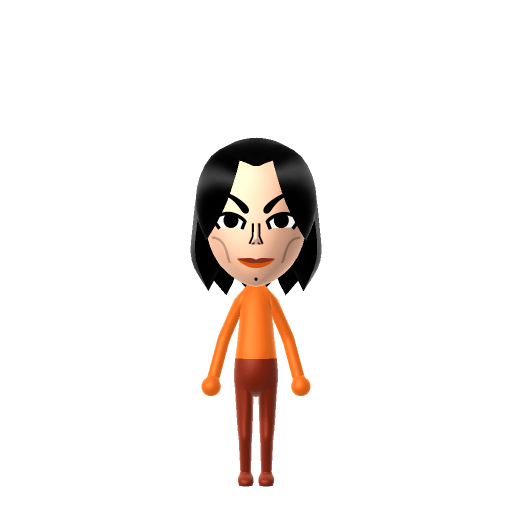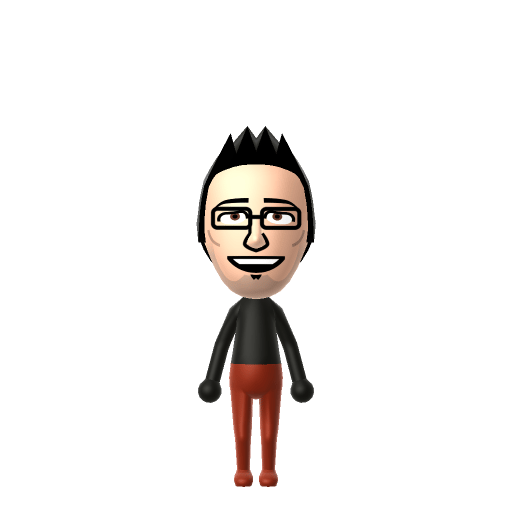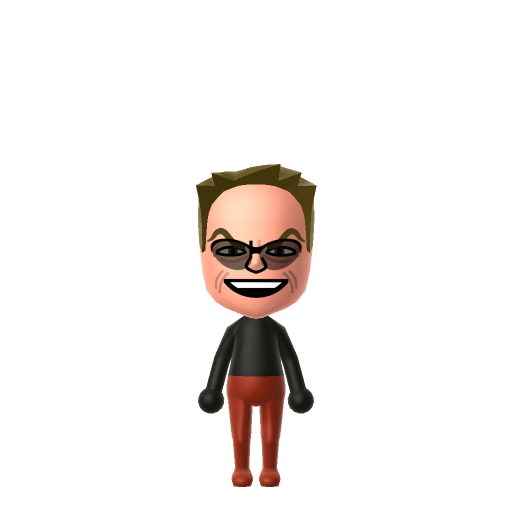
John Joseph Nicholson is an American retired actor and filmmaker, widely regarded as one of the greatest actors of the 20th century. Over a five-decade career, he often played charismatic rebels fighting against the social structure, receiving three Academy Awards.


Jack Nicholson Mii for Tomodachi Life
Here's Johnny! The iconic actor with the devilish grin.
Jack Nicholson Mii Quick Facts
Jack Nicholson Mii — birthday at a glance
- Birthday
- April 22, 1937
Set Jack's Mii birthday to April 22 in Mii Maker — Tomodachi Life: Living the Dream treats birthdays as a first-class input, feeding the compatibility meter and zodiac interactions on your island.
About the Jack Nicholson Mii
Recommended personality for your Jack Nicholson Mii: Charmer
Radiates effortless style and adapts to any situation with grace. Socially magnetic and naturally flexible.In Tomodachi Life, set this Mii's sliders so Speech + Movement totals 8–11 and Thinking + Energy totals 12–15. See the full Charmer guide →
Why this fitsWikipedia notes he was "often playing charismatic rebels" — he leaned into magnetic, theatrically expressive characters. That magnetic profile fits Charmer (mid Speech + Movement, high Thinking + Energy).
How to Make a Jack Nicholson Mii in Tomodachi Life
To make a Jack Nicholson Mii in Tomodachi Life: Living the Dream, open Mii Maker and pick a receding hairline with greying short hair, dark heavy brows, hooded eyes, and his signature devilish grin. The picker-by-picker walkthrough below works for both Nintendo Switch (LTD) and 3DS (original Tomodachi Life).
Use the system Mii Maker, then bring the Mii into Tomodachi Life: Living the Dream.
Body & Build
- 1Set gender to "Male".
- 2Set favorite color to black.
- 3Set height to 64%.
- 4Set weight to 78%.
Face Shape & Skin
- 5Set face/skin color.
- 6Set face type.
- 7Set facial features/wrinkles.
Hair
- 8Set hair style.⋯⋯Row 3 · Column 5
- 9Press the button to flip the hair.
- 10Set hair color in the expanded colors menu.
Eyes
- 11Set eyes.⋯⋯Row 5 · Column 4
- 12Set eye color in the expanded colors menu.
- 13Make eyes 1 smaller.
- 14Rotate outer edge of the eyes all the way down, then rotate it 3 ticks back up.
- 15Move eyes 1 further apart.
Eyebrows
- 16Set eyebrows.⋯⋯Row 4 · Column 3
- 17Set eyebrows color in the expanded colors menu.
- 18Make eyebrows 1 larger.
- 19Rotate outer edge of the eyebrows 1 ticks up.
- 20Move eyebrows 1 further apart.
- 21Move eyebrows 3 ticks down.
Nose
- 22Set nose.⋯Row 1 · Column 5
- 23Move nose 3 ticks up.
Mouth
- 24Set mouth.⋯Row 1 · Column 5
- 25Make mouth 3 larger.
- 26Move mouth 1 ticks up.
Facial Hair
- 27Make mustache 1 smaller
- 28Move mustache 2 ticks up.
Glasses
- 29Set glasses type.⋯⋯Row 3 · Column 2
- 30Make glasses 1 smaller
- 31Move glasses 2 ticks down.
Diagrams show where the option sits in the Mii Maker picker (4 columns, scroll to reach later rows). Editor menus differ slightly between regions and console revisions — if an exact option is missing, pick the closest one.
Mii Studio data code
Jack Nicholson's full appearance as a Mii Studio data string. Drop it into Mii rendering tools or community Mii editors that accept Studio codes (it's not a console import — for the game itself use the steps above).
080063030a030324030c0305070516030d0300040b0b000803080c05012b5104000214031307160c030008040606
Scan this Jack Nicholson Mii QR code
This is a 3DS-format Mii QR code generated from Jack Nicholson's Mii data. On a Nintendo 3DS, open Mii Maker → QR Code / Image Options → Scan QR Code and point the camera at it, then bring the Mii into the original Tomodachi Life. The Switch / Switch 2 has no camera, so it can't scan Mii QR codes — for Tomodachi Life: Living the Dream use the step-by-step instructions above (or the online Mii creator).
Download QR codeWhat Mii Maker can't do for your Jack Nicholson Mii
- Mii Maker can’t
His exact wraparound dark sunglasses, worn courtside for decades
Closest you can getMii Maker's glasses list is short and has no true wraparound pair — use the most angular, solid-dark glasses as a stand-in, or leave them off so the famous grin reads clearly.
Get the Jack Nicholson Mii look
Build cheat-sheet
Feature → the move to make in Mii Maker
- Sunglasses
His most-photographed signature — dark wraparound shades. Pick the most angular, solid-dark glasses Mii Maker offers.
- Grin
The wide, mischievous grin that sells the Joker — choose a big, slightly sly smile rather than a neutral mouth.
- Brows & eyes
Heavy, expressive brows over hooded eyes — pick thicker brows set a touch low for that knowing look.
- Hair & build
For his later, best-known years go with a short, receding greying hairline and a solid, settled build.
Did you know? — Jack Nicholson Mii
His twelve Academy Award nominations make him the most-nominated male actor in the Academy's history, with three wins.
In 1974, Time magazine researchers revealed to a 37-year-old Nicholson that the woman he believed was his older sister was actually his biological mother — both she and his grandmother had already died.
"Here's Johnny!" — his most famous line in The Shining (1980) — was improvised by Nicholson, riffing on Ed McMahon's intro to Johnny Carson, and was not in Kubrick's script.
Beyond his Oscars he holds six Golden Globe Awards and received the AFI Life Achievement Award in 1994.
Jack Nicholson Mii — FAQ
Does a Jack Nicholson Mii need any special parts?
Not really — his face is ordinary enough to build with standard parts. The one tricky piece is his trademark wraparound sunglasses: Mii Maker's glasses list has no exact match, so pick the most angular dark pair or leave them off so his grin carries the likeness.
What personality should I give a Jack Nicholson Mii?
Charmer fits best — set mid Speech + Movement with high Thinking + Energy in the personality panel above. It matches the magnetic, theatrically expressive screen presence that defines his charismatic-rebel roles.
Can I make him look like the Joker or Jack Torrance?
You can lean the build of the same Mii toward either — both are him at full grin. Mii Maker only shapes the face, not makeup or costumes, so push the widest, slyest smile for the Joker energy and keep the brows heavy for Torrance's menace; the personality does the rest on your island.
Have your own Mii?
Paste a Mii Studio code or upload a Mii QR image into the QR code Mii decoder to get this same step-by-step recreation guide for it.
Want to design your own?
Build a Mii from scratch in the online Mii creator, then bring its code here for rebuild steps.