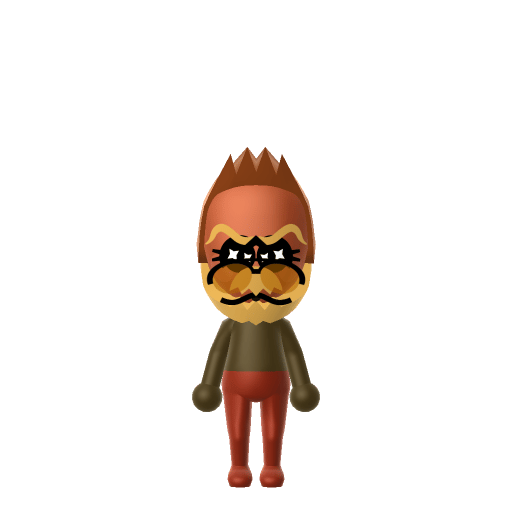
Character File
Mega Man, known as Rockman in Japan, is the title character and protagonist of the Mega Man series by Capcom. He was created by Akira Kitamura for the first Mega Man game in 1987, with character artwork by Keiji Inafune.
The Blue Bomber fighting for everlasting peace.
Mega Man, known as Rockman in Japan, is the title character and protagonist of the Mega Man series by Capcom. He was created by Akira Kitamura for the first Mega Man game in 1987, with character artwork by Keiji Inafune.
Chases beauty and precision in everything they create and experience. Detail-oriented and aesthetically driven.In Tomodachi Life, set this Mii's sliders so Speech + Movement totals 4–7 and Thinking + Energy totals 4–7. See the full Perfectionist guide →
Why this fitsMega Man is a methodical hero who tackles bosses in careful sequence, copying powers and refining his approach each run. That precise, system-driven profile fits Perfectionist (low Speech + Movement, mid Thinking + Energy).
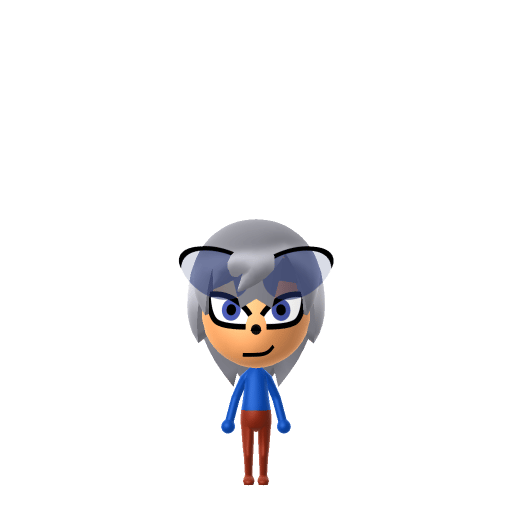
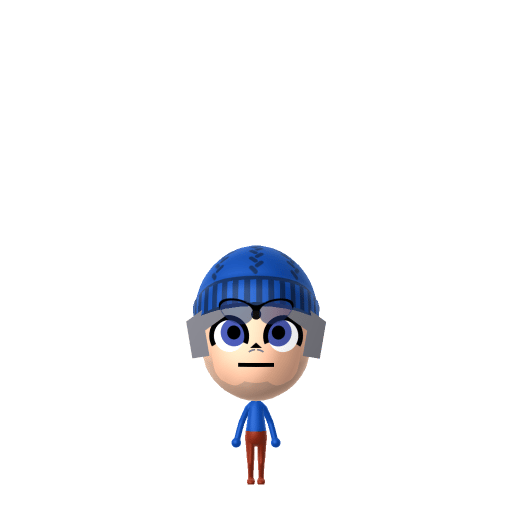
To make a Mega Man Mii in Tomodachi Life: Living the Dream, open Mii Maker and shape a young round face with large blue eyes and a serious mouth, then pick a blue cap-style hairdo to mimic the Blue Bomber's iconic helmet. The picker-by-picker walkthrough below works for both Nintendo Switch (LTD) and 3DS (original Tomodachi Life).
Use the system Mii Maker, then bring the Mii into Tomodachi Life: Living the Dream.
Diagrams show where the option sits in the Mii Maker picker (4 columns, scroll to reach later rows). Editor menus differ slightly between regions and console revisions — if an exact option is missing, pick the closest one.
Mega Man's full appearance as a Mii Studio data string. Drop it into Mii rendering tools or community Mii editors that accept Studio codes (it's not a console import — for the game itself use the steps above).
040000030c050721020e03040108050b05000a01000500100208030100220008010807031305170a000204030006
This is a 3DS-format Mii QR code generated from Mega Man's Mii data. On a Nintendo 3DS, open Mii Maker → QR Code / Image Options → Scan QR Code and point the camera at it, then bring the Mii into the original Tomodachi Life. The Switch / Switch 2 has no camera, so it can't scan Mii QR codes — for Tomodachi Life: Living the Dream use the step-by-step instructions above (or the online Mii creator).
Download QR codeBuild cheat-sheet
Feature → the move to make in Mii Maker
Mega Man is a robot built to look like a young boy, so keep your Mega Man Mii short on the height slider and slim on weight for a youthful frame.
Give the Mega Man Mii a rounded, youthful face with large, bright eyes and a small, determined mouth for his earnest hero look.
His blue helmet reads as hair in Mii Maker — pick a blue cap-style or rounded hairdo to stand in for Mega Man's dome with ear guards.
Mega Man is famously all-blue (the 'Blue Bomber'), so set blue as the favourite colour and dress the Mega Man Mii in solid blue.
Dome helmet with ear guards
Mii Maker has no helmet part, so a Mega Man Mii can't get the real dome-and-ear-guard helmet. A blue cap-style hairdo is the closest stand-in and still reads as the Blue Bomber once the palette is blue.
Mega Buster arm cannon
Miis can't hold accessories or replace a forearm with the Mega Buster blaster, so the arm cannon can't be reproduced. Lean on the all-blue palette and helmet-hair to carry the recognition instead.
Segmented blue armor
Miis wear ordinary clothing, not armor, so Mega Man's panelled blue armor can't be built. Dress the Mii in solid blue and set blue as the favourite colour so the look still reads.
Shape a youthful, slim frame with a rounded face, large bright eyes, and a small determined mouth, pick a blue cap-style hairdo for the helmet, then dress your Mega Man Mii in solid blue with blue as the favourite colour. Follow the picker-by-picker steps above, or start the Mega Man Mii in the online Mii creator and bring the code back here.
Mii Maker has no helmet part, so use a blue cap-style or rounded hairdo as a stand-in for the dome and ear guards. Combined with an all-blue palette, the Mega Man Mii still reads as the Blue Bomber at a glance.
No — Miis can't hold accessories or swap a forearm for the Mega Buster blaster, so the arm cannon can't be added. Keep the Mega Man Mii fully blue and lean on the helmet-hair so the character still comes across.
No — the Switch and Switch 2 have no camera, so Tomodachi Life: Living the Dream can't scan Mii QR codes. Build the Mega Man Mii by hand with the steps above or use the online Mii creator. On the original 3DS Tomodachi Life you can scan the QR code on this page.
Perfectionist fits a Mega Man Mii best — set Speech + Movement to medium-low and Thinking + Energy to medium, as shown in the personality panel above. It matches a methodical hero who does everything with careful precision.
Add a Perfectionist Mega Man Mii to your island and he settles into a quietly ordered routine — Perfectionists keep their Apartments room meticulously arranged and take their time doing things properly, so he's a calming counterweight to your more chaotic residents. He gets along most easily with Miis of similar personalities, which is exactly what LTD's roommate system rewards. As for romance, don't assume his precise nature picks his partner: who a Mii falls for runs on dating preferences and random crushes, not personality type, so even methodical Mega Man might surprise you at Love Pondering. If a "Wants to Marry!" moment arrives, it leans on your relationship level and zodiac compatibility from birth dates — so give the Mega Man Mii a birthday in Mii Maker to feed the compatibility meter.
Sources: WikipediaCharacter facts are grounded in the source(s) above; Mii-Maker mapping is our own craft guidance.
Paste a Mii Studio code or upload a Mii QR image into the QR code Mii decoder to get this same step-by-step recreation guide for it.
Build a Mii from scratch in the online Mii creator, then bring its code here for rebuild steps.