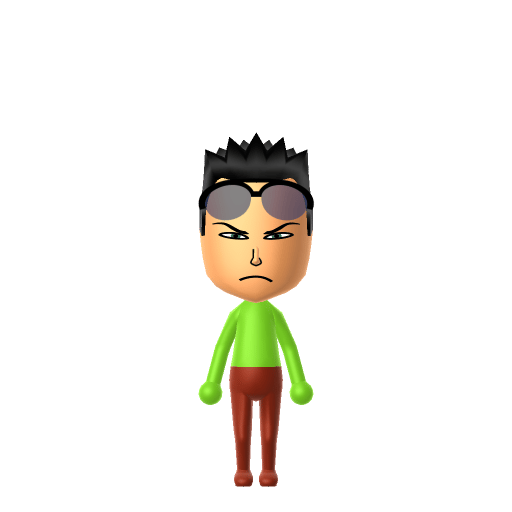
All Mii ideas
Roronoa Zoro Mii for Tomodachi Life
Anime Mii Idea

Roronoa Zoro Mii for Tomodachi Life

The green-haired, three-sword swordsman of the Straw Hat Pirates in One Piece.

#anime#one-piece#swordsman

Roronoa Zoro Mii Quick Facts

Roronoa Zoro Mii — cast at a glance

Voiced by
Kazuya Nakai (Japanese); Christopher Sabat (English, Funimation)
In Tomodachi Life

Zoro barely raises his voice unless a fight's involved, so on your island give your Zoro Mii a low, flat, gruff voice on LTD's Mii Maker voice sliders (an LTD-exclusive option the Switch system Mii Maker lacks) to match his blunt, half-asleep-until-drawn-steel delivery.

01 — Personality

Recommended personality for your Roronoa Zoro Mii: Achiever

Diligent and productive, turning every plan into action. Results-focused and efficient in everything they do.In Tomodachi Life, set this Mii's sliders so Speech + Movement totals 8–11 and Thinking + Energy totals 4–7. See the full Achiever guide →

Why this fitsZoro trains relentlessly toward one fixed goal — becoming the world's greatest swordsman — and measures himself against a single benchmark, Dracule Mihawk. That single-minded, self-improving drive (high Thinking + Energy) is textbook Achiever, so that's the personality this Zoro Mii ships with above.

02 — How to Make This Mii

How to Make a Roronoa Zoro Mii in Tomodachi Life

To make a Zoro Mii in Tomodachi Life: Living the Dream, open Mii Maker and build a lean, broad-shouldered young man with short green hair, narrow determined eyes, a hard-set mouth and a green colour scheme for his haramaki sash. His three swords, chest scar and post-timeskip eye scar can't be built in the face editor — the walkthrough below covers both Switch (LTD) and 3DS.

Use the system Mii Maker, then bring the Mii into Tomodachi Life: Living the Dream.

Body & Build

  1. 1
    Set gender to "Male".
  2. 2
    Set favorite color to lime.
  3. 3
    Set height to 79%.
  4. 4
    Set weight to 53%.

Face Shape & Skin

  1. 5
    Set face/skin color.
  2. 6
    Set face type.

Hair

  1. 7
    Set hair style.
    ⋯
    ⋯
    Row 3 · Column 4
  2. 8
    Set hair color in the expanded colors menu.

Eyes

  1. 9
    Set eyes.
    ⋯
    ⋯
    Row 5 · Column 4
  2. 10
    Set eye color in the expanded colors menu.
  3. 11
    Make eyes 1 smaller.
  4. 12
    Squash the eyes 3 to the left.
  5. 13
    Rotate outer edge of the eyes all the way down, then rotate it 4 ticks back up.
  6. 14
    Move eyes 1 ticks down.

Eyebrows

  1. 15
    Set eyebrows.
    ⋯
    ⋯
    Row 4 · Column 1
  2. 16
    Set eyebrows color in the expanded colors menu.
  3. 17
    Squash the eyebrows 3 to the left.
  4. 18
    Rotate outer edge of the eyebrows 1 ticks up.
  5. 19
    Move eyebrows 4 ticks down.

Nose

  1. 20
    Set nose.
    ⋯
    Row 1 · Column 5
  2. 21
    Make nose 3 smaller
  3. 22
    Move nose 2 ticks down.

Mouth

  1. 23
    Set mouth.
    ⋯
    ⋯
    Row 5 · Column 2
  2. 24
    Squash the mouth 3 to the left.
  3. 25
    Move mouth 1 ticks down.

Glasses

  1. 26
    Set glasses type.
    ⋯
    ⋯
    Row 3 · Column 5
  2. 27
    Set glasses color in the expanded colors menu.
  3. 28
    Move glasses 10 ticks up.

Diagrams show where the option sits in the Mii Maker picker (4 columns, scroll to reach later rows). Editor menus differ slightly between regions and console revisions — if an exact option is missing, pick the closest one.

Mii Studio data code

Roronoa Zoro's full appearance as a Mii Studio data string. Drop it into Mii rendering tools or community Mii editors that accept Studio codes (it's not a console import — for the game itself use the steps above).

080043000d040324020d000807040f020e0100040003001004060008003164040002140013041e0e04000a01060b
03 — QR Code
Roronoa Zoro Mii QR code for the Nintendo 3DS

Scan this Roronoa Zoro Mii QR code

This is a 3DS-format Mii QR code generated from Roronoa Zoro's Mii data. On a Nintendo 3DS, open Mii Maker → QR Code / Image Options → Scan QR Code and point the camera at it, then bring the Mii into the original Tomodachi Life. The Switch / Switch 2 has no camera, so it can't scan Mii QR codes — for Tomodachi Life: Living the Dream use the step-by-step instructions above (or the online Mii creator).

Download QR code

Roronoa Zoro Mii on your island

Picture it

An Achiever like Zoro treats island life as one more thing to master — he's the resident grinding away in the background, quietly competitive, happiest with a clear goal in front of him. Tomodachi Life: Living the Dream grows bonds through proximity and repeated conversations rather than One Piece canon, so house your Zoro Mii near a calm, patient neighbour to balance his gruffness, or near a lively rival to keep his edge sharp. And because his notoriously terrible sense of direction is pure canon comedy, imagine him getting lost between two apartments on an island he's lived on for months — the chaos is part of the charm.

Life on your island

Pair your Roronoa Zoro Mii with

Monkey D. Luffy

The captain Zoro pledged his loyalty to after losing to Mihawk; wherever Luffy sails, Zoro follows.

Sanji

His long-running rival on the crew — the two trade insults and come to blows over trivial things, then fight side by side when it counts.

In Tomodachi Life

Recreate the Straw Hats as neighbours, but remember Tomodachi Life: Living the Dream writes its own story — crews don't transfer over. Bonds on your island grow from proximity, dating preferences and birthday/zodiac compatibility, never from One Piece canon, so your Zoro Mii might end up Best Friends with the last resident you'd expect (and yes, maybe even Sanji).

Get the Roronoa Zoro Mii look

Build cheat-sheet

Feature → the move to make in Mii Maker

  1. Hair

    Short, cropped green hair is the single most recognisable cue for a Zoro Mii — pick a short spiky style and the greenest hair colour Mii Maker offers.

  2. Eyes

    Narrow, hard, slightly downturned eyes — choose a sharp, half-lidded eye shape to land his permanently unimpressed glare.

  3. Build

    Tall and broad-shouldered with a scarred, muscular torso — push the build sliders toward taller and heavier for the swordsman's frame.

  4. Colour scheme

    Set his favourite colour to green so the imported Zoro Mii leans into his signature green haramaki sash and bandana.
Did you know? — Roronoa Zoro Mii

  1. Zoro's sense of direction is so bad it's become a running gag in One Piece — he has gotten lost even while walking in a straight line, which makes a Zoro Mii wandering your tiny island oddly fitting.

  2. The large diagonal scar across Zoro's chest came from his crushing early loss to Dracule Mihawk — the moment that set his whole quest in motion.

  3. The long scar down Zoro's left eye appears only after the series' two-year time skip, so an eye-scar Zoro Mii is specifically the older, post-timeskip look.

  4. His three swords are named Enma, Wado Ichimonji and Sandai Kitetsu — and the three golden earrings in his left ear are a nod to his three-sword fighting style.

Roronoa Zoro Mii — FAQ

Can Mii Maker make an accurate Zoro Mii?

The essentials carry over well — short green hair, a lean muscular build and a hard, narrow-eyed glare all reproduce in the editor. What you can't build is his three-sword loadout, his chest scar or his post-timeskip eye scar, since Mii Maker has no weapons, held items or facial scars. The green hair and scowl do most of the work in making a Zoro Mii read as Zoro.

How do I do Zoro's three swords on a Mii?

You can't — Miis don't hold weapons or props, so the Santoryu three-sword style (including the blade he grips in his teeth) simply isn't part of the face editor. Lean on the green hair and green haramaki colour scheme instead; those are what make a Zoro Mii recognisable without the swords.

What hair colour should a Zoro Mii use?

The greenest option Mii Maker offers. Zoro's cropped green hair is his number-one identifying feature, so getting the colour as vivid as the editor allows matters more than the exact cut.

Should my Zoro Mii have the eye scar?

Only if you want the post-timeskip Zoro. The scar over his left eye appears after the two-year time skip, so leave it off for early-series Zoro. Either way you'd approximate it with Pro Mode face paint, since Mii Maker has no scar part.

Sources: WikipediaCharacter facts are grounded in the source(s) above; Mii-Maker mapping is our own craft guidance.

More Miis like Roronoa Zoro

Have your own Mii?

Paste a Mii Studio code or upload a Mii QR image into the QR code Mii decoder to get this same step-by-step recreation guide for it.

Want to design your own?

Build a Mii from scratch in the online Mii creator, then bring its code here for rebuild steps.