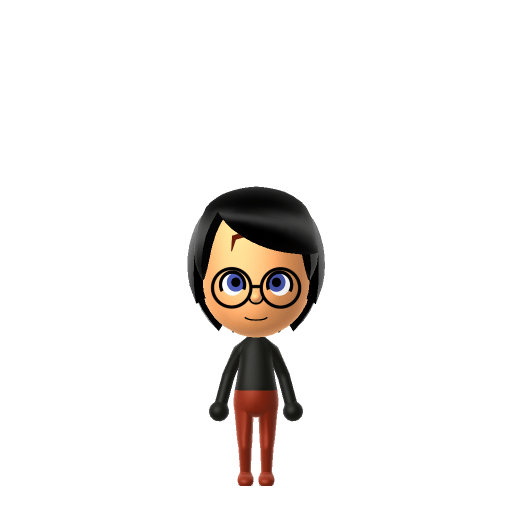
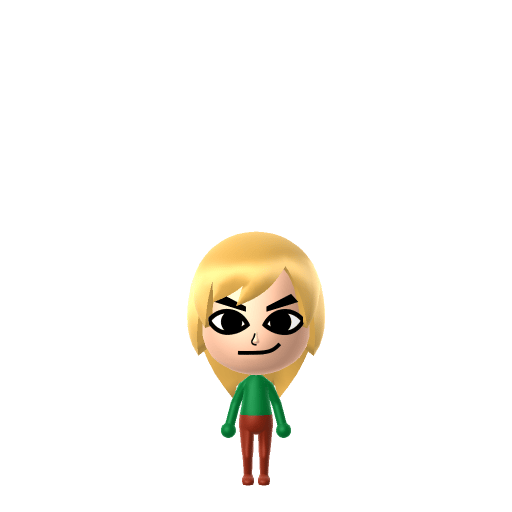
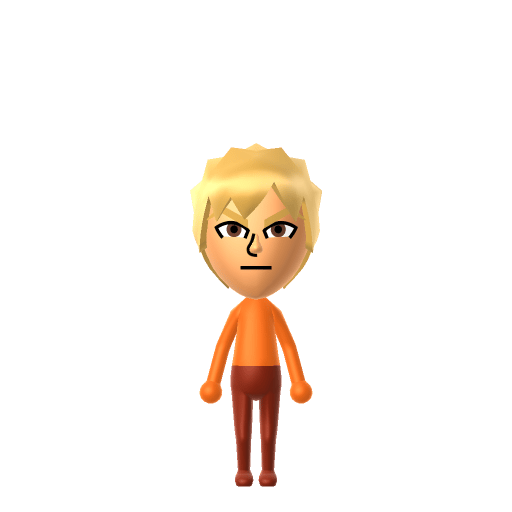
Character File
Batman is a superhero published by DC Comics, created by writer Bill Finger and artist Bob Kane in 1939. In the DC Universe, Batman is the alias of Bruce Wayne, a wealthy industrialist who fights crime in fictional Gotham City.
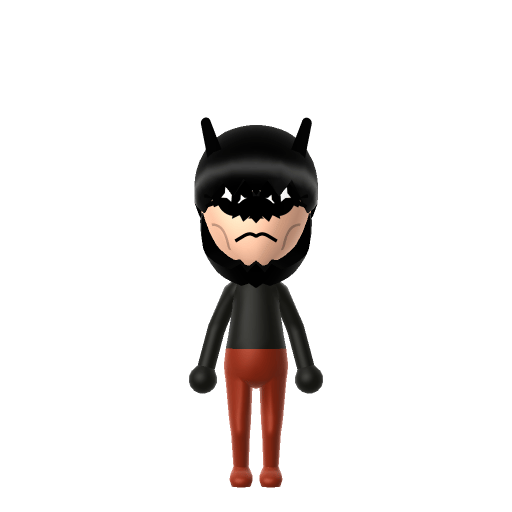
The Dark Knight protecting Gotham, one island at a time.
Batman is a superhero published by DC Comics, created by writer Bill Finger and artist Bob Kane in 1939. In the DC Universe, Batman is the alias of Bruce Wayne, a wealthy industrialist who fights crime in fictional Gotham City.
Calm and quietly supportive, avoiding conflict wherever possible. Self-reliant introverts who plan carefully.In Tomodachi Life, set this Mii's sliders so Speech + Movement totals 0–3 and Thinking + Energy totals 4–7. See the full Strategist guide →
Why this fitsBatman is famously methodical — preparing plans, gadgets, and contingencies before stepping into action, with as little spoken word as possible. That low-noise, high-planning profile fits Strategist (low Speech + Movement, low Thinking + Energy).
To make a Batman Mii in Tomodachi Life: Living the Dream, open Mii Maker and pick a strong square jaw and serious mouth, then choose a black cowl-style hairdo with pointed bat ears and dress him in his iconic dark grey-and-black colour palette. The picker-by-picker walkthrough below works for both Nintendo Switch (LTD) and 3DS (original Tomodachi Life).
Use the system Mii Maker, then bring the Mii into Tomodachi Life: Living the Dream.
Diagrams show where the option sits in the Mii Maker picker (4 columns, scroll to reach later rows). Editor menus differ slightly between regions and console revisions — if an exact option is missing, pick the closest one.
Batman's full appearance as a Mii Studio data string. Drop it into Mii rendering tools or community Mii editors that accept Studio codes (it's not a console import — for the game itself use the steps above).
080350030802070a000703080b070e0c03000000020b00080400080800257f0801080a0313040a0b070101050006
This is a 3DS-format Mii QR code generated from Batman's Mii data. On a Nintendo 3DS, open Mii Maker → QR Code / Image Options → Scan QR Code and point the camera at it, then bring the Mii into the original Tomodachi Life. The Switch / Switch 2 has no camera, so it can't scan Mii QR codes — for Tomodachi Life: Living the Dream use the step-by-step instructions above (or the online Mii creator).
Download QR codeBuild cheat-sheet
Feature → the move to make in Mii Maker
Batman's black cowl reads as hair in Mii Maker — pick a short, black cowl- or helmet-style hairdo for your Batman Mii. There's no bat-ear option, so keep it sleek and dark.
Only the lower face shows under the cowl, so give the Batman Mii a strong square jaw and a serious, set mouth.
Bruce Wayne is tall and athletic — push the height slider up and keep a broad, fit build.
Batman's palette is dark grey and black, so set black as the favourite colour and dress the Batman Mii in the darkest clothing available.
Cowl & pointed bat ears
Mii Maker has no mask, cowl, or bat-ear part. A short black cowl-style hairdo over a strong square jaw is the closest a Batman Mii can get to the silhouette.
The cape
Miis can't wear a cape or any back accessory, so Batman's cape can't be reproduced. Lean on the all-dark palette to sell the brooding silhouette.
Bat-symbol chest emblem
There's no way to place the bat logo on a Mii's chest. Dark clothing plus the cowl-hair carry the recognition instead.
Batman first appeared in Detective Comics #27 in 1939, created by artist Bob Kane with writer Bill Finger.
Unlike most superheroes, Batman has no superpowers — he relies on intellect, detective skill, physical training, and his wealth as Bruce Wayne.
Witnessing his parents' murder as a child is the origin that drives Bruce Wayne to fight crime in Gotham City as Batman.
Batman is frequently called "the World's Greatest Detective".
Recreate the Bat-family yourself — LTD won't enforce any of these bonds. Whether Batman and Catwoman ever become Sweethearts comes down to dating preferences, random crushes, and zodiac/birthday compatibility, not their comic history. Dropping the Joker on your island just makes a fun rivalry to watch.
Add a Strategist Batman to your island and he plays true to type — Strategists hang back, observe, and keep a small but fiercely loyal circle rather than working the whole room. He's the calm planner in the Apartments, low-key and conflict-averse, offering quiet counsel when a neighbour's drama flares. Romance, though, doesn't follow his careful nature: who a Mii falls for runs on dating preferences and random crushes, not personality, so even brooding Batman might end up at Love Pondering over someone unexpected — and a "Wants to Marry!" moment leans on your relationship level and zodiac compatibility from birth dates. Give him a Strategist's low Speech + Movement and you've got a Dark Knight who watches over the island more than he talks to it.
Pick a short black cowl-style hairdo, give the Mii a strong square jaw and serious mouth, build a tall athletic frame, then dress your Batman Mii in dark grey and black with black as the favourite colour. Follow the picker-by-picker steps above, or start the Batman Mii in the online Mii creator and bring the code back here.
Mii Maker has no mask, cowl, or bat-ear part, so use a short black cowl-style hairdo over a strong square jaw. With an all-dark palette, the Batman Mii still reads as the Dark Knight at a glance.
No — Miis can't wear a cape or any back accessory, so the cape can't be reproduced. Keep the Batman Mii in the darkest clothing and lean on the cowl-hair and square jaw to sell the silhouette.
No — the Switch and Switch 2 have no camera, so Tomodachi Life: Living the Dream can't scan Mii QR codes. Build the Batman Mii by hand with the steps above or use the online Mii creator. On the original 3DS Tomodachi Life you can scan the QR code on this page.
Strategist fits a Batman Mii best — set Speech + Movement to the lowest range and Thinking + Energy to medium, as shown in the personality panel above. It matches a calm, methodical planner who watches before acting.
Sources: WikipediaCharacter facts are grounded in the source(s) above; Mii-Maker mapping is our own craft guidance.
Paste a Mii Studio code or upload a Mii QR image into the QR code Mii decoder to get this same step-by-step recreation guide for it.
Build a Mii from scratch in the online Mii creator, then bring its code here for rebuild steps.