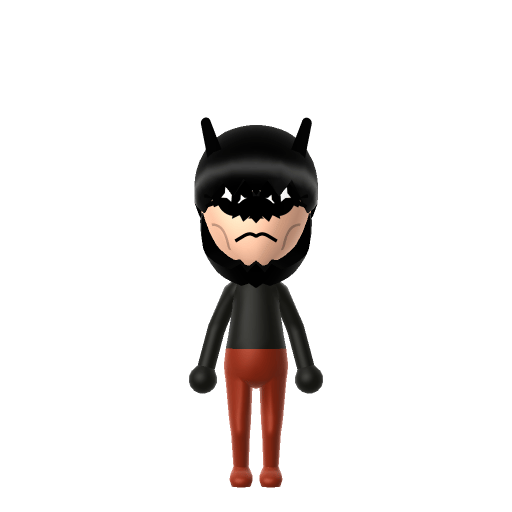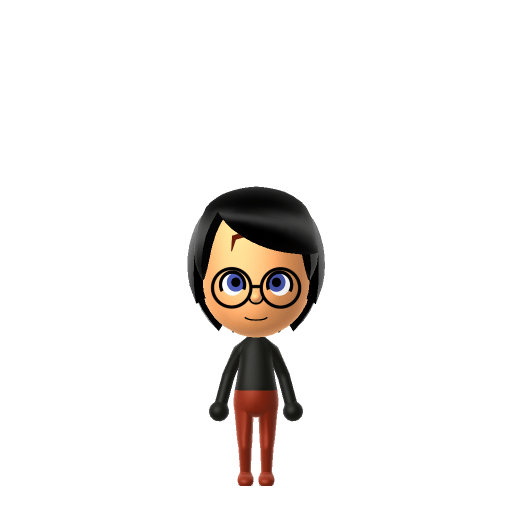
All Mii ideas
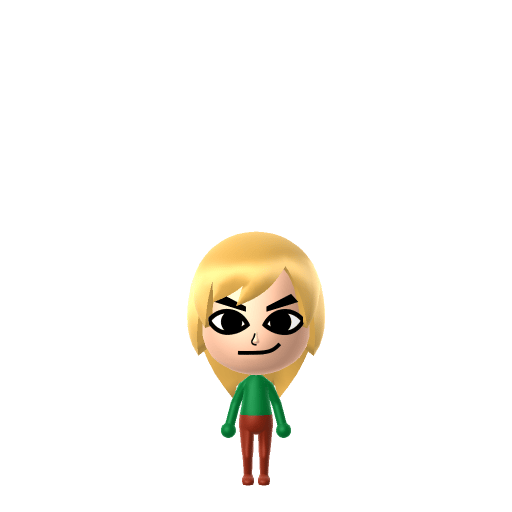
Link Mii for Tomodachi Life
Video Game Mii Idea

Link Mii for Tomodachi Life

The Hero of Hyrule from The Legend of Zelda series.

#nintendo#zelda#hero

About the Link Mii

Character File

Link is the protagonist of Nintendo's The Legend of Zelda franchise, introduced in 1986 and created by Shigeru Miyamoto. He travels through Hyrule exploring dungeons, battling creatures, and solving puzzles to defeat Ganon and save Princess Zelda.

Link Mii Quick Facts

Link Mii — cast at a glance

Voiced by
Near-silent — only grunts and battle cries (various actors over the years)
In Tomodachi Life

Link famously never speaks, so lean into it on your island: keep his Island Lingo phrases short and rare, and in Tomodachi Life: Living the Dream his LTD-exclusive voice sliders (an option the Switch system Mii Maker lacks) are best left understated for the strong-silent-hero feel.

01 — Personality

Recommended personality for your Link Mii: Strategist

Calm and quietly supportive, avoiding conflict wherever possible. Self-reliant introverts who plan carefully.In Tomodachi Life, set this Mii's sliders so Speech + Movement totals 0–3 and Thinking + Energy totals 4–7. See the full Strategist guide →

Why this fitsLink is famously silent — he barely speaks in his own games — and approaches every situation by solving puzzles before acting. That low-speech, methodical profile maps to Strategist (low Speech + Movement, low-to-mid Thinking + Energy).

02 — How to Make This Mii

How to Make a Link Mii in Tomodachi Life

To make a Link Mii in Tomodachi Life: Living the Dream, open Mii Maker and build a young, lean frame with blonde hair, blue eyes, and pointed elf-like ears, then top him with the signature green pointed cap and green tunic colour. The picker-by-picker walkthrough below works for both Nintendo Switch (LTD) and 3DS (original Tomodachi Life).

Use the system Mii Maker, then bring the Mii into Tomodachi Life: Living the Dream.

Body & Build

  1. 1
    Set gender to "Male".
  2. 2
    Set favorite color to green.
  3. 3
    Set height to 18%.
  4. 4
    Set weight to 39%.

Face Shape & Skin

  1. 5
    Set face type.

Hair

  1. 6
    Set hair style.
    ⋯
    ⋯
    Row 12 · Column 2
  2. 7
    Set hair color in the expanded colors menu.

Eyes

  1. 8
    Set eyes.
    ⋯
    Row 2 · Column 5
  2. 9
    Make eyes 2 larger.
  3. 10
    Rotate outer edge of the eyes all the way down, then rotate it 3 ticks back up.
  4. 11
    Move eyes 1 ticks down.

Eyebrows

  1. 12
    Set eyebrows.
    ⋯
    Row 1 · Column 1
  2. 13
    Set eyebrows color in the expanded colors menu.
  3. 14
    Make eyebrows 1 smaller.
  4. 15
    Move eyebrows 1 further apart.
  5. 16
    Move eyebrows 2 ticks down.

Nose

  1. 17
    Make nose 3 smaller
  2. 18
    Move nose 2 ticks down.

Mouth

  1. 19
    Set mouth.
    ⋯
    ⋯
    Row 4 · Column 1
  2. 20
    Make mouth 1 larger.
  3. 21
    Move mouth 1 ticks up.

Diagrams show where the option sits in the Mii Maker picker (4 columns, scroll to reach later rows). Editor menus differ slightly between regions and console revisions — if an exact option is missing, pick the closest one.

Mii Studio data code

Link's full appearance as a Mii Studio data string. Drop it into Mii rendering tools or community Mii editors that accept Studio codes (it's not a console import — for the game itself use the steps above).

080032030803061b020d0308060306030c0000090004000804000a07006617040002140313050f0c04000a01010b
03 — QR Code
Link Mii QR code for the Nintendo 3DS

Scan this Link Mii QR code

This is a 3DS-format Mii QR code generated from Link's Mii data. On a Nintendo 3DS, open Mii Maker → QR Code / Image Options → Scan QR Code and point the camera at it, then bring the Mii into the original Tomodachi Life. The Switch / Switch 2 has no camera, so it can't scan Mii QR codes — for Tomodachi Life: Living the Dream use the step-by-step instructions above (or the online Mii creator).

Download QR code

Get the Link Mii look

Build cheat-sheet

Feature → the move to make in Mii Maker

  1. Hair

    Tidy blonde hair under the cap — pick a medium-length blonde style that reads young.

  2. Eyes

    Clear blue eyes — choose bright blue in a young, alert shape.

  3. Build

    Young and lean — keep the frame slim and not too tall.

  4. Cap & tunic

    His green pointed cap and green tunic go on as an in-game hat and clothing, or lean on a green colour scheme after import.

What Mii Maker can't do for your Link Mii

  • Mii Maker can’t

    His pointed elf-style ears

    Closest you can get

    Mii Maker has no pointed-ear option, so the Hylian ears can't be reproduced. Convey "Link" through the blonde hair and green cap-and-tunic instead.

  • Mii Maker can’t

    The exact green pointed cap shape

    Closest you can get

    Mii Maker has no Hylian cap part — use the closest in-game green hat after import, or rely on the green colour theme to signal it.

Pair your Link Mii with

In Tomodachi Life

Recreate Zelda and Midna to gather the Hyrule heroes on one island — but Tomodachi Life: Living the Dream writes its own story. Friendships grow from proximity and shared time, and romance runs on dating preferences, random crushes and zodiac/birthday compatibility, so the game won't recreate those canonical bonds for you; house them close and steer their conversations.

Did you know? — Link Mii

  1. Link was left-handed for two decades — until the Wii version of Twilight Princess flipped him to right-handed.

  2. That flip happened because most play-testers held the Wii Remote in their right hand, so Nintendo mirrored the whole game world; the GameCube version kept the left-handed Link.

  3. His name was chosen so players would feel "linked" to the game and its world.

  4. Designer Takashi Tezuka modelled Link's look partly on Disney's Peter Pan.

Link Mii on your island

Picture it

A Strategist-type Link is the quietly capable resident who watches before he acts — no grand speeches, just steady presence. LTD grows friendships through proximity and repeated conversations rather than personality scores, so place him near Zelda and Midna to recreate the Hyrule party, but let the bonds form on their own. The fun is that the silent hero might end up Sweethearts with someone far from canon, or strike up an unlikely Best Friendship — and on an island of up to 70 residents, there's room for the whole saga to play out its own way.

Life on your island

Link Mii — FAQ

Can I make Link's pointed ears in Mii Maker?

No — Mii Maker has no pointed-ear option, so his Hylian ears can't be reproduced. This is an inspired-by, human-form Link where the blonde hair and green cap-and-tunic colour scheme carry the likeness.

Why is Link silent on my island?

Because that's canonical — Link never has real spoken dialogue in the games. Lean into it: keep his Island Lingo phrases short, and you've captured the strong-silent-hero feel.

What personality should I give a Link Mii?

Strategist fits him best — set low Speech + Movement with low-to-mid Thinking + Energy in the panel above. It matches his quiet, puzzle-solving, think-before-acting nature.

Should I recreate Zelda and Midna too?

Yes — build Princess Zelda and Midna and house them near Link to gather the Hyrule trio. LTD bonds form from time spent together rather than canon, so whether Link and Zelda become Sweethearts is up to how you play.

Sources: WikipediaScreenRantNintendo LifeCharacter facts are grounded in the source(s) above; Mii-Maker mapping is our own craft guidance.

More Miis like Link

Have your own Mii?

Paste a Mii Studio code or upload a Mii QR image into the QR code Mii decoder to get this same step-by-step recreation guide for it.

Want to design your own?

Build a Mii from scratch in the online Mii creator, then bring its code here for rebuild steps.