All Mii ideas
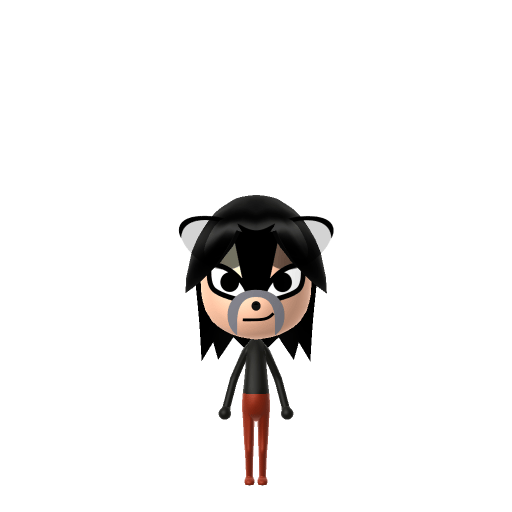
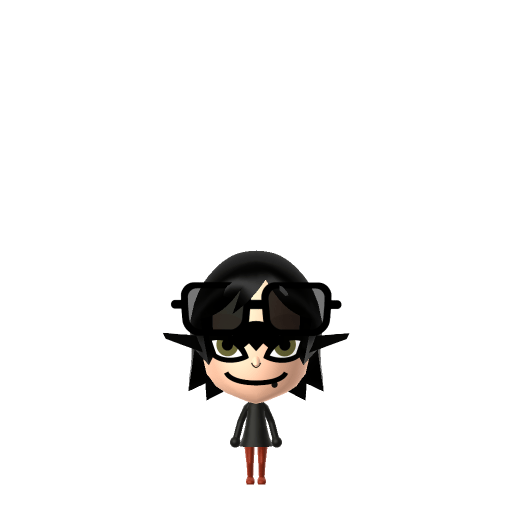
Midna Mii for Tomodachi Life
Video Game Mii Idea

Midna Mii for Tomodachi Life

The mischievous Twilight Princess from The Legend of Zelda.

#nintendo#zelda#twilight-princess#female

Midna Mii Quick Facts

Midna Mii — cast at a glance

Voiced by
Akiko Kōmoto (a stylised, invented Twili language)
In Tomodachi Life

Midna's in-game speech is a playful, garbled Twili language — recreate that on your island by pushing her LTD voice sliders toward a higher, quicker, more mischievous setting; those sliders are an LTD-exclusive Mii Maker option the Switch system Mii Maker doesn't have.

About the Midna Mii

Character File

Midna is a character in Nintendo's The Legend of Zelda series, introduced as one of the main protagonists in Twilight Princess. A member of the magic-wielding Twili, she joins Link to stop the kingdom of Hyrule from being consumed by the Twilight Realm.

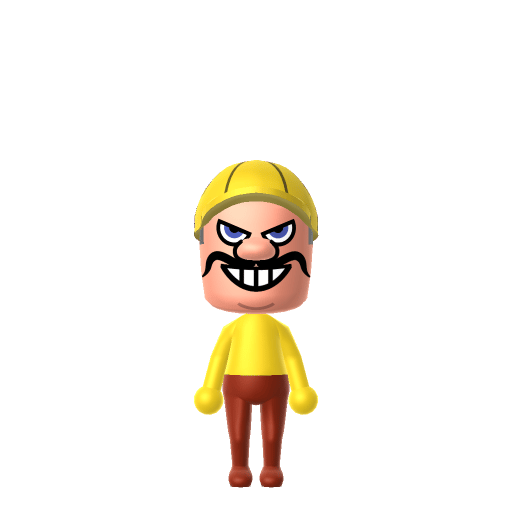
01 — Personality

Recommended personality for your Midna Mii: Maverick

A determined self-starter who removes every obstacle in their path. Highly driven, autonomous, and unstoppable.In Tomodachi Life, set this Mii's sliders so Speech + Movement totals 12–15 and Thinking + Energy totals 0–3. See the full Maverick guide →

Why this fitsMidna is sharp-tongued, snarky, and operates on her own agenda even while working with Link. That direct, independent profile fits Maverick (high Speech + Movement, low Thinking + Energy).

02 — How to Make This Mii

How to Make a Midna Mii in Tomodachi Life

To make a Midna Mii in Tomodachi Life: Living the Dream, open Mii Maker and pick bright orange-red hair, dusky skin, sharp narrow eyes, and a mischievous grin — based on her humanoid Twili form, since Mii Maker can't draw her imp shape. The picker-by-picker walkthrough below works for both Nintendo Switch (LTD) and 3DS (original Tomodachi Life).

Use the system Mii Maker, then bring the Mii into Tomodachi Life: Living the Dream.

Body & Build

  1. 1
    Set gender to "Female".
  2. 2
    Set favorite color to black.
  3. 3
    Set height to 0%.
  4. 4
    Set weight to 12%.

Face Shape & Skin

  1. 5
    Set face type.
  2. 6
    Set facial features/wrinkles.

Hair

  1. 7
    Set hair style.
    ⋯
    ⋯
    Row 14 · Column 3
  2. 8
    Set hair color in the expanded colors menu.

Eyes

  1. 9
    Set eyes.
    ⋯
    ⋯
    Row 6 · Column 2
  2. 10
    Set eye color in the expanded colors menu.
  3. 11
    Make eyes 3 larger.
  4. 12
    Rotate outer edge of the eyes all the way down, then rotate it 4 ticks back up.
  5. 13
    Move eyes 3 ticks down.

Eyebrows

  1. 14
    Set eyebrows.
    ⋯
    Row 2 · Column 6
  2. 15
    Set eyebrows color in the expanded colors menu.
  3. 16
    Make eyebrows 4 larger.
  4. 17
    Move eyebrows 10 further apart.
  5. 18
    Move eyebrows 7 ticks down.

Nose

  1. 19
    Set nose.
    ⋯
    Row 1 · Column 4
  2. 20
    Make nose 4 smaller
  3. 21
    Move nose 3 ticks down.

Mouth

  1. 22
    Set mouth.
    ⋯
    ⋯
    Row 4 · Column 4
  2. 23
    Make mouth 3 larger.
  3. 24
    Move mouth 1 ticks down.

Facial Hair

  1. 25
    Set mustache type.
    ⋯
    Row 1 · Column 2
  2. 26
    Make mustache 4 larger.
  3. 27
    Move mustache 10 ticks up.

Glasses

  1. 28
    Set glasses type.
    ⋯
    ⋯
    Row 3 · Column 4
  2. 29
    Make glasses 3 larger.
  3. 30
    Move glasses 8 ticks up.

Beauty Mark

  1. 31
    Turn mole on.
  2. 32
    Move mole 9 ticks to the right.
  3. 33
    Move mole 6 ticks down.

Diagrams show where the option sits in the Mii Maker picker (4 columns, scroll to reach later rows). Editor menus differ slightly between regions and console revisions — if an exact option is missing, pick the closest one.

Mii Studio data code

Midna's full appearance as a Mii Studio data string. Drop it into Mii rendering tools or community Mii editors that accept Studio codes (it's not a console import — for the game itself use the steps above).

08000f030b04071e020f03080608040c11000004080b010807070208003f0004010b1a031307130e08010000030c
03 — QR Code
Midna Mii QR code for the Nintendo 3DS

Scan this Midna Mii QR code

This is a 3DS-format Mii QR code generated from Midna's Mii data. On a Nintendo 3DS, open Mii Maker → QR Code / Image Options → Scan QR Code and point the camera at it, then bring the Mii into the original Tomodachi Life. The Switch / Switch 2 has no camera, so it can't scan Mii QR codes — for Tomodachi Life: Living the Dream use the step-by-step instructions above (or the online Mii creator).

Download QR code

Did you know? — Midna Mii

  1. Midna spends nearly the whole of Twilight Princess as a small imp — she's only restored to her true humanoid form near the very end, after Ganondorf is defeated.

  2. Her imp helmet is actually a Fused Shadow — an ancient dark artifact made by her Interloper ancestors, and one of four such pieces.

  3. She rides on the back of Link's wolf form as his companion, an image immortalised in the Wolf Link amiibo.

  4. Critics have called the Link–Midna bond one of the most compelling in The Legend of Zelda's history.

Get the Midna Mii look

Build cheat-sheet

Feature → the move to make in Mii Maker

  1. Hair

    Her flame-orange hair is the single most recognisable signal — pick the brightest orange-red the editor allows.

  2. Skin

    A dusky teal-toned complexion — choose the closest available tone (Mii skin options won't hit true turquoise, so lean toward the darkest/coolest one).

  3. Eyes

    Sharp, narrow, slightly mischievous eyes — pick an angled, knowing eye shape.

  4. Expression

    A sly, teasing half-grin matches her snark — use a smirking mouth rather than a wide smile.

What Mii Maker can't do for your Midna Mii

  • Mii Maker can’t

    Her imp form (and Fused Shadow helmet)

    Closest you can get

    Mii Maker only builds human-shaped Miis, so the small orange-and-black imp body and its giant Fused Shadow helmet can't be reproduced. This build uses her humanoid true form instead.

  • Mii Maker can’t

    Her teal Twili skin and limb markings

    Closest you can get

    Mii skin tones don't include turquoise, and there's no way to add her glowing body markings — pick the coolest, darkest tone available and let the orange hair carry the likeness.

Pair your Midna Mii with

In Tomodachi Life

Recreate Link and Zelda to rebuild the Twilight Princess trio — but Tomodachi Life: Living the Dream decides relationships its own way. Friendships grow from proximity and shared time, and romance runs on dating preferences, random crushes and zodiac/birthday compatibility, so the game won't recreate their canonical bond for you; house them close and steer their conversations.

Midna Mii — FAQ

Can I make Midna's imp form in Mii Maker?

No — Mii Maker only builds human-shaped Miis, so her small imp body and the Fused Shadow helmet can't be reproduced. This guide uses her humanoid true form, where the flame-orange hair carries the likeness.

How do I get her teal skin?

Mii Maker has no turquoise skin tone, so pick the coolest, darkest option available and lean on the bright orange-red hair as the main signal. Her glowing limb markings can't be added, so the hair and sharp eyes do the work.

What personality should I give a Midna Mii?

Maverick fits her best — set high Speech + Movement with low Thinking + Energy in the panel above. It matches her snarky, independent, plays-by-her-own-rules character.

Should I recreate Link too?

Definitely — build Link and house him next to Midna to rebuild their partnership. LTD bonds form from time spent together rather than canon, so keep them close and watch the friendship (the heart of Twilight Princess) develop.

Sources: WikipediaZelda WikiCharacter facts are grounded in the source(s) above; Mii-Maker mapping is our own craft guidance.

More Miis like Midna

Have your own Mii?

Paste a Mii Studio code or upload a Mii QR image into the QR code Mii decoder to get this same step-by-step recreation guide for it.

Want to design your own?

Build a Mii from scratch in the online Mii creator, then bring its code here for rebuild steps.