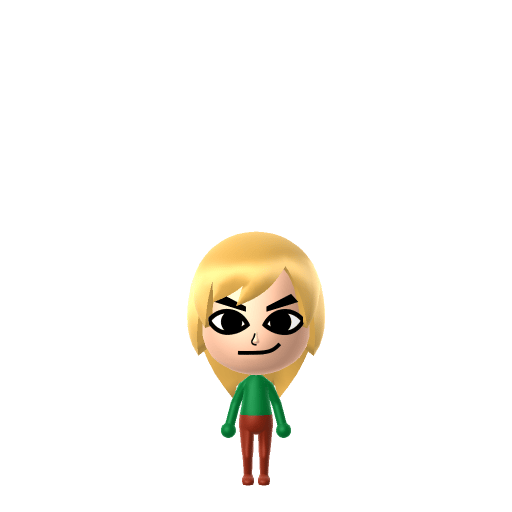
All Mii ideas
Lois Griffin Mii for Tomodachi Life
Movie & TV Mii Idea

Lois Griffin Mii for Tomodachi Life

The long-suffering but sharp-tongued matriarch of the Griffin family from Fox's Family Guy.

#tv#family-guy#comedy#female

Lois Griffin Mii Quick Facts

Lois Griffin Mii — birthday & cast at a glance

Birthday
February 3
Voiced by
Alex Borstein
In Tomodachi Life

Add both Lois and Peter Griffin to your island in Tomodachi Life: Living the Dream — their chaotic Sweethearts dynamic is one of Family Guy's funniest recurring bits, and watching them bicker and reconcile on your island captures the show perfectly.

About the Lois Griffin Mii

Character File

Lois Patrice Griffin (née Pewterschmidt) is a main character in Seth MacFarlane's animated sitcom Family Guy on Fox. She is the wife of Peter Griffin and mother of Meg, Chris, and Stewie. Despite her patient, level-headed exterior she has a hidden wild side — a former model, classically trained pianist, and occasional karate expert who keeps the chaotic Griffin household from total collapse.


01 — Personality

Recommended personality for your Lois Griffin Mii: Strategist

Calm and quietly supportive, avoiding conflict wherever possible. Self-reliant introverts who plan carefully.In Tomodachi Life, set this Mii's sliders so Speech + Movement totals 03 and Thinking + Energy totals 47. See the full Strategist guide →

Why this fitsLois is the one who actually plans things — she manages Peter's impulsiveness, navigates Stewie's schemes, and still finds time to have her own secrets. That calm, calculated, behind-the-scenes effectiveness fits Strategist (low Speech + Movement, high Thinking + Energy).

02 — How to Make This Mii

How to Make a Lois Griffin Mii in Tomodachi Life

To make a Lois Griffin Mii in Tomodachi Life: Living the Dream, open Mii Maker and pick shoulder-length auburn hair, narrow expressive eyes, and the slim oval face shape that matches her distinctive Family Guy design. The picker-by-picker walkthrough below works for both Nintendo Switch (LTD) and 3DS (original Tomodachi Life).

Use the system Mii Maker, then bring the Mii into Tomodachi Life: Living the Dream.

Body & Build

  1. 1
    Set gender to "Male".
  2. 2
    Set birth month to 6.
  3. 3
    Set birthday to 19.
  4. 4
    Set favorite color to cyan.
  5. 5
    Set height to 47%.
  6. 6
    Set weight to 14%.

Face Shape & Skin

  1. 7
    Set face type.

Hair

  1. 8
    Set hair style.
    Row 10 · Column 3
  2. 9
    Set hair color in the expanded colors menu.

Eyes

  1. 10
    Set eyes.
    Row 6 · Column 6
  2. 11
    Set eye color in the expanded colors menu.
  3. 12
    Rotate outer edge of the eyes all the way down, then rotate it 0 ticks back up.
  4. 13
    Move eyes 7 ticks up.

Eyebrows

  1. 14
    Set eyebrows.
    Row 3 · Column 2
  2. 15
    Set eyebrows color in the expanded colors menu.
  3. 16
    Make eyebrows 3 smaller.
  4. 17
    Rotate outer edge of the eyebrows 2 ticks down.
  5. 18
    Move eyebrows 3 ticks up.

Nose

  1. 19
    Make nose 3 larger.
  2. 20
    Move nose 2 ticks up.

Mouth

  1. 21
    Set mouth.
    Row 1 · Column 2
  2. 22
    Move mouth 1 ticks down.

Facial Hair

  1. 23
    Make mustache 1 smaller
  2. 24
    Move mustache 4 ticks down.
  3. 25
    Set beard color in the expanded colors menu.

Glasses

  1. 26
    Make glasses 1 smaller
  2. 27
    Move glasses 2 ticks up.

Beauty Mark

  1. 28
    Make mole 2 larger.
  2. 29
    Move mole 6 ticks to the right.
  3. 30
    Move mole 10 ticks down.

Diagrams show where the option sits in the Mii Maker picker (4 columns, scroll to reach later rows). Editor menus differ slightly between regions and console revisions — if an exact option is missing, pick the closest one.

Mii Studio data code

Lois Griffin's full appearance as a Mii Studio data string. Drop it into Mii rendering tools or community Mii editors that accept Studio codes (it's not a console import — for the game itself use the steps above).

050012030900042e0205030804010a02070000010006000803000803000a3c0600081e031304010e03000e070107
03 — QR Code
Lois Griffin Mii QR code for the Nintendo 3DS

Scan this Lois Griffin Mii QR code

This is a 3DS-format Mii QR code generated from Lois Griffin's Mii data. On a Nintendo 3DS, open Mii Maker → QR Code / Image Options → Scan QR Code and point the camera at it, then bring the Mii into the original Tomodachi Life. The Switch / Switch 2 has no camera, so it can't scan Mii QR codes — for Tomodachi Life: Living the Dream use the step-by-step instructions above (or the online Mii creator).

Download QR code

Get the Lois Griffin Mii look

Build cheat-sheet

Feature → the move to make in Mii Maker

  1. Hair

    Red/ginger hair — choose a red shade in a tidy, practical style.

  2. Outfit

    Her signature look is a blue-green (teal) blouse with tan pants — dress her that way after import.

  3. No glasses

    Unlike Peter and Meg, Lois doesn't wear glasses, so leave the face clear.

  4. Expression

    A calm, level expression that fits the family's voice of reason.

Pair your Lois Griffin Mii with

In Tomodachi Life

Peter and Lois are the core married couple of Family Guy, so they're an obvious Sweethearts pair to recreate. On your island in Tomodachi Life: Living the Dream you stage their famously chaotic marriage yourself — LTD decides romance through dating preferences, random crushes, and zodiac/birthday compatibility rather than personality, so build both Miis, set them up, and enjoy the bickering-and-reconciling that follows.

Lois Griffin Mii on your island

Picture it

Lois is the stabiliser on your island in Tomodachi Life: Living the Dream — a calm, capable Mii who gets along easily, especially as an Apartment roommate, since the game notes that Miis with similar personalities click more readily. Recreate Peter Griffin alongside her and you can stage their canonical marriage, but remember LTD never auto-pairs by personality: love runs on dating preferences, random crushes, and zodiac/birthday compatibility, so the matchmaking is yours to direct.

Life on your island

Lois Griffin Mii — FAQ

Does Lois Griffin wear glasses in Mii Maker?

No — unlike Peter and Meg, Lois doesn't wear glasses, so leave the face clear. Her recognisable cues are the red hair and the blue-green blouse, not eyewear.

What outfit makes a Mii read as Lois?

Her signature blue-green (teal) blouse with tan pants. Mii Maker handles the face and hair; dress her in that combination once she's imported into LTD and she's instantly Lois.

What personality should I give a Lois Griffin Mii?

Strategist fits her — set low Speech + Movement with high Thinking + Energy above. It matches the behind-the-scenes planner who manages Peter's impulsiveness and keeps the household running.

Should I recreate Peter too?

Yes — Peter and Lois are Family Guy's central couple, so they make a great Sweethearts pair. Build both and set them up on your island; LTD pairs Miis through preferences, crushes, and birthdays rather than personality, so you control the matchmaking.

Sources: WikipediaFamily Guy WikiCharacter facts are grounded in the source(s) above; Mii-Maker mapping is our own craft guidance.

More Miis like Lois Griffin

Have your own Mii?

Paste a Mii Studio code or upload a Mii QR image into the QR code Mii decoder to get this same step-by-step recreation guide for it.

Want to design your own?

Build a Mii from scratch in the online Mii creator, then bring its code here for rebuild steps.