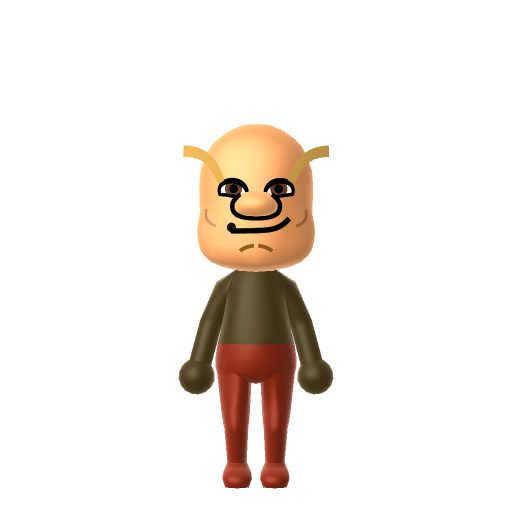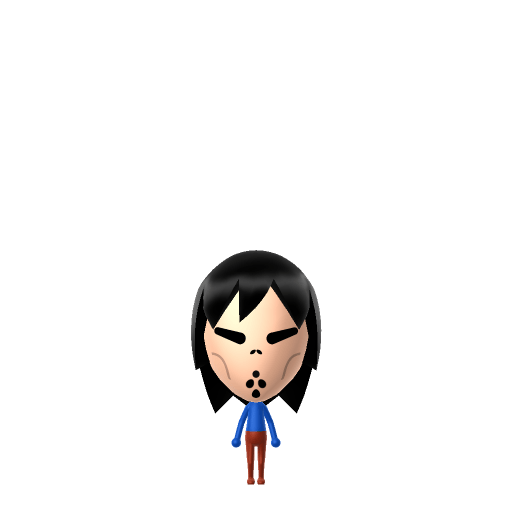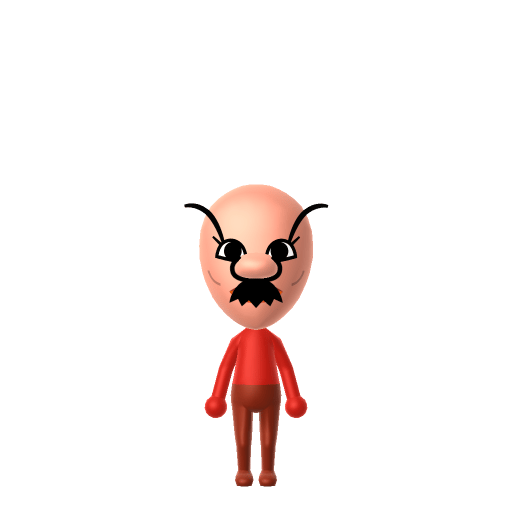
Beef Boss is a Mii created by YouTuber Poofesure on July 10, 2019, and has become his most-used and most recognisable character. He is based on the Fortnite "Beef Boss" outfit — a burger-headed mascot for the game's fictional Durr Burger restaurant, released on August 10, 2018.

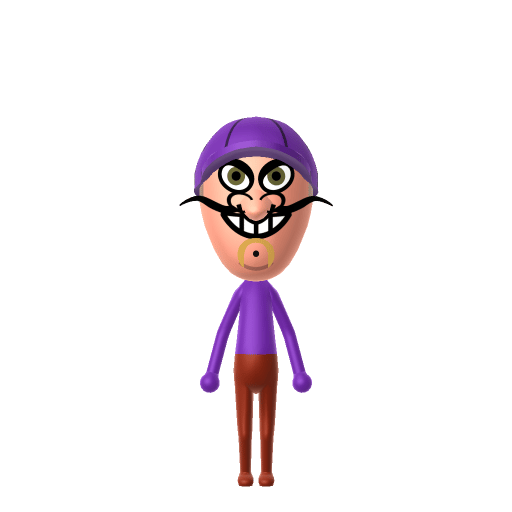
Beef Boss Mii for Tomodachi Life
Poofesure's infamous burger-faced Mii, reborn on your island.
About the Beef Boss Mii
Recommended personality for your Beef Boss Mii: Rogue
Combines sharp intelligence with unshakeable confidence and independence. A lone wolf who plays by their own rules.In Tomodachi Life, set this Mii's sliders so Speech + Movement totals 8–11 and Thinking + Energy totals 0–3. See the full Rogue guide →
Why this fitsAcross Poofesure's videos Beef Boss is the hot-headed brawler — quick to rage in Wii Sports boxing and beyond. That blunt, combustible streak fits Rogue (high Speech + Movement, low Thinking + Energy).
How to Make a Beef Boss Mii in Tomodachi Life
To make a Beef Boss Mii in Tomodachi Life: Living the Dream, open Mii Maker, set a tan/toasted skin tone, go bald, add a thick black moustache pushed up under the nose, and give him low worried black eyebrows. It's a recognisable likeness of Poofesure's burger-faced Mii — the picker-by-picker steps below work for Switch (LTD) and 3DS.
Use the system Mii Maker, then bring the Mii into Tomodachi Life: Living the Dream.
Body & Build
- 1Set gender to "Male".
- 2Set height to 55%.
- 3Set weight to 61%.
Face Shape & Skin
- 4Set face/skin color.
- 5Set facial features/wrinkles.
Hair
- 6Set hair style.⋯⋯Row 9 · Column 6
- 7Set hair color in the expanded colors menu.
Eyes
- 8Set eyes.⋯Row 1 · Column 3
- 9Rotate outer edge of the eyes all the way down, then rotate it 4 ticks back up.
- 10Move eyes 2 ticks up.
Eyebrows
- 11Set eyebrows.⋯Row 1 · Column 2
- 12Set eyebrows color in the expanded colors menu.
- 13Make eyebrows 3 larger.
- 14Rotate outer edge of the eyebrows 3 ticks up.
- 15Move eyebrows 8 further apart.
- 16Move eyebrows 1 ticks up.
Nose
- 17Set nose.⋯Row 2 · Column 1
- 18Make nose 3 larger.
- 19Move nose 5 ticks up.
Mouth
- 20Set mouth.⋯Row 2 · Column 1
- 21Make mouth 4 larger.
- 22Move mouth 3 ticks up.
Facial Hair
- 23Set mustache type.⋯Row 1 · Column 2
- 24Make mustache 4 larger.
- 25Move mustache 2 ticks up.
Diagrams show where the option sits in the Mii Maker picker (4 columns, scroll to reach later rows). Editor menus differ slightly between regions and console revisions — if an exact option is missing, pick the closest one.
Mii Studio data code
Beef Boss's full appearance as a Mii Studio data string. Drop it into Mii rendering tools or community Mii editors that accept Studio codes (it's not a console import — for the game itself use the steps above).
08004e0308040400020a03080907000a090300000300000804000a08001e4604000214031308000a080108070504
Scan this Beef Boss Mii QR code
This is a 3DS-format Mii QR code generated from Beef Boss's Mii data. On a Nintendo 3DS, open Mii Maker → QR Code / Image Options → Scan QR Code and point the camera at it, then bring the Mii into the original Tomodachi Life. The Switch / Switch 2 has no camera, so it can't scan Mii QR codes — for Tomodachi Life: Living the Dream use the step-by-step instructions above (or the online Mii creator).
Download QR codeGet the Beef Boss Mii look
Build cheat-sheet
Feature → the move to make in Mii Maker
- Skin
Pick a tan / toasted tone so the head reads like a burger bun — the core of the Beef Boss Mii joke.
- Head
Go fully bald; the round bare head is the 'bun'.
- Moustache
Add the thickest moustache and push it up under the nose so it sits over the top lip like the burger 'patty'.
- Eyebrows
Low, slightly worried black brows — the perpetually-annoyed Beef Boss look.
What Mii Maker can't do for your Beef Boss Mii
- Mii Maker can’t
The literal stacked-burger colours (lettuce, tomato, pickles)
Closest you can getMii Maker can't layer food-coloured parts, so a tan head + black moustache carry the burger read; this is an honest likeness, not a pixel-perfect copy of the original Mii.
Did you know? — Beef Boss Mii
Beef Boss is Poofesure's most-used and most popular Mii, recurring across his Wii Sports and Wii Sports Resort videos.
He is named after and based on the Fortnite "Beef Boss" outfit, the burger-headed mascot of the game's fictional Durr Burger restaurant.
The design reads as a hamburger: the eyebrows and moustache are the patty, the head is the bun, the make-up is the lettuce, the lips are the tomato and the eyes are the pickles.
The Fortnite outfit Beef Boss is based on was released on August 10, 2018, during Fortnite Chapter 1 Season 5.
Beef Boss Mii on your island
A Rogue-type Beef Boss Mii is the island's short-fused character — blunt, loud and endlessly entertaining exactly because he sweats the small stuff. Rogues bring friction, so the comedy is dropping him among your calmer residents and watching him stew. He rooms most easily with other big personalities, which is what LTD's roommate harmony rewards. Romance isn't something he can rage into, though: crushes in Tomodachi Life: Living the Dream run on dating preferences, random chance and birthday/zodiac compatibility — so give your Beef Boss Mii a birthday and let the island decide.
Beef Boss Mii — FAQ
How do you make a Beef Boss Mii in Tomodachi Life?
Set a tan/toasted skin tone, go bald, add the thickest moustache pushed up under the nose, and low worried black eyebrows. That combo gives the burger-bun read of Poofesure's Beef Boss Mii. Follow the picker-by-picker steps above for Switch (LTD) or 3DS.
Who made the Beef Boss Mii?
YouTuber Poofesure created Beef Boss on July 10, 2019. He's now Poofesure's most-used and most recognisable Mii, based on the Fortnite Beef Boss outfit and its Durr Burger mascot.
Can you make an exact Beef Boss Mii?
Mii Maker can't layer the literal burger colours, so this is an honest likeness rather than a pixel-perfect copy — the tan bald head plus thick black moustache carry the recognisable Beef Boss Mii look.
What personality should a Beef Boss Mii have?
Rogue fits best — set high Speech + Movement with low Thinking + Energy in the panel above, matching his blunt, hot-headed streak from Poofesure's videos.
Sources: Poofesure's Miis WikiMy Miis Wikifnbr.co (Fortnite Cosmetics)Character facts are grounded in the source(s) above; Mii-Maker mapping is our own craft guidance.
Have your own Mii?
Paste a Mii Studio code or upload a Mii QR image into the QR code Mii decoder to get this same step-by-step recreation guide for it.
Want to design your own?
Build a Mii from scratch in the online Mii creator, then bring its code here for rebuild steps.