All Mii ideas
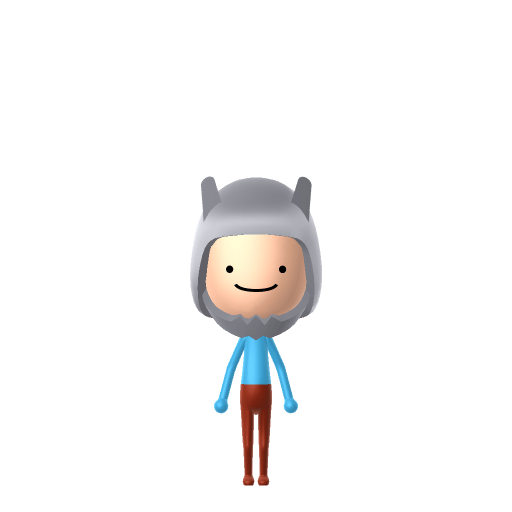
Finn the Human Mii for Tomodachi Life
Movie & TV Mii Idea

Finn the Human Mii for Tomodachi Life

The sword-swinging boy hero of Cartoon Network's Adventure Time.

#cartoon#adventure-time#hero

Finn the Human Mii Quick Facts

Finn the Human Mii — age & cast at a glance

Age
12 at the start of Adventure Time, 17 by the finale
Voiced by
Jeremy Shada
In Tomodachi Life

Finn's white bear hat is the one thing a Finn Mii cannot wear in LTD — the in-game Mii Maker has no hat options at all. Build him in the Switch system Mii Maker with the hat on and import him, and LTD strips the hat into his clothing inventory instead.

01 — Personality

Recommended personality for your Finn the Human Mii: Go-Getter

Bold and energetic, always pursuing the next goal with unmatched enthusiasm and determination.In Tomodachi Life, set this Mii's sliders so Speech + Movement totals 12–15 and Thinking + Energy totals 12–15. See the full Go-Getter guide →

Why this fitsFinn "vowed to help anyone in need, no matter how small their problem" and is driven by "a desire to live by a heroic code and a thirst for adventure" — he charges at every quest first and thinks later. That fearless, forward momentum reads as Go-Getter, so that's the personality this Finn Mii ships with above.

02 — How to Make This Mii

How to Make a Finn the Human Mii in Tomodachi Life

To make a Finn Mii in Tomodachi Life: Living the Dream, open Mii Maker and build a cheerful young boy with a simple round face, small dot eyes and a big friendly smile, then set a blue colour scheme for his shirt. His signature white bear-eared hat can't be built in the face editor, so lean on the round happy face — the walkthrough below covers both Switch (LTD) and 3DS.

Use the system Mii Maker, then bring the Mii into Tomodachi Life: Living the Dream.

Body & Build

  1. 1
    Set gender to "Male".
  2. 2
    Set favorite color to cyan.
  3. 3
    Set height to 62%.
  4. 4
    Set weight to 7%.

Face Shape & Skin

  1. 5
    Set face type.

Hair

  1. 6
    Set hair style.
    ⋯
    ⋯
    Row 13 · Column 6
  2. 7
    Set hair color in the expanded colors menu.

Eyes

  1. 8
    Set eyes.
    ⋯
    ⋯
    Row 6 · Column 4
  2. 9
    Make eyes 3 smaller.
  3. 10
    Rotate outer edge of the eyes all the way down, then rotate it 3 ticks back up.
  4. 11
    Move eyes 5 further apart.
  5. 12
    Move eyes 3 ticks down.

Eyebrows

  1. 13
    Set eyebrows.
    ⋯
    ⋯
    Row 3 · Column 5
  2. 14
    Set eyebrows color in the expanded colors menu.
  3. 15
    Make eyebrows 4 larger.
  4. 16
    Unsquash the eyebrows 3 to the right.
  5. 17
    Rotate outer edge of the eyebrows 5 ticks up.
  6. 18
    Move eyebrows 10 further apart.
  7. 19
    Move eyebrows 3 ticks up.

Nose

  1. 20
    Set nose.
    ⋯
    Row 1 · Column 6
  2. 21
    Make nose 4 smaller
  3. 22
    Move nose 4 ticks down.

Mouth

  1. 23
    Set mouth.
    ⋯
    ⋯
    Row 4 · Column 4
  2. 24
    Squash the mouth 1 to the left.
  3. 25
    Move mouth 3 ticks up.

Facial Hair

  1. 26
    Set beard type.
    ⋯
    Row 2 · Column 1
  2. 27
    Set beard color in the expanded colors menu.

Diagrams show where the option sits in the Mii Maker picker (4 columns, scroll to reach later rows). Editor menus differ slightly between regions and console revisions — if an exact option is missing, pick the closest one.

Mii Studio data code

Finn the Human's full appearance as a Mii Studio data string. Drop it into Mii rendering tools or community Mii editors that accept Studio codes (it's not a console import — for the game itself use the steps above).

0403090308030112070f06040b080e0c070000010006000804000a0400154f04000214021304130a04000a00000d
03 — QR Code
Finn the Human Mii QR code for the Nintendo 3DS

Scan this Finn the Human Mii QR code

This is a 3DS-format Mii QR code generated from Finn the Human's Mii data. On a Nintendo 3DS, open Mii Maker → QR Code / Image Options → Scan QR Code and point the camera at it, then bring the Mii into the original Tomodachi Life. The Switch / Switch 2 has no camera, so it can't scan Mii QR codes — for Tomodachi Life: Living the Dream use the step-by-step instructions above (or the online Mii creator).

Download QR code

Pair your Finn the Human Mii with

In Tomodachi Life

Recreate the Ooo crew as neighbours, but remember LTD writes its own story. Relationships on your island grow from proximity, dating preferences and birthday/zodiac compatibility — never from Adventure Time canon — so Finn's famous one-sided crush on Princess Bubblegum might go nowhere, or he might become Sweethearts with Marceline instead. The chaos is part of the charm.

Finn the Human Mii on your island

Picture it

A Go-Getter like Finn throws himself at island life the way he throws himself at any quest in Ooo — first to try something new, first to help a neighbour, all forward momentum. Go-Getters are outgoing, high-energy residents, so the Finn Mii will make friends fast across an island of up to 70. And because his best friend Jake the Dog is his constant companion in the show, recreating a Jake-inspired neighbour beside him is a fun move — just don't expect the game to keep them attached, because LTD decides its own bonds through proximity and chance crushes, not Adventure Time canon.

Life on your island

Get the Finn the Human Mii look

Build cheat-sheet

Feature → the move to make in Mii Maker

  1. Face

    A simple, round, cheerful face with light skin is the base of any Finn Mii — pick a round face shape and the lightest natural skin tone for the Finn Mii.

  2. Eyes

    Small, simple dot eyes — go for the smallest, most minimal round eye shape so the Finn Mii matches his cartoon-simple design.

  3. Mouth

    A big, open, friendly smile — pick the widest happy mouth the editor offers; Finn's grin carries a lot of his personality.

  4. Colour scheme

    Set his favourite colour to blue so the imported Finn Mii leans into his signature light-blue shirt.
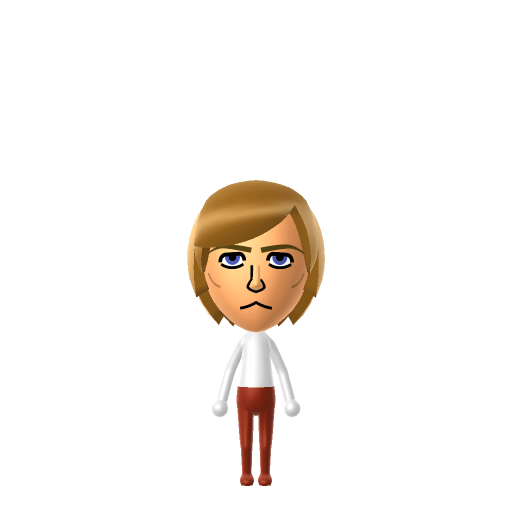
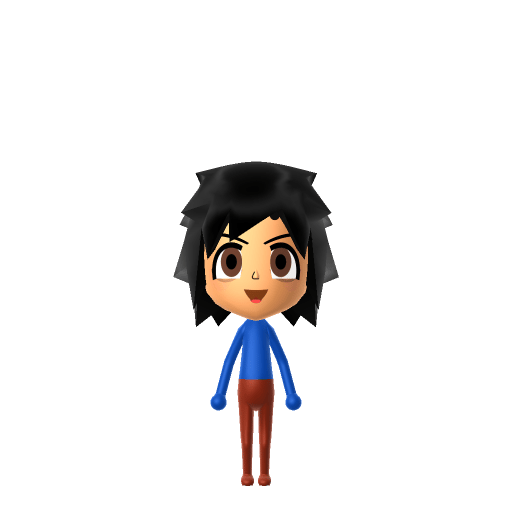
What Mii Maker can't do for your Finn the Human Mii

  • Mii Maker can’t

    His white bear-eared hat (with blonde hair underneath)

    Closest you can get

    the editor has no hats or hair accessories, so the single most recognisable part of Finn can't be built — lean hard on the round happy face and blue colour scheme instead, since those are what will carry a Finn Mii without the hat.

  • Mii Maker can’t

    His blue shirt and shorts outfit

    Closest you can get

    Outfits aren't part of the face editor; set his favourite colour to blue and dress the imported Mii in a blue top in Tomodachi Life if the wardrobe allows.

  • Mii Maker can’t

    His grass sword / robotic arm from later seasons

    Closest you can get

    Miis don't hold weapons and there's no prosthetic-arm option, so late-series Finn details can't be shown — stick to the classic early-series look for the clearest Finn Mii.

Did you know? — Finn the Human Mii

  1. In the original pilot the character was not called Finn at all — he was "Pen", voiced by Zack Shada rather than Jeremy Shada, who took over for the series.

  2. Creator Pendleton Ward designed Finn as though he were playing a session of Dungeons & Dragons.

  3. When Jeremy Shada's voice deepened with puberty during production, the crew aged Finn up to match rather than recasting him — the show's themes matured alongside its lead.

  4. Finn's several missing teeth are deliberate: Ward has said the character never visited a dentist.

Finn the Human Mii — FAQ

Can Mii Maker make an accurate Finn Mii?

The face is easy — Finn's round head, small dot eyes and big smile are about as Mii-friendly as a cartoon design gets. The problem is his white bear-eared hat, which is his most iconic feature and something the editor can't build, since there are no hats or hair accessories. So a Finn Mii nails the cheerful face and blue colours but has to go hatless.

How do I do Finn's hat on a Mii?

You can't, unfortunately — the face editor has no hats or headwear, so the white bear-eared hat is off the table. If your version of Tomodachi Life lets you dress an imported Mii in a hat from the in-game wardrobe you can approximate it there, but the Finn Mii itself is built bare-headed.

What personality should a Finn Mii have?

Go-Getter fits him best — set high Thinking + Energy in the panel above. It matches his fearless, help-anyone, charge-in-first heroism across Adventure Time.

Who should I pair with a Finn Mii on my island?

Canon-wise, Princess Bubblegum (his long unrequited crush) and Marceline (his close friend) are the obvious neighbours to recreate — both already have pages here. But LTD decides relationships for itself, so a Finn Mii might bond with someone from an entirely different show.

Sources: WikipediaCharacter facts are grounded in the source(s) above; Mii-Maker mapping is our own craft guidance.

More Miis like Finn the Human

Have your own Mii?

Paste a Mii Studio code or upload a Mii QR image into the QR code Mii decoder to get this same step-by-step recreation guide for it.

Want to design your own?

Build a Mii from scratch in the online Mii creator, then bring its code here for rebuild steps.