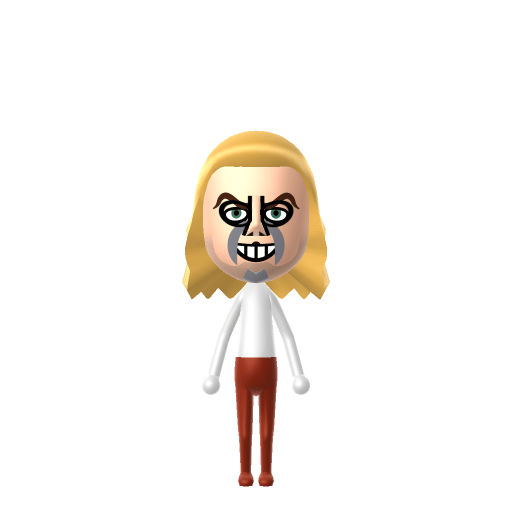
All Mii ideas
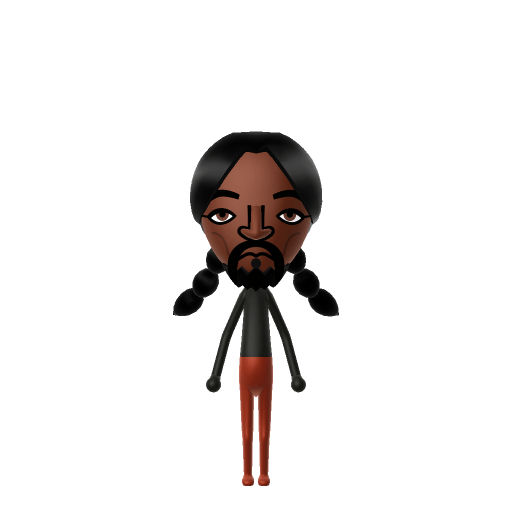
Snoop Dogg Mii for Tomodachi Life
Celebrity Mii Idea

Snoop Dogg Mii for Tomodachi Life

The legendary rapper chilling on your island.

#celebrity#music#rapper

Snoop Dogg Mii Quick Facts

Snoop Dogg Mii — birthday at a glance

Birthday
October 20, 1971
In Tomodachi Life

Set Snoop's Mii birthday to October 20 in Mii Maker — Tomodachi Life: Living the Dream treats birthdays as a first-class input, feeding the compatibility meter and zodiac interactions on your island.

About the Snoop Dogg Mii

Character File

Calvin Cordozar Broadus Jr., known professionally as Snoop Dogg, is an American rapper and actor. A key figure in West Coast hip-hop, he helped define G-funk and gangsta rap and is known for his signature drawled delivery and melodic flow.

01 — Personality

Recommended personality for your Snoop Dogg Mii: Merrymaker

Turns any moment into a good time and makes friends with everyone. The ultimate high-energy social catalyst.In Tomodachi Life, set this Mii's sliders so Speech + Movement totals 8–11 and Thinking + Energy totals 8–11. See the full Merrymaker guide →

Why this fitsSnoop's signature is a relaxed, sociable drawl — he turns every appearance into a low-key party. That laid-back, crowd-pleasing energy fits Merrymaker (high Speech + Movement, mid Thinking + Energy).

02 — How to Make This Mii

How to Make a Snoop Dogg Mii in Tomodachi Life

To make a Snoop Dogg Mii in Tomodachi Life: Living the Dream, open Mii Maker and pick long braided hair, a goatee-style beard, and a relaxed half-smile, then dress him in casual streetwear colours. The picker-by-picker walkthrough below works for both Nintendo Switch (LTD) and 3DS (original Tomodachi Life).

Use the system Mii Maker, then bring the Mii into Tomodachi Life: Living the Dream.

Body & Build

  1. 1
    Set gender to "Male".
  2. 2
    Set favorite color to black.
  3. 3
    Set height to 100%.
  4. 4
    Set weight to 0%.

Face Shape & Skin

  1. 5
    Set face/skin color.
  2. 6
    Set facial features/wrinkles.

Hair

  1. 7
    Set hair style.
    ⋯
    ⋯
    Row 22 · Column 3
  2. 8
    Set hair color in the expanded colors menu.

Eyes

  1. 9
    Set eyes.
    ⋯
    ⋯
    Row 6 · Column 2
  2. 10
    Set eye color in the expanded colors menu.
  3. 11
    Make eyes 1 smaller.
  4. 12
    Rotate outer edge of the eyes all the way down, then rotate it 2 ticks back up.
  5. 13
    Move eyes 5 further apart.
  6. 14
    Move eyes 1 ticks up.

Eyebrows

  1. 15
    Set eyebrows.
    ⋯
    Row 1 · Column 5
  2. 16
    Set eyebrows color in the expanded colors menu.
  3. 17
    Rotate outer edge of the eyebrows 1 ticks down.
  4. 18
    Move eyebrows 3 further apart.
  5. 19
    Move eyebrows 1 ticks up.

Nose

  1. 20
    Set nose.
    ⋯
    Row 2 · Column 4
  2. 21
    Make nose 1 larger.
  3. 22
    Move nose 2 ticks up.

Mouth

  1. 23
    Set mouth.
    ⋯
    Row 2 · Column 3
  2. 24
    Move mouth 1 ticks down.

Facial Hair

  1. 25
    Set mustache type.
    ⋯
    Row 2 · Column 1
  2. 26
    Make mustache 2 larger.
  3. 27
    Set beard type.
    ⋯
    Row 1 · Column 3

Glasses

  1. 28
    Set glasses color in the expanded colors menu.
  2. 29
    Move glasses 2 ticks down.

Beauty Mark

  1. 30
    Turn mole on.
  2. 31
    Make mole 4 larger.
  3. 32
    Move mole 6 ticks to the right.
  4. 33
    Move mole 6 ticks down.

Diagrams show where the option sits in the Mii Maker picker (4 columns, scroll to reach later rows). Editor menus differ slightly between regions and console revisions — if an exact option is missing, pick the closest one.

Mii Studio data code

Snoop Dogg's full appearance as a Mii Studio data string. Drop it into Mii rendering tools or community Mii editors that accept Studio codes (it's not a console import — for the game itself use the steps above).

080200030a02031e070b03080504090509050000020b000e04000c08001c7f0801081a0313040a0e06030a050907
03 — QR Code
Snoop Dogg Mii QR code for the Nintendo 3DS

Scan this Snoop Dogg Mii QR code

This is a 3DS-format Mii QR code generated from Snoop Dogg's Mii data. On a Nintendo 3DS, open Mii Maker → QR Code / Image Options → Scan QR Code and point the camera at it, then bring the Mii into the original Tomodachi Life. The Switch / Switch 2 has no camera, so it can't scan Mii QR codes — for Tomodachi Life: Living the Dream use the step-by-step instructions above (or the online Mii creator).

Download QR code

Get the Snoop Dogg Mii look

Build cheat-sheet

Feature → the move to make in Mii Maker

  1. Hair

    His hair has shifted across eras — long braids and tight cornrows for most of his career, and grown-out dreadlocks during his "Snoop Lion" period. Pick a long dark style closest to whichever era you're recreating.

  2. Expression

    Relaxed and easy — go with a chilled half-smile rather than anything intense.

  3. Facial hair

    A light, thin beard suits his look if your Mii Maker version offers it (optional).

  4. Vibe

    Dress him in casual streetwear colours to match his off-duty, laid-back persona.

What Mii Maker can't do for your Snoop Dogg Mii

  • Mii Maker can’t

    His signature braids and cornrows — the woven, sectioned hairstyles he's most associated with

    Closest you can get

    Mii Maker can't render braided or corn-rowed hair; pick the longest, darkest plain style as a stand-in, or use a shorter cropped style for a simpler read.

Snoop Dogg Mii on your island

Picture it

A Merrymaker Snoop is the island's resident good-time host — Merrymakers run high on the playful, sociable axes, so he drifts between neighbours keeping the mood light wherever he lands. Drop him onto an island of up to 70 residents and he'll be everyone's easy company by the weekend. Romance, though, is out of your hands: Tomodachi Life: Living the Dream settles crushes through dating preferences, random chance and birthday/zodiac compatibility — never personality — so you set the stage, not the love story.

Life on your island

Did you know? — Snoop Dogg Mii

  1. His stage name comes from a childhood nickname — his mother called him "Snoopy" because of his love for and likeness to the Peanuts cartoon character.

  2. His 1993 debut album Doggystyle entered the Billboard 200 at number one, selling 806,000 copies in its first week.

  3. In 2022 he acquired Death Row Records — the very label that launched his career in the early 1990s.

  4. At the 2024 Paris Olympics he served as both a torchbearer in the opening relay and a special NBC Olympics correspondent.

Snoop Dogg Mii — FAQ

Can Mii Maker do Snoop Dogg's braids?

Not exactly — Mii Maker has no braided or corn-rowed hairstyles. Use the longest, darkest plain hair as a stand-in for his braids, or pick a shorter cropped style if you'd rather keep the Mii simple. His relaxed expression carries the likeness either way.

What personality should a Snoop Dogg Mii have?

Merrymaker fits best — high Speech + Movement with mid Thinking + Energy in the personality panel above. It matches his laid-back, crowd-pleasing energy, the sense that he turns any appearance into a relaxed party.

Should I name the Mii Snoop Dogg or Snoop Lion?

Either works — they're the same artist. He's recorded under several names including Snoop Lion (from 2012), Snoopzilla and DJ Snoopadelic, so pick whichever era you're recreating; the recommended Merrymaker personality stays the same.

Sources: WikipediaNBC NewsCharacter facts are grounded in the source(s) above; Mii-Maker mapping is our own craft guidance.

More Miis like Snoop Dogg

Have your own Mii?

Paste a Mii Studio code or upload a Mii QR image into the QR code Mii decoder to get this same step-by-step recreation guide for it.

Want to design your own?

Build a Mii from scratch in the online Mii creator, then bring its code here for rebuild steps.