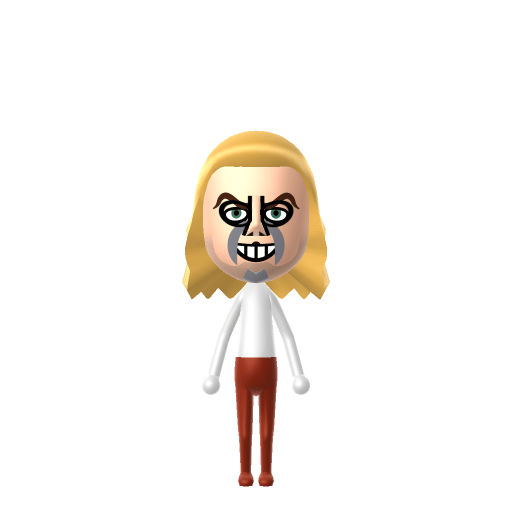
Character File
Homer Jay Simpson is the protagonist of the American animated sitcom The Simpsons, designed by cartoonist Matt Groening. He made his television debut in the short "Good Night" on The Tracey Ullman Show on April 19, 1987.
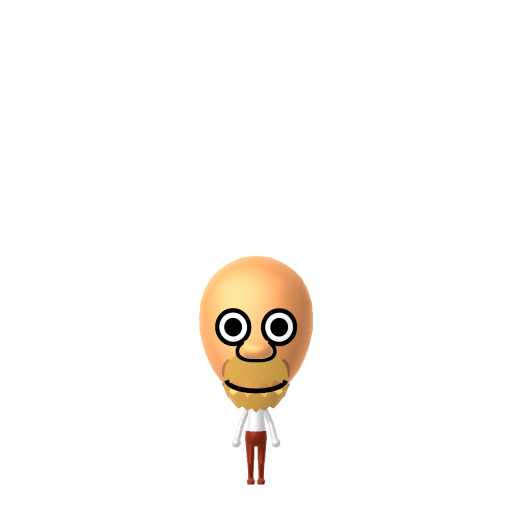
D'oh! The lovable father from Springfield.
Homer Jay Simpson is the protagonist of the American animated sitcom The Simpsons, designed by cartoonist Matt Groening. He made his television debut in the short "Good Night" on The Tracey Ullman Show on April 19, 1987.
Set Homer's Mii birthday to May 12 in Mii Maker — Tomodachi Life: Living the Dream treats birthdays as a first-class input, feeding the compatibility meter and zodiac interactions on your island.
Turns any moment into a good time and makes friends with everyone. The ultimate high-energy social catalyst.In Tomodachi Life, set this Mii's sliders so Speech + Movement totals 8–11 and Thinking + Energy totals 8–11. See the full Merrymaker guide →
Why this fitsHomer is loud, impulsive, and the engine of every social gathering — he eats, drinks, and shouts "D'oh!" before thinking. That high-volume, low-restraint profile fits Merrymaker (high Speech + Movement, mid Thinking + Energy).
To make a Homer Simpson Mii in Tomodachi Life: Living the Dream, open Mii Maker and build a stocky frame with a bald round head and a few tufts of dark hair on top, a large nose, prominent dotted stubble on the jaw, then dress him in his signature white shirt and blue trousers. The picker-by-picker walkthrough below works for both Nintendo Switch (LTD) and 3DS (original Tomodachi Life).
Use the system Mii Maker, then bring the Mii into Tomodachi Life: Living the Dream.
Diagrams show where the option sits in the Mii Maker picker (4 columns, scroll to reach later rows). Editor menus differ slightly between regions and console revisions — if an exact option is missing, pick the closest one.
Homer Simpson's full appearance as a Mii Studio data string. Drop it into Mii rendering tools or community Mii editors that accept Studio codes (it's not a console import — for the game itself use the steps above).
0702000308040603010a030701070b0211010000090a000804000a01001e0004000214031307131008010a050507
This is a 3DS-format Mii QR code generated from Homer Simpson's Mii data. On a Nintendo 3DS, open Mii Maker → QR Code / Image Options → Scan QR Code and point the camera at it, then bring the Mii into the original Tomodachi Life. The Switch / Switch 2 has no camera, so it can't scan Mii QR codes — for Tomodachi Life: Living the Dream use the step-by-step instructions above (or the online Mii creator).
Download QR codeBuild cheat-sheet
Feature → the move to make in Mii Maker
Homer is a stout, round-bellied adult, so your Homer Simpson Mii needs the weight slider pushed well past the middle with the height kept around average for that heavy-set frame.
Homer is bald on top with only a thin fringe around the sides and two curls up front. Pick a short, balding-style hairdo in dark brown or black for the Homer Simpson Mii — nothing tall.
Give the Homer Simpson Mii a wide, rounded face shape and a large, rounded nose set low. A small mouth with a slight overbite finishes Homer's signature profile.
Homer always wears a heavy five-o'clock shadow. Add the darkest dotted beard option to your Homer Simpson Mii and sit it low on the jaw and chin.
Homer has big, round, close-set eyes — pick large circular eyes placed high and near the centre of the face.
Dress the Homer Simpson Mii in a plain white short-sleeve shirt with blue trousers and set blue as the favourite colour so the look reads at a glance.
Bright Simpsons-yellow skin
Mii Maker has no cartoon-yellow skin tone like the Simpsons palette, so a Homer Simpson Mii can't be truly yellow. Pick the lightest, most golden warm tone available — the bald head, heavy stubble, and white-shirt/blue-trousers combo carry the recognition instead.
The two M-shaped hair curls
There's no part that recreates Homer's two distinct hair curls on an otherwise bald head. A short balding hairstyle is the closest match; once the stubble, big nose, and round build are in place, the silhouette still reads as Homer.
Drop a Merrymaker Homer Simpson Mii onto your island and he'll throw himself straight into the social whirl — Merrymakers befriend almost everyone and turn ordinary days into celebrations, so expect him at the centre of every Town Hall gathering. Because LTD's roommate system pairs up Miis who get along, bunking Homer in the Apartments with other similar, easy-going residents keeps the peace. One LTD twist to set expectations: who Homer actually falls for isn't decided by his personality at all — romance runs on dating preferences and random crushes — so even the island's biggest party animal might end up Love Pondering over the quietest resident. A "Wants to Marry!" moment then leans on your relationship level and zodiac compatibility from birth dates, which is exactly why setting his May 12 birthday in Mii Maker is worth the extra tap.
Bart Simpson
His mischief-making eldest child — the son whose pranks trigger Homer's strangled "D'oh!" and the chases that follow. Recreate Bart to put father and son on one island.
Marge Simpson
His patient, blue-haired wife and the long-suffering anchor of the Simpson household.
Recreate Bart and Marge as their own Miis and house them near your Homer Simpson Mii to rebuild the family — but Tomodachi Life: Living the Dream won't recreate The Simpsons for you. Bonds there grow from proximity and shared time, and romance runs on dating preferences and zodiac compatibility, so whether Homer and Marge play out their marriage on your island is down to how you play.
Build your Homer Simpson Mii with a stout, bald-on-top frame, a thin fringe of dark hair, a large rounded nose, big round eyes, and heavy dotted stubble, then dress him in a white short-sleeve shirt with blue trousers. Follow the picker-by-picker steps above, or start the Homer Simpson Mii in the online Mii creator and bring the code back here.
Mii Maker only offers natural human skin tones, so it can't reproduce the bright Simpsons yellow. Pick the lightest, most golden warm tone — the bald head, stubble, and signature white-and-blue outfit do the recognising, not the colour.
No — the Switch and Switch 2 have no camera, so Tomodachi Life: Living the Dream can't scan Mii QR codes at all. Build him by hand with the steps above or use the online Mii creator. On the original 3DS Tomodachi Life you can scan the QR code on this page.
Merrymaker fits a Homer Simpson Mii best — set Speech + Movement and Thinking + Energy to the medium-high ranges shown in the personality panel above. It matches a loud, impulsive character who's the engine of every social gathering.
Living the Dream has no QR scanner, so you can't scan a Homer Simpson Mii QR code on Switch. The only sanctioned way to move a 3DS Mii across is to write it to an Amiibo on the 3DS and 'Copy from Amiibo' on Switch (appearance and name only). The simplest route is to rebuild the Homer Simpson Mii in LTD's in-game Mii Maker using the recipe on this page.
No. Tomodachi Life ships with template Miis but not Homer Simpson, so you recreate the Homer Simpson Mii yourself with the Mii Maker steps on this page or rebuild him from his Mii Studio code.
Sources: WikipediaCharacter facts are grounded in the source(s) above; Mii-Maker mapping is our own craft guidance.
Paste a Mii Studio code or upload a Mii QR image into the QR code Mii decoder to get this same step-by-step recreation guide for it.
Build a Mii from scratch in the online Mii creator, then bring its code here for rebuild steps.