Character File
Beetlejuice is the title character of the 1988 American gothic comedy horror film directed by Tim Burton, played by Michael Keaton. The role is a chaotic, bio-exorcist ghost summoned by saying his name three times.
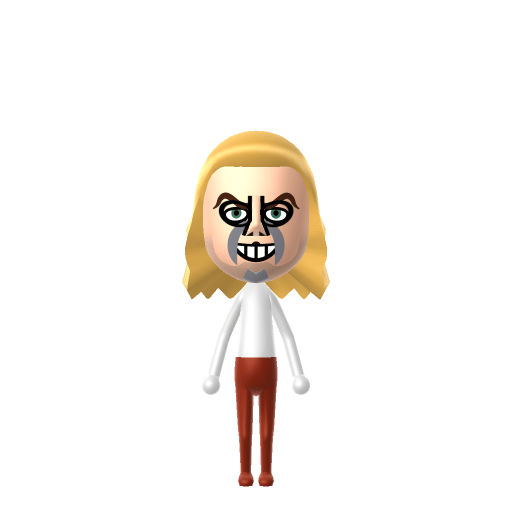
The chaotic 'bio-exorcist' ghost — say his name three times.
Beetlejuice is the title character of the 1988 American gothic comedy horror film directed by Tim Burton, played by Michael Keaton. The role is a chaotic, bio-exorcist ghost summoned by saying his name three times.
Turns any moment into a good time and makes friends with everyone. The ultimate high-energy social catalyst.In Tomodachi Life, set this Mii's sliders so Speech + Movement totals 8–11 and Thinking + Energy totals 8–11. See the full Merrymaker guide →
Why this fitsBeetlejuice is loud, theatrical, and turns every scene into a chaotic party trick. That high-volume disruptive energy fits Merrymaker (high Speech + Movement, mid Thinking + Energy).
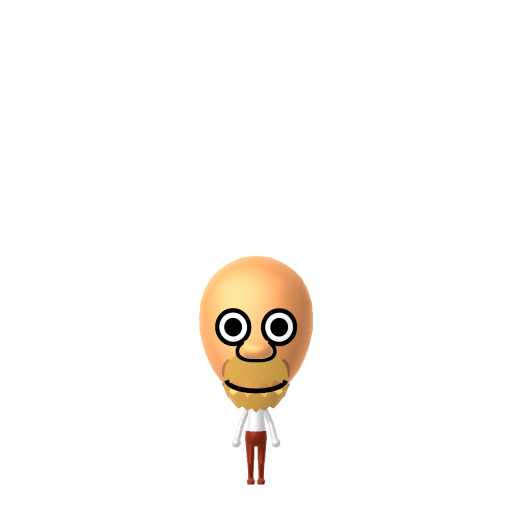
To make a Beetlejuice Mii in Tomodachi Life: Living the Dream, open Mii Maker and pick wild greenish-blonde hair, pale ghostly skin, dark sunken eye sockets, and a grimacing mouth, then dress him in his signature black-and-white striped suit. The picker-by-picker walkthrough below works for both Nintendo Switch (LTD) and 3DS (original Tomodachi Life).
Use the system Mii Maker, then bring the Mii into Tomodachi Life: Living the Dream.
Diagrams show where the option sits in the Mii Maker picker (4 columns, scroll to reach later rows). Editor menus differ slightly between regions and console revisions — if an exact option is missing, pick the closest one.
Beetlejuice's full appearance as a Mii Studio data string. Drop it into Mii rendering tools or community Mii editors that accept Studio codes (it's not a console import — for the game itself use the steps above).
04011a030d03032c020c0301060516010b000a01000a000802050a0701187a080108150313050e0c060304060b05
This is a 3DS-format Mii QR code generated from Beetlejuice's Mii data. On a Nintendo 3DS, open Mii Maker → QR Code / Image Options → Scan QR Code and point the camera at it, then bring the Mii into the original Tomodachi Life. The Switch / Switch 2 has no camera, so it can't scan Mii QR codes — for Tomodachi Life: Living the Dream use the step-by-step instructions above (or the online Mii creator).
Download QR codeHis decayed, undead look (mottled skin, grimy teeth)
Mii Maker can't render rotting skin or discoloured teeth, so a pale sickly skin tone plus dark sunken eyes and wild hair is the closest "just-dug-up" read.
The black-and-white striped suit
Mii Maker has no costume parts, so the iconic striped suit has to come from LTD's in-game clothing, not the editor itself.
Build cheat-sheet
Feature → the move to make in Mii Maker
Wild, sticking-out hair is essential — pick the messiest, most unkempt style in a pale greenish-blond.
Use a pale, sickly skin tone for his undead pallor — the closest to a greyish-green corpse look the editor offers.
Dark, sunken, heavily shadowed eyes — choose tired, hollow eyes with strong dark circles.
His black-and-white vertical striped suit is the costume — recreate it with LTD's in-game clothing rather than the Mii editor.
Michael Keaton plays the title character in Tim Burton's 1988 film — yet despite being the name on the poster, he's only on screen for about 17 minutes.
The film's makeup team (led by Ve Neill) won the 1989 Academy Award for Best Makeup for the look.
His name is properly spelled "Betelgeuse," after the star — you summon him by saying it three times, and send him away the same way.
Keaton, Winona Ryder and Catherine O'Hara reprised their roles for the 2024 sequel Beetlejuice Beetlejuice.
A Merrymaker-type Beetlejuice is the island's chaos-party engine — loud, theatrical, turning every quiet moment into a bit. Merrymakers bring relentless high-volume energy, so drop him among calmer residents for maximum comedy. He rooms most comfortably with other lively personalities, which is what LTD's roommate harmony rewards. Don't try to script his love life, though: crushes in Tomodachi Life: Living the Dream run on dating preferences, random chance and birthday/zodiac compatibility — never personality — so give your Beetlejuice a birthday and let the island decide who he haunts next.
Lydia Deetz
The goth teenager (played by Winona Ryder) at the heart of the films — the living girl Beetlejuice repeatedly schemes to marry.
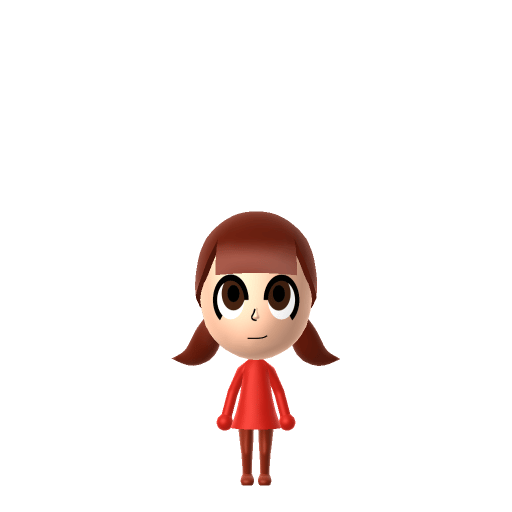
Recreate Lydia Deetz as her own Mii and house her near your Beetlejuice Mii to echo the films — but Tomodachi Life: Living the Dream won't recreate the dynamic for you. Relationships there grow from proximity and shared time, and romance runs on dating preferences and zodiac compatibility, so how it plays out is down to you.
Use wild greenish-blond hair, a pale sickly skin tone, dark sunken eyes and a grimacing mouth, then add the black-and-white striped suit with LTD's in-game clothing. Mii Maker can't do rotting skin, so the pale tone and hollow eyes carry the undead look — follow the picker-by-picker steps above for Switch (LTD) or 3DS.
Only approximately. Mii Maker has no costume parts and can't render decayed skin or grimy teeth, so the suit comes from LTD's in-game clothing while a pale skin tone, wild hair and dark sunken eyes stand in for the decay.
In the films Beetlejuice is summoned by saying his name — properly "Betelgeuse," after the star — three times, and is sent away the same way. It's the gag the whole plot hangs on.
Merrymaker fits best — set high Speech + Movement with mid Thinking + Energy in the panel above. It matches his loud, theatrical, turn-everything-into-a-party-trick energy on your island.
Sources: WikipediaScreen RantWikipediaCharacter facts are grounded in the source(s) above; Mii-Maker mapping is our own craft guidance.
Paste a Mii Studio code or upload a Mii QR image into the QR code Mii decoder to get this same step-by-step recreation guide for it.
Build a Mii from scratch in the online Mii creator, then bring its code here for rebuild steps.