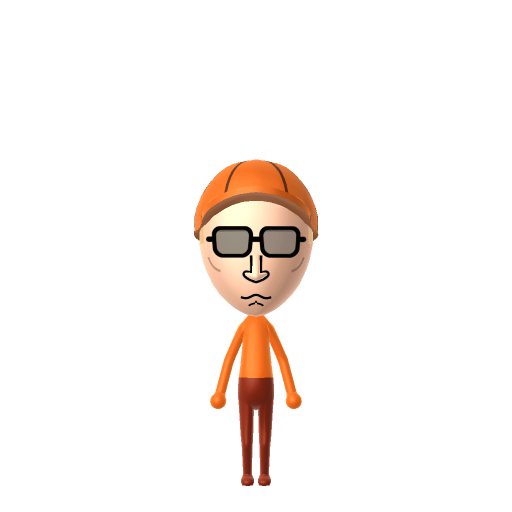
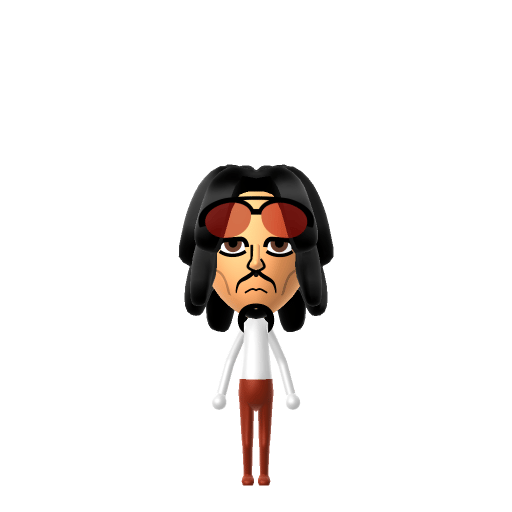
The conspiracy-loving exterminator from Mike Judge's King of the Hill.
#tv#king-of-the-hill#conspiracy
About the Dale Gribble Mii
Character File
Dale Alvin Gribble is the Hills' chain-smoking neighbor on Mike Judge and Greg Daniels's animated sitcom King of the Hill, an insect exterminator among various self-appointed occupations. His physical appearance was modeled after Hunter S. Thompson.
Dale Gribble Mii Quick Facts
Dale Gribble Mii — cast at a glance
Voiced by
Johnny Hardwick (1997–2023); Toby Huss (2025 revival)
In Tomodachi Life
Dale runs on paranoid energy — give your Dale Gribble Mii a fast, twitchy, slightly nasal voice on LTD's sliders so he sounds like he's about to expose a government plot on your island.
To make a Dale Gribble Mii in Tomodachi Life: Living the Dream, open Mii Maker and pick a perpetually-worn ball cap, large rectangular sunglasses that hide his eyes, scruffy stubble, and his signature plain orange t-shirt and jeans. The picker-by-picker walkthrough below works for both Nintendo Switch (LTD) and 3DS (original Tomodachi Life).
Use the system Mii Maker, then bring the Mii into Tomodachi Life: Living the Dream.
Body & Build
1
Set gender to "Male".
2
Set favorite color to orange.
3
Set height to 70%.
4
Set weight to 15%.
Face Shape & Skin
5
Set facial features/wrinkles.
Hair
6
Set hair style.
⋯
⋯
Row 7 · Column 3
7
Set hair color in the expanded colors menu.
Eyes
8
Set eyes.
⋯
Row 2 · Column 2
9
Make eyes 3 larger.
10
Rotate outer edge of the eyes all the way down, then rotate it 3 ticks back up.
11
Move eyes 5 ticks up.
Eyebrows
12
Set eyebrows.
⋯
⋯
Row 4 · Column 6
13
Set eyebrows color in the expanded colors menu.
14
Make eyebrows 2 larger.
15
Rotate outer edge of the eyebrows 2 ticks down.
16
Move eyebrows 2 ticks down.
Nose
17
Set nose.
⋯
Row 2 · Column 4
18
Make nose 1 smaller
19
Move nose 1 ticks down.
Mouth
20
Set mouth.
⋯
Row 2 · Column 2
21
Make mouth 2 smaller
22
Move mouth 2 ticks down.
Facial Hair
23
Set mustache type.
⋯
Row 1 · Column 3
24
Make mustache 4 smaller
25
Move mustache 5 ticks down.
Glasses
26
Set glasses type.
⋯
⋯
Row 3 · Column 4
27
Set glasses color in the expanded colors menu.
28
Make glasses 1 smaller
29
Move glasses 2 ticks up.
Beauty Mark
30
Turn mole on.
31
Make mole 4 smaller
32
Move mole 6 ticks to the right.
33
Move mole 7 ticks down.
Diagrams show where the option sits in the Mii Maker picker (4 columns, scroll to reach later rows). Editor menus differ slightly between regions and console revisions — if an exact option is missing, pick the closest one.
Mii Studio data code
Dale Gribble's full appearance as a Mii Studio data string. Drop it into Mii rendering tools or community Mii editors that accept Studio codes (it's not a console import — for the game itself use the steps above).
This is a 3DS-format Mii QR code generated from Dale Gribble's Mii data. On a Nintendo 3DS, open Mii Maker → QR Code / Image Options → Scan QR Code and point the camera at it, then bring the Mii into the original Tomodachi Life. The Switch / Switch 2 has no camera, so it can't scan Mii QR codes — for Tomodachi Life: Living the Dream use the step-by-step instructions above (or the online Mii creator).
Dale is almost never seen without his orange-and-white trucker cap — add the closest ball cap from LTD's in-game clothing.
2
Sunglasses
His large rectangular shades hide his eyes in nearly every scene — use a sunglasses accessory so the eyes stay covered.
3
Stubble
Give him heavy scruffy stubble around the jaw and a thin moustache for the unkempt exterminator look.
4
Outfit & colour
Dress him in a plain orange t-shirt and jeans using LTD's in-game clothing, and set orange as the favourite colour. He's fully human, so the Mii builds easily with standard parts.
Did you know? — Dale Gribble Mii
1
When Dale doesn't want his real name known, he uses the alias "Rusty Shackleford" — a long-running gag across the series.
2
He's the self-proclaimed inventor of "Pocket Sand" — flinging a hidden handful of sand as a surprise self-defence move.
3
In one of TV's great running jokes, conspiracy-obsessed Dale never notices the years-long affair between his wife Nancy and John Redcorn — or that their son Joseph is clearly Redcorn's.
4
Dale was voiced for over 25 years by Johnny Hardwick, who was also a writer on the show; after Hardwick's death in 2023, Toby Huss took over the role for the revival.
Dale Gribble Mii on your island
Picture it
A Maverick-type Dale Gribble is the island's resident conspiracy broadcaster — high on Speech and Movement, loud, twitchy and convinced he's onto something nobody else can see. Mavericks shake up the room, so the fun is in turning him loose among your most level-headed residents. He rooms most easily with other big personalities, which is what LTD's roommate harmony rewards. His love life, though, runs on its own classified logic: crushes in Tomodachi Life: Living the Dream are set by dating preferences, random chance and birthday/zodiac compatibility — never personality — so give your Dale a birthday and let the island, not his theories, decide.
Life on your island
Pair your Dale Gribble Mii with
Hank Hill
His next-door best friend and the straight man to his schemes — Hank tolerates and quietly steers Dale's conspiracy spirals.
Nancy Gribble
His wife — whose long affair with John Redcorn the famously paranoid Dale never once suspects.
In Tomodachi Life
Recreate Hank and Nancy as their own Miis and house them near your Dale Gribble Mii to rebuild the Arlen cul-de-sac — but Tomodachi Life: Living the Dream won't recreate their dynamic for you. Friendships grow from proximity and shared time, and romance runs on dating preferences and zodiac compatibility, so who gets close to whom is down to how you play.
Dale Gribble Mii — FAQ
How do you make a Dale Gribble Mii in Tomodachi Life?
Add a ball cap and large rectangular sunglasses, give him scruffy stubble and a thin moustache, then dress him in a plain orange t-shirt and jeans with LTD's in-game clothing. He's fully human, so the Mii builds easily — follow the picker-by-picker steps above for Switch (LTD) or 3DS.
Why does Dale always wear sunglasses?
It's part of the character — Dale is paranoid and is almost never seen without his shades and cap, so keeping the eyes hidden behind a sunglasses accessory is exactly what makes the Mii read as Dale.
Who is Rusty Shackleford?
It's Dale's go-to fake name. Whenever he doesn't want his real identity known — even just ordering pizza — he calls himself "Rusty Shackleford," one of the show's longest-running jokes.
What personality should a Dale Gribble Mii have?
Maverick fits best — set high Speech + Movement with low-to-mid Thinking + Energy in the panel above. It matches his loud, anti-establishment, broadcast-the-conspiracy-no-one-asked-for energy on your island.