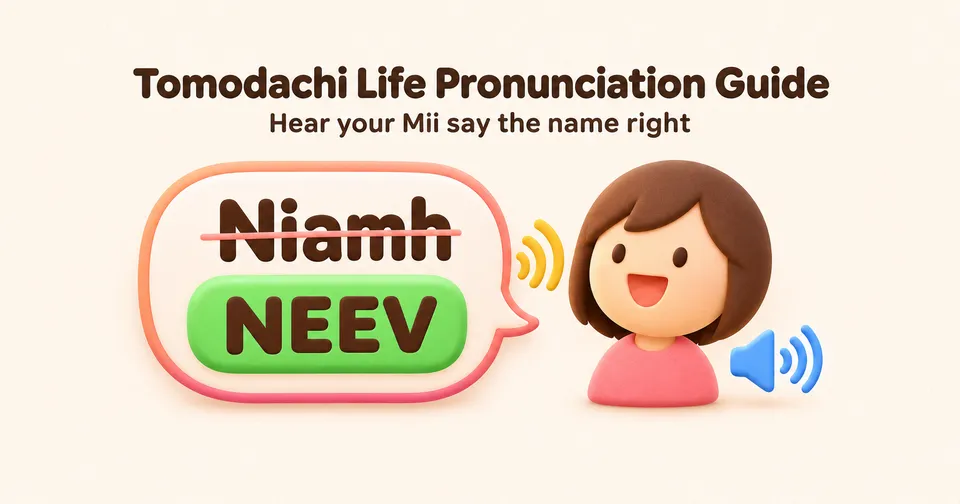
To fix how a name is spoken in Tomodachi Life: Living the Dream (LTD), type a phonetic respelling into the pronunciation control next to the name, like “Neev” for Niamh. The name on screen stays as you wrote it; only the spoken version changes.
Does your Mii trip over a name like “Niamh”? This Tomodachi Life pronunciation guide is a name tester first: hear how a Mii-style voice reads a name, see the syllables it trips on, and find a respelling that fixes it for Tomodachi Life: Living the Dream (LTD).
Build a respelling from sounds the English voice can't misread. Tap a chip to hear each Tomodachi Life pronunciation guide example.
ayas in “day”Raytch
eeas in “see”Neev
eyeas in “my”Tyge
ohas in “go”Joe
ooas in “zoo”Mee-koo
ahas in “spa”Wah-keen
ehas in “bed”Hee-meh-nah
uhas in “cup”Uh-sheen
shas in “shoe”Seersha
ghas in “go”Ghee-yair-moh
Hyphens even out the beats
In our preview, “Sah-toh-roo” gives every syllable equal weight, which suits Japanese names.
sahtohroo
Joined words lean on the front
“Wahkeen” written as one word puts the stress on the first part. Want the end stressed? Try the hyphenated version too.
wahkeen
Names the Mii voice gets wrong, and the fix
Every row in this Tomodachi Life pronunciation guide table was checked in the tester's US English voice. Coral is the misread, green is what the respelling says.
Satoru GojosatoroogohjohSatoru Gojo is often heard as “SA-to-roo GOH-joh”; type “Sah-toh-roo Goh-joh” instead. typeSah-toh-roo Goh-joh
Tanjiro KamadotanjeerohkamahdohTanjiro Kamado is often heard as “tan-JEE-roh ka-MAH-doh”; type “Tahn-jee-roh Kah-mah-doh” instead. typeTahn-jee-roh Kah-mah-doh
Naruto UzumakinahrootohyoozyoomakeeNaruto Uzumaki is often heard as “nah-ROO-toh yooz-yoo-MA-kee”; type “Nah-roo-toh Oo-zoo-mah-kee” instead. typeNah-roo-toh Oo-zoo-mah-kee
Ichigo KurosakiihkihgohkyooruhsakeeIchigo Kurosaki is often heard as “IH-kih-goh kyoo-ruh-SA-kee”; type “Ee-chee-goh Koo-roh-sah-kee” instead. typeEe-chee-goh Koo-roh-sah-kee
Shoto TodorokishohtohtohduhrohkeeShoto Todoroki is often heard as “SHOH-toh toh-duh-ROH-kee”; type “Shoh-toh Toh-doh-roh-kee” instead. typeShoh-toh Toh-doh-roh-kee
Hatsune MikuhatsyoonmihkooHatsune Miku is often heard as “HATS-yoon MIH-koo”; type “Hah-tsoo-neh Mee-koo” instead. typeHah-tsoo-neh Mee-koo
NiamhnyumNiamh is often heard as “NY-um”; type “Neev” instead. typeNeev
SaoirsesershuhSaoirse is often heard as “SER-shuh”; type “Seersha” instead. typeSeersha
TadhgtadgTadhg is often heard as “tadg”; type “Tyge” instead. typeTyge
OisínoysinOisín is often heard as “OY-sin”; type “Uh-sheen” instead. typeUh-sheen
RóisínroysinRóisín is often heard as “ROY-sin”; type “Rohsheen” instead. typeRohsheen
JoaquínjohkwinJoaquín is often heard as “JOH-kwin”; type “Wah-keen” instead. typeWah-keen
XimenazymnuhXimena is often heard as “ZYM-nuh”; type “Hee-meh-nah” instead. typeHee-meh-nah
GuillermoghihlermohGuillermo is often heard as “GHIH-ler-moh”; type “Ghee-yair-moh” instead. typeGhee-yair-moh
XiaomingzyuhuhmingXiaoming is often heard as “ZY-uh-uh-ming”; type “Shee-yow-meeng” instead. typeShee-yow-meeng
ZhouzhooZhou is often heard as “zhoo”; type “Joe” instead. typeJoe
NguyennooyenNguyen is often heard as “NOO-yen”; type “Win” instead. typeWin
XóchitlzahchihtulXóchitl is often heard as “ZAH-chih-tul”; type “So-cheel” instead. typeSo-cheel
How to say “Tomodachi” and “Mii”
Every Tomodachi Life pronunciation guide should start with the game's own name, and plenty of players say both words wrong.
Tomodachi means “friend” in Japanese
tohmohdahchee
Even beats, no big stress. Our English preview stresses “DA” instead.
Mii is said like “me”
mee
Our English preview voice reads a plain “Mii” as “MIH-eye”.
Why your Miis mispronounce names
Letters
Niamh
The game only has your spelling to go on.
English rules
n · i · a · m · h
The voice sounds it out like an English word.
What you hear
NY-um
Respell it, and the same rules give you Neev.
Miis in LTD talk through robotic text-to-speech. Dataminers report the game uses ReadSpeaker with one voice model per language. This tester runs a different engine (eSpeak NG) in your browser, so the Tomodachi Life pronunciation guide gets you close and the in-game playback is the final check.
Tomodachi Life pronunciation guide FAQ
What is this Tomodachi Life pronunciation guide?
It's a free name tester plus a cheat sheet. Type a name, hear a Mii-style voice say it, see the reading broken into syllables, and try respellings until it sounds right. Then the Tomodachi Life pronunciation guide shows you exactly where that spelling goes in Living the Dream.
How do I change a Mii's name pronunciation in Tomodachi Life: Living the Dream?
LTD uses a single name field with a pronunciation control beside it. Type a phonetic spelling there, like “Neev” for Niamh. The name on screen stays as you wrote it, and only the spoken version changes. The Tomodachi Life pronunciation guide tester above helps you find that spelling before you open the game.
How do I change how my Miis say my name?
Go to Settings, then Player Settings, then “What Mii characters call you”. Tap the mouth icon to the right of the name, type the respelling, and tap the icon again to preview it before you confirm. Test it in the Tomodachi Life pronunciation guide first so you only type it once.
Can a nickname have its own pronunciation?
Yes. Once two Miis are Friends or closer, open the speaker's menu with Y, go to Lingo, and edit the nickname. You can set its reading on the same screen, so run the nickname through the Tomodachi Life pronunciation guide tester first.
Why does the Mii voice say names wrong?
Miis talk through text-to-speech. The voice guesses a name's sound from English spelling rules, so names from Irish, Spanish, Japanese, Chinese and other languages often come out wrong. Dataminers report that LTD uses ReadSpeaker with a separate voice model per language, so US and UK English can read the same name differently. Seeing those misreads before you type is the gap this Tomodachi Life pronunciation guide fills.
Does the Tomodachi Life pronunciation guide sound exactly like the game?
No. The tester runs eSpeak NG in your browser, so it only approximates the in-game voice. The Tomodachi Life pronunciation guide is best at catching the obvious misreads and checking that a respelling fixes them. Always finish with the game's own playback button before you confirm.
How do you pronounce “Tomodachi” and “Mii”?
“Mii” is said like “me”. “Tomodachi” is the Japanese word for “friend” and is read toh-moh-dah-chee, with even weight on every syllable because Japanese uses a flat pitch here instead of English-style stress.
Is the Tomodachi Life pronunciation guide free, and do I need an account?
It's free, and no account is needed. Your pronunciation book saves in this browser straight away. Signing in with Google is optional, and it keeps the book in sync across your phone and computer.
Tools to pair with the Tomodachi Life pronunciation guide
Facts in this Tomodachi Life pronunciation guide come from Wikipedia (Tomodachi Life: Living the Dream, Mii, Tomodachi Life), Wiktionary (友達), Gamerant, Game8, Game8 Japan, GameWith, GameTyrant, vgkami, NeonLights and the tlmodding text-to-speech notes, all checked 2026-11-26. Voice preview powered by eSpeak NG (GPL-3.0).