How to Make a Mii Character in Tomodachi Life (Any Anime, Game or Movie Hero)
To make a Mii character for Tomodachi Life: Living the Dream (LTD), build the face in our free Mii Creator Online, send it to the Mii Decoder for numbered steps, rebuild it in the Switch system Mii Maker, then import it into LTD. Below is that route with screenshots, plus the tricks that make any anime, game or movie hero recognisable.
By miichart.com Editorial Team · Game mechanics checked against the sources listed below
Key Takeaways
- Make a Mii character in our free Mii Creator Online first, then send it to the Mii Decoder for picker-by-picker Switch steps.
- Protect three visual anchors — usually hair, brows and one signature colour or accessory — and let smaller details go.
- Build in the Switch system Mii Maker, then import into LTD. The trip is one-way, so add LTD-only touches last.
- Borrow parts: brows can become lashes or scars, and a mustache can become a snout or beak.
Make a Mii character in your browser, step by step
The fastest way to make a Mii character is to draft it in our free Mii Creator Online, where every change shows up instantly. Here is the full route from a blank face to a resident on your island, using Mario as the example.
- 1
Open the editor and set the body
Open Mii Creator Online. A random Mii loads on every visit — press Randomize for another one, or Reset to start from a plain face. In Body & Build, set gender, height, weight and favourite colour first.
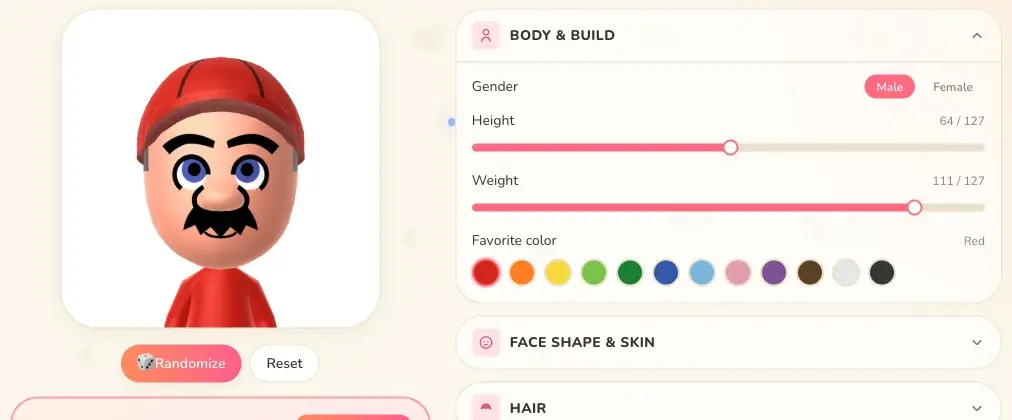
- 1Live preview of your Mii
- 2Randomize or Reset
- 3Body & Build: gender, height, weight, colour
- 2
Pick each part from the thumbnail grids
Open a section such as Hair. Every option is drawn on your own Mii, so you see the hairstyle on the face before you choose it. Work through Face, Hair, Eyebrows, Eyes, Nose, Mouth, then Facial Hair and Glasses. This order is the easiest way to make a Mii character without redoing parts.
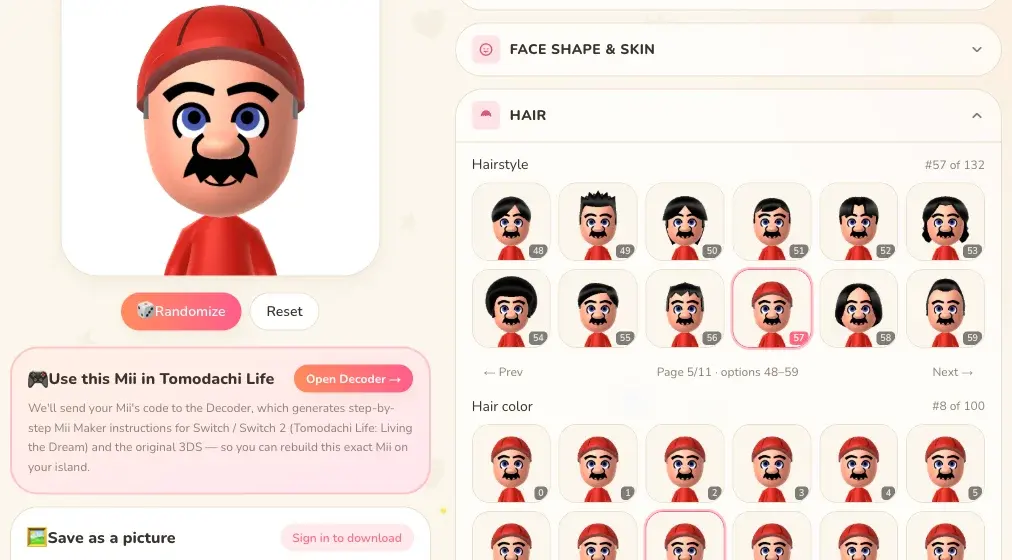
- 1Hairstyle thumbnails, 132 options
- 2Your current pick is outlined
- 3The preview updates as you click
- 3
Send your Mii to the Decoder
When the face looks right, press Open Decoder on the Use this Mii in Tomodachi Life card. Sign in to also download a PNG or copy the Studio code, so you can come back and keep editing later.
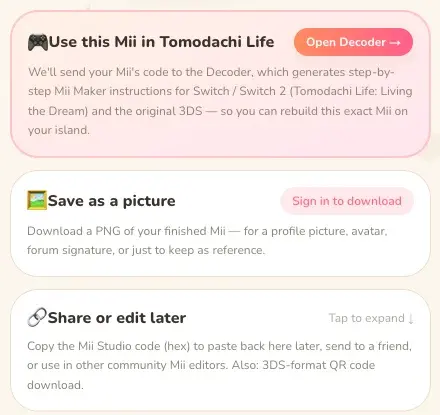
- 1Open Decoder
- 2Save as a picture (sign in)
- 3Copy the Studio code to edit later
- 4
Follow the numbered steps in Mii Maker
The Decoder lists every setting in order, with a small grid showing which row and column to tap. Choose the Switch / Switch 2 tab, follow it in the system Mii Maker, then import the Mii into LTD as a new resident.
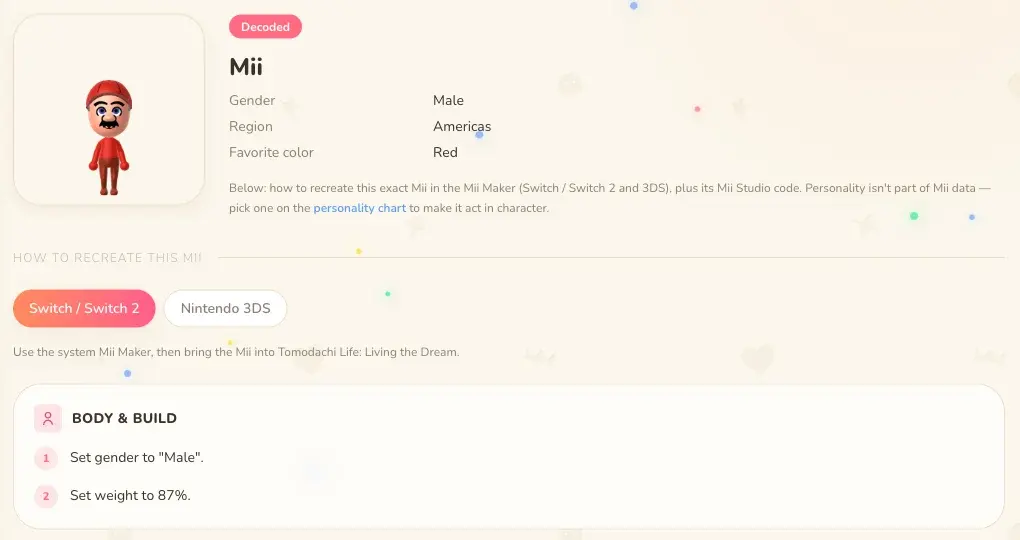
- 1Pick the Switch / Switch 2 tab
- 2Steps are numbered in order
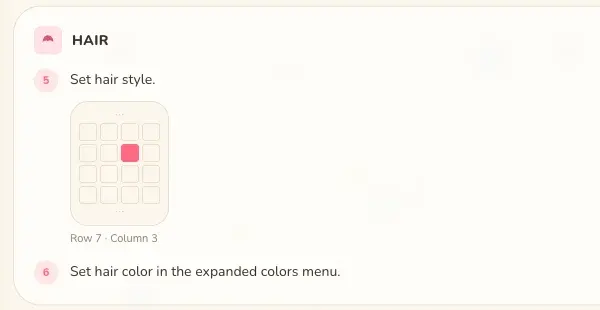
- 1Tap this row and column in Mii Maker
Make a Mii character people recognise in two seconds
On your island you rarely see a resident up close. You see them walking across the plaza or reacting in a group scene, so a Mii should read as the character from a distance, in about two seconds.
Before you make a Mii character, look at one clean front-facing picture and write down three visual anchors. When Mii Maker forces a compromise, protect those three first and let the small details go.


Switch system Mii Maker vs. LTD's in-game Mii Maker
If you make a Mii character inside LTD, it stays there: LTD's in-game Mii Maker is a separate editor from the Switch system Mii Maker, and data only moves one way. A Mii made or edited inside LTD cannot go back to the system Mii Maker, the Switch 2 or Miitopia. LTD's editor also has no hat slot: an imported Mii's hat is moved into that resident's clothing.
| Capability | Switch System Mii Maker | LTD In-Game Mii Maker |
|---|---|---|
| Hair | One combined hairstyle picker | Separate front and back pickers, plus Sets and highlights |
| Face paint & ears | Not available | Custom face paint, ear size and shape |
| Voice & personality | Appearance only | Voice pitch, speed, tone + 5 personality criteria |
| Transfer | Imports into LTD | Stays in LTD |
| Best for | Following our step lists | Finishing touches and markings |
Part-borrowing tricks to make a Mii character from anime or games
Mii Maker has a small set of shapes, so treat brows, mustaches, moles and glasses as raw shapes rather than literal anatomy. Set head shape and hair first, then eyes and brows, nose, mouth, and finally facial hair, glasses and moles.
| Character feature | Part to borrow | How to place it |
|---|---|---|
| Anime eyelashes | Thin arched eyebrows | Lower them onto the upper eyelid in black or hair colour |
| Scar or forehead gem | Mole or a short brow | Enlarge the mole, or rotate a brow high on the forehead |
| Snout, beak or whiskers | Mustache + small nose | Move the mustache up under the nose and shrink the mouth |
| Visor, goggles or mask | Wide glasses | Tint the frames and tuck small eyes behind the lenses |
| Big cartoon grin | Wide open smile | Widen the mouth and drop the eyes for a chibi ratio |
Helmets, mascots and non-human faces
Full-face helmets, snouts and skulls will always hit the limit of a human-shaped face editor. When you make a Mii character like that, decide early between two approaches instead of landing halfway.
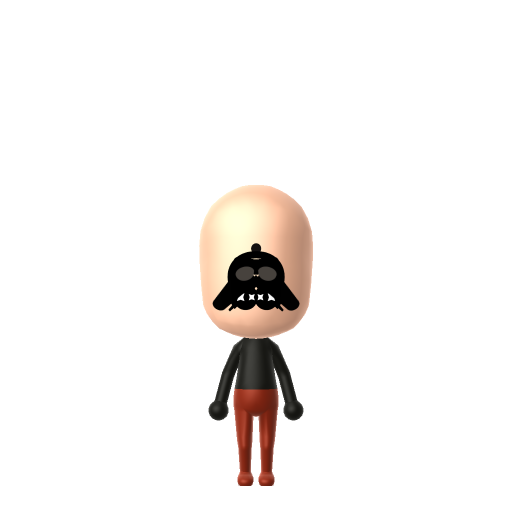 Darth Vader MiiHelmet drawn as a small black face on a bald head
 Bowser MiiHair, brows and glasses stacked into a spiky mask
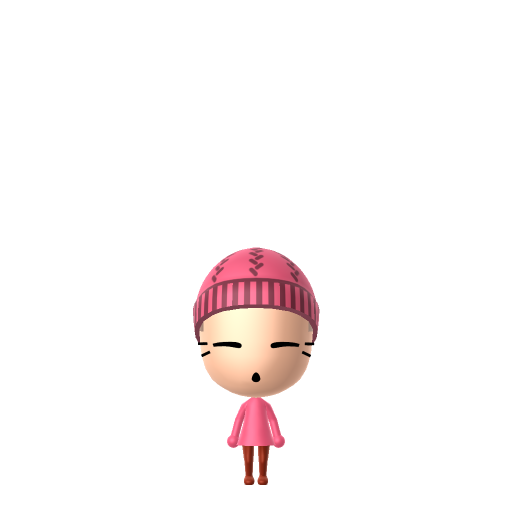 Hello Kitty MiiPink hat, closed eyes and whisker-like lines
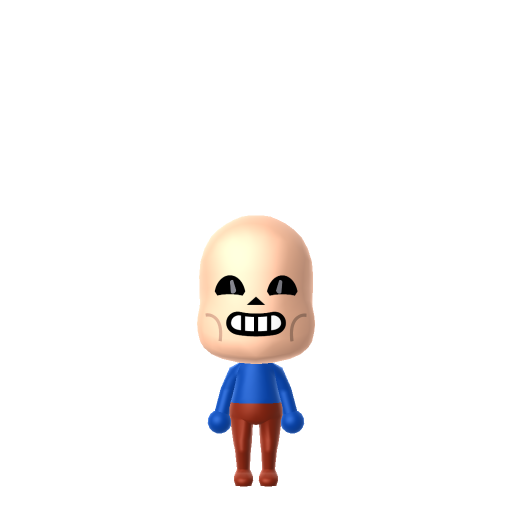 Sans MiiBald head, black eyes and a wide toothy grin
- Abstract face-art: Use glasses, mustaches and oversized parts to sketch the mascot's face. Works best for simple shapes like Hello Kitty.
- Humanised version: Build a person with the character's hair colour, eyes and signature colour, then let LTD's clothes finish the look.
- Save markings for LTD: Cheek marks, scars and panel lines can go on with LTD's custom face paint, so you don't spend brow or mustache slots on them.
Finish the Mii character off-face
Once you make a Mii character's face, personality, voice, height and phrases do the rest — two residents with the same face feel like different people. Match the character's behaviour to one of the 16 types with the Personality Calculator; LTD also has a fifth Overall slider for how normal or quirky their dreams are.
Height is cosmetic and doesn't affect relationships, but keeping tall characters taller than small ones makes group scenes funnier. Last, tune LTD's voice sliders and set five phrases: a catchphrase plus happy, mad, sad and worried lines, up to 16 characters each.
 Who do you want next?
Want us to make a Mii character for you?
Tell us the character's name and series. We can't build every request, but we add the most-requested characters to the Mii Ideas gallery, each with a full step list you can follow in Mii Maker.
Put this guide to work
Frequently Asked Questions
Can I make a Mii character in my browser before my Switch?▾
Yes. Make a Mii character in our free Mii Creator Online with a live preview, then press Open Decoder to get numbered steps for the Switch system Mii Maker or the 3DS.
How do I get a Mii character into Tomodachi Life: Living the Dream?▾
LTD has no QR code scanner. Rebuild the Mii in the Switch system Mii Maker using the Decoder's steps, then import it into LTD as a new resident.
Why don't the Switch picker positions match LTD's Mii Maker?▾
LTD's in-game Mii Maker is a separate editor with split front and back hair pickers and new parts, so its grid is different. Follow the steps in the system Mii Maker first, import, then add LTD-only options.
Can you make a Mii character for me?▾
We can't make a Mii character for every request, but send us the character's name and series by email or on the Community Wall. We add the most-requested characters to the Mii Ideas gallery, each with a full step list.
Do height and personality decide whether two Miis fall in love?▾
No. Height is cosmetic, and in LTD romance is driven by dating preferences, random crushes and relationship settings, not personality type.
Sources & references: Mii Wiki — Tomodachi Life: Living the Dream; TheGamer — LTD Mii creation guide; Game8 — LTD Mii setup guide; Tomodachi Life Wiki — Phrases.